

Susan305351693t3o
Inspiring
December 6, 2024
Answered

Caption with graphic keeps going to next page, for no discernable reason.

  • December 6, 2024
  • 4 replies
  • 2511 views

I have had this problem several times, and the only way I've been able to solve it is in the Ancored Frame menu:
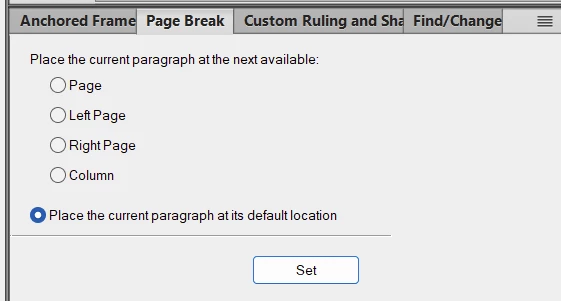
and selecting "page."


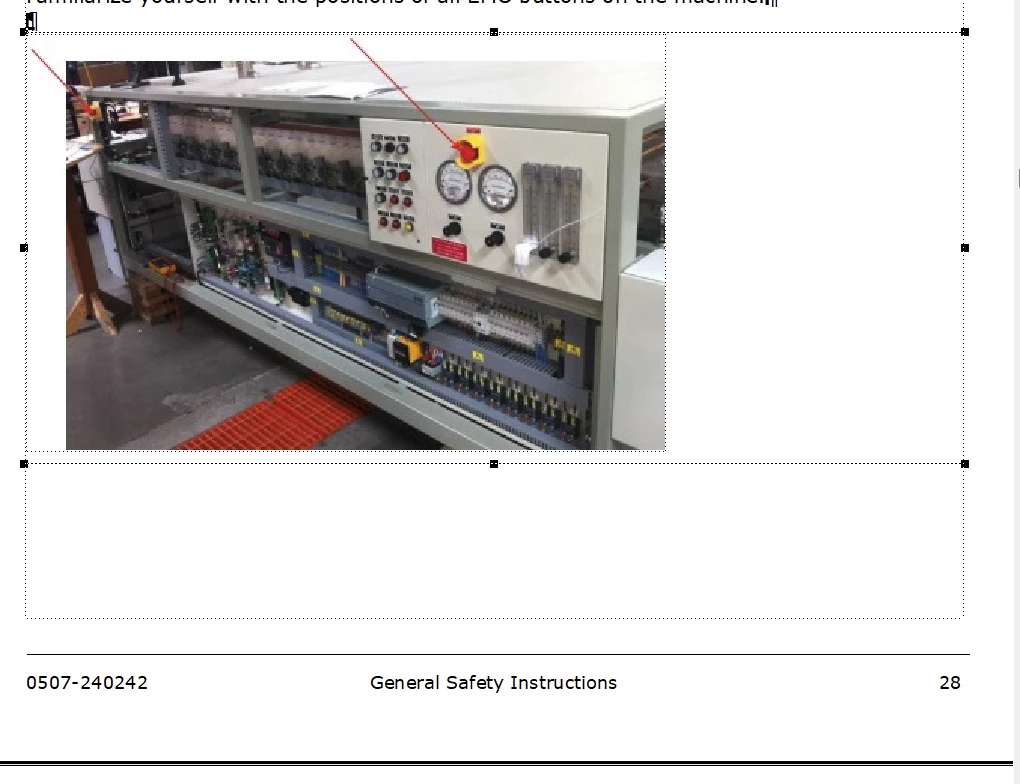
So here is a graphic with no caption on page 28, because for no reason, the caption has jumped to the next page. I've tried shrinking the graphic to the size of a pea, and there is PLENTY of space on the page for the caption, but it STILL jumps to the next page!
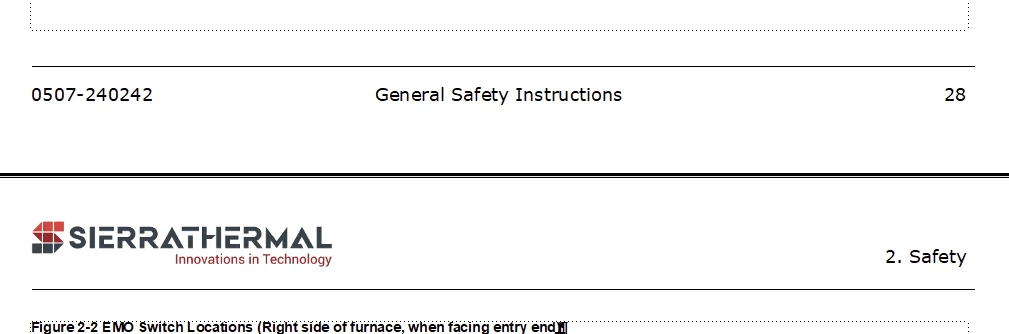
And here is the caption on the next page:
How do I fix this?



    This topic has been closed for replies.
    Correct answer FrameMaker-dk

    What do you mean by accessibily? What would be the problem.


    By accessability he means the use of screen readers. You can have a pdf document read aloud to you by using a screen reader. Creating documents that the screen reader software can understand and read correctly, can be challenging sometimes. The software can not "see" a graphic in a document. It needs to be told, that there is a graphic and you need to tell the reader what the graphic shows. A screen reader reads the text from one end to another, but if it encounters a table with a number of columns and rows, you may need to "explain" to the screen reader, what is shown in the table.  Acessibility is one of many standards your document may need to conform to satisfy - for instance - customers who cater to visually impaired.

    4 replies

    Bob_Niland
    Community Expert
    Community Expert
    December 9, 2024

    There are any number of ways to accomplish caption-below-figure in FM. The simple an obvious one, Anchored Frame above current paragraph, does not exist. So here's one way to do it. This example presumes that what's desired are centered figures & captions.


    Two task-specific Paragraph Formats are needed, arbitrarily named: FigureAnchor and Caption.
    For the test I ran, these were derived from the current Body format, with the following differences:


    ¶FigureAnchor:
    /Basic\
    Alignment: Center
    ☑ Next Para Tag: [Caption]
    /Pagination\
    Keep with: ☐ Previous ☑ Next
    Widow/Orphan Lines: 4 (or whatever your largest caption is +1)
    /Numbering\
    {probably none, due to shoving AF around}


    ¶Caption:
    /Basic\
    Alignment: Center
    ☑ Next Para Tag: [Body] {if any}
    /Pagination\
    Keep with: ☑ Previous ☐ Next
    Widow/Orphan Lines: 4 (or whatever your largest caption is +1)
    /Numbering\
    {as desired}


    ⊥Select the FigureAnchor para.
    Insert🞃
    Anchored Frame…
    Position: At Insertion Point
    Width: / Height: {as desired}


    It would be important for the preceding/following paras to not have Keep With Next/Prev set. Once in place, the fig+cap acts like a single object on reflow.

    Susan305351693t3o
    Inspiring
    December 9, 2024

    Ok. This is a little confusing for my newbie brain.


    1. When you're talking about a style called "FigureAnchor" (I assume you're referring to a character style) is the style applied to the graphic or the frame around the image, or to the caption?

    2. Our format is to have images left-aligned. Is it required that they be in the center for this to work? Why?

    3. Everyone keeps talking about "anchored frames." My trainer never mentioned this term, even when he was teaching me about importing images. So I don't even really know what it means. I do know that when I import a graphic, it ALWAYS has a frame around it. I don't know why it needs a frame around it. Is there an option to turn that off? It seems to cause nothing but trouble.  It seems to be the cause of the caption underneath it jumping to a different page, and I'm completely baffled as to why it would do that (and it doesn't do it every time--most of the time when I import a graphic I can put a caption beneath it and it stays with the graphic just fine).

    Bob_Niland
    Community Expert
    Community Expert
    December 9, 2024

    Paragraph Format (¶catalog), not Character (ƒcatalog).
    It would also work for left-aligned, right-aligned and full-width, but not run-around. Set Alignments for both paras as desired.
    re:  I do know that when I import a graphic, it ALWAYS has a frame around it.

    That's merely auto-creating an AF in the currently-selected para.
    But that's why I specified the steps, starting with the Insert from the top menu.

    re (from an erilier reply): Why would FrameMaker be programmed to separate the caption from the figure it applies to?

    FM, alas, has no real concept of caption below, or arguably captions at all.

    Community Expert
    December 7, 2024

    Hi, @Susan305351693t3o ,

    when I am right there is an anchor at the end of the caption.

    If so that is your problem.

    An anchor MUST always stay with table/anchored frame it belongs to on the same page.

    Put the anchor in its own paragraph and not in the caption para.

    Regards

    Stephan

    Community Expert
    December 9, 2024

    Yes. That's true. The anchored frame will tear the anchor paragraph to the next page (except when the anchored frame is very large, so that the anchor paragraph and the anchored frame do not fit together on the same page).

    However, this symbol at the end of the caption could also be hidden conditional text. Or an index marker.

    Susan305351693t3o
    Inspiring
    December 9, 2024

    What symbol?

    And that makes no sense. Why would FrameMaker be programmed to separate the caption from the figure it applies to? And it doesn't happen every time.

    Dave Creamer of IDEAS
    Community Expert
    Community Expert
    December 7, 2024

    Check the Anchored Frame panel and see if it has a Distance Above Baseline settings. If so, set it to zero (0) and always crop from the top of the frame down.

    I shrinkwrap my images with their own paragraph style so the image is At Insertion Point--then my caption is set to Keep With Previous Paragraph.


    David Creamer: Community Expert (ACI and ACE 1995-2023)
    Bob_Niland
    Community Expert
    Community Expert
    December 6, 2024

    Check the /Pagination\ Keep Withs for the anchoring para, caption para, as well as preceding and subsequent paras.

    Usually (but not always) FM turns out to be doing exactly what some {other?} author set or defaulted it to do.