Inspiring
March 13, 2018
Answered

Changing the text in TitleTOC

  • March 13, 2018
  • 2 replies
  • 820 views

Hello all,

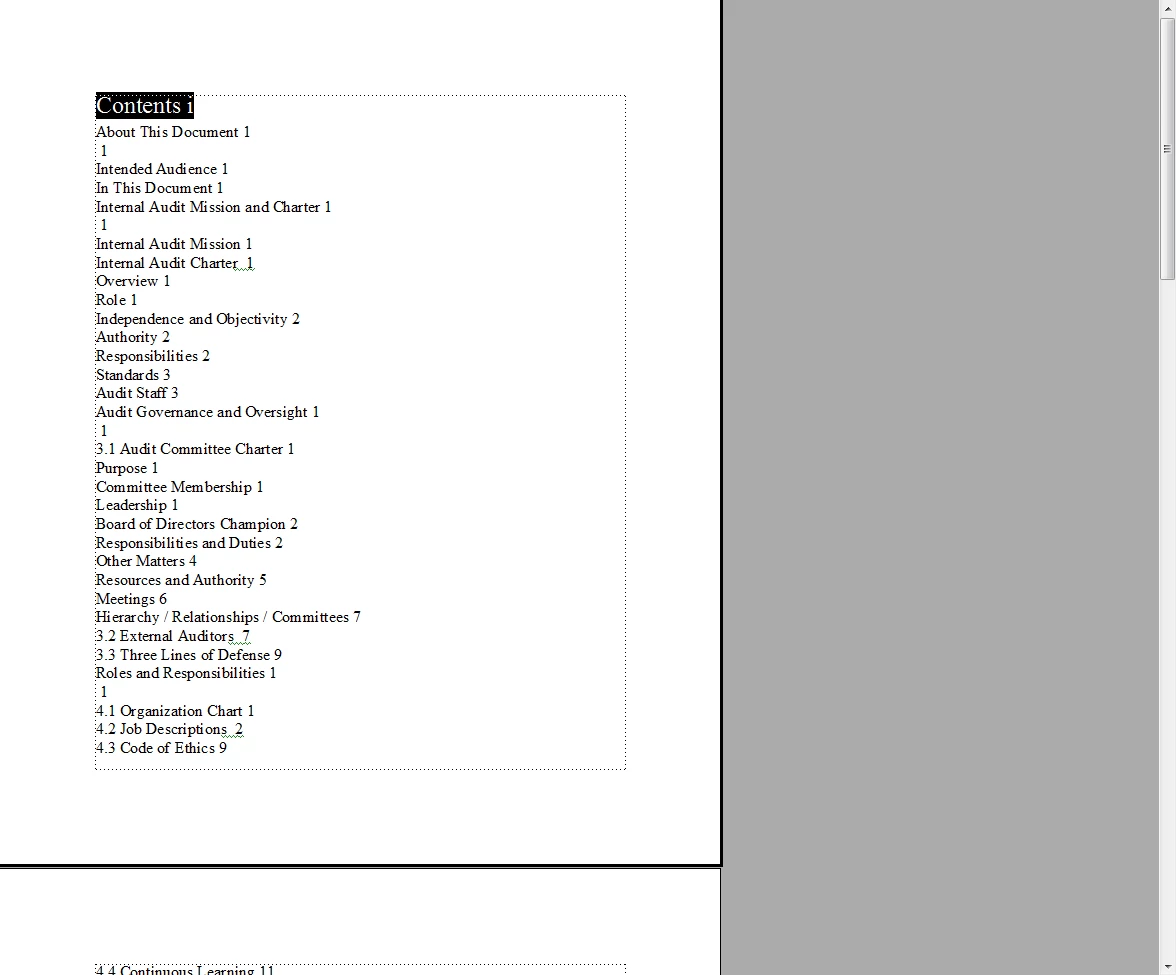
Is it possible to change the text that defaults in the TitleTOC (is this considered a Style)?  I only want the text to read "Content".  Here is a snapshot of what it currently defaults to when creating a TOC:

Many thanks in advance.

Ben

    This topic has been closed for replies.
    Correct answer Matt-Tech Comm Tools

    Hi Ben,

    You have added a paragraph called Title to the styles generated by your TOC. The Contents text you see is a result of either

    1. A paragraph tagged with Title that contains the text Contents (if so, correct the para to read Content)
    2. A paragraph tagged with Title that contains no text but has autonumbering in Title set to Contents
      (if so, correct the autonumber of Title to read Content)
    3. A paragraph tagged with Title that contains no text but has autonumbering in TitleTOC set to Contents
      (if so, correct the autonumber of TitleTOC to read Content)

    If you are looking only to add a heading to the top line of your TOC, just define a new paragraph (perhaps called ContentsTitle) and apply that to the top line of your TOC. It will stay there when you regenerate your TOC because only those paras with TOC as the suffix are removed.

    Oh, and you'll find you have a series of blank heading paragraphs that you'll want to remove from your chapters. They are causing the odd page number references like the line below Roles and Responsibilities.

    If you're new to TOCs and FrameMaker in general, you might consider picking up a copy of my reference book, FrameMaker - Working with Content.

    Let me know if there's anything else you need.

    -Matt

    2 replies

    Matt-Tech Comm Tools
    Community Expert
    Matt-Tech Comm ToolsCommunity ExpertCorrect answer
    Community Expert
    March 13, 2018

    Hi Ben,

    You have added a paragraph called Title to the styles generated by your TOC. The Contents text you see is a result of either

    1. A paragraph tagged with Title that contains the text Contents (if so, correct the para to read Content)
    2. A paragraph tagged with Title that contains no text but has autonumbering in Title set to Contents
      (if so, correct the autonumber of Title to read Content)
    3. A paragraph tagged with Title that contains no text but has autonumbering in TitleTOC set to Contents
      (if so, correct the autonumber of TitleTOC to read Content)

    If you are looking only to add a heading to the top line of your TOC, just define a new paragraph (perhaps called ContentsTitle) and apply that to the top line of your TOC. It will stay there when you regenerate your TOC because only those paras with TOC as the suffix are removed.

    Oh, and you'll find you have a series of blank heading paragraphs that you'll want to remove from your chapters. They are causing the odd page number references like the line below Roles and Responsibilities.

    If you're new to TOCs and FrameMaker in general, you might consider picking up a copy of my reference book, FrameMaker - Working with Content.

    Let me know if there's anything else you need.

    -Matt
    -Matt Sullivan, FrameMaker Course Creator, Author, Trainer, Consultant
    Matt-Tech Comm Tools
    Community Expert
    Community Expert
    March 13, 2018

    Ctrl+Click on Contents to jump to the source of your entry.

    -Matt Sullivan, FrameMaker Course Creator, Author, Trainer, Consultant
    Jeff_Coatsworth
    Community Expert
    Community Expert
    March 13, 2018

    You would need to change the originating text (tagged with the Title paragraph tag) to read "Content" - the TOC is just going to pick up whatever is attached to that Title tag.

    Inspiring
    March 13, 2018

    Sorry, should have been more clear. 

    I figured I would need to change the "source".  But I am not sure how to navigate to it.
