
Answered
CMYK color error in FrameMaker document
Hello Dear Readers,
I am facing the issue in applying the color palette in FrameMaker tool as explained and shown below.
As I have the requirement to update the font color as per below snap and requirements of CMYK specification.
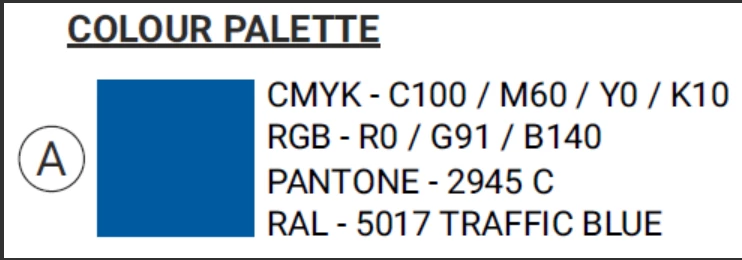
When I tried to apply above said color in FrameMaker (View-->Color-->Definitions..) to text but the desired color is not fetching to the text as shown in below snap.
I am using the Adobe FrameMaker 2022, version 17.0.3.546.

I would request if anyone knows the instructions to update the color to the text through CMYK specification , please share.
Thank you
Shiddalingeshwar




 AdChoices