
Rsfl
Inspiring
December 7, 2020
Question

CMYK colors do not match

  • December 7, 2020
  • 2 replies
  • 580 views

Hello all,

we recentlynoticed that we suddenly have to select CMYK colors in PDF publication to avoit crashing. This shifted a corporate color in the PDF output, so I converted it from RGB to CMYK and changed the color definition in FM, no change.
 

    This topic has been closed for replies.

    2 replies

    Jeff_Coatsworth
    Community Expert
    Community Expert
    December 7, 2020

    Use the Photos icon to include screenshots - don't use attachments - many people will not open attached files for security reasons. What version of FM are you running?

    Rsfl
    RsflAuthor
    Inspiring
    December 8, 2020

    Well I used several websites that translate RGB values into CMYK and they all came to the same conclusion. But regardless if this is correct or not, should the color in the PDF not at least match the preview in Framemaker? In FM the color was just a bit off (a bit brighter red), in the PDF it looks orange. I guess I will just have to fiddle with the color values until I get an acceptable result. Just the ususal pain with Framemaker.. ; )
    I have FM 13.0.1.385

    Be.eM
    Inspiring
    December 8, 2020

    The color preview in FrameMaker has never been a reliable reference. All RGB colors in FM always look "quietschebunt", even worse with imported graphics 😉


    FrameMaker converts the RGB value of 255, 15, 55 to CMYK 0, 78.4, 62.7, 15.7, which results in 0, 78, 63, 16 in the final CMYK PDF. Of course this color also doesn't look similar to the preview or the RGB PDF output.

    Rsfl
    RsflAuthor
    Inspiring
    December 7, 2020

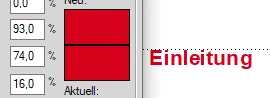
    The color I need is 215 15 55. This converts into 0 93 74 16. In the first screenshot you can see that already the prevew in FM dies not match completely. In the PDF (2. screenshot) the color is completely off.

    Be.eM
    Inspiring
    December 7, 2020

    Where does that color conversion come from? "It converts into…" is not quite right. It totally depends on the application and color profiles (if used) which CMYK value results from your RGB value. FrameMaker doesn't use any color profiles at all, and the automatic conversion of the RGB to CMYK value is totally different to your result. Affinity Photo shows different results depending on the used profile, and Photoshop says that this RGB color is not directly translatable to CMYK, I guess that's where your K value comes from.

    Anyway, an RGB value which cannot be directly translated to CMYK will definitely result in different outcomes when exporting to RGB or CMYK PDF.


    Edit: Sorry, I misread the R value (255 instead of 215). But this still results in totally different CMYK values (e.g. 2-94-64-0) depending on the application and profiles. So where does your conversion come from?


    Bernd