

K.Daube
Community Expert
Community Expert
February 14, 2020
Answered

Collapsing a TreeView

  • February 14, 2020
  • 2 replies
  • 658 views

Dear friends,

My script to expand all nodes works fine. The contrary function to collapse all nodes, does not behave:

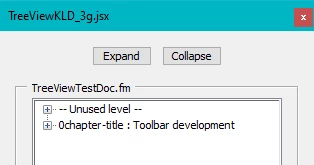
  • This is the starting point, the tree is generated an the top nodes are closed
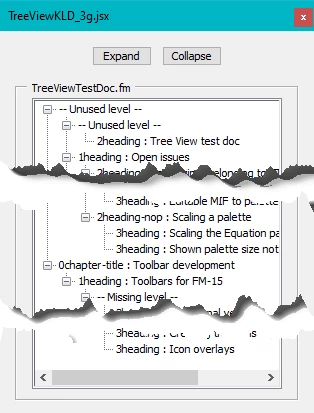
  • Using button Expand makes the whole tree visible
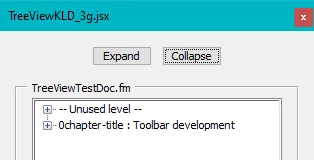
  • As long as the whole tree is visible, using Collapse works correctly
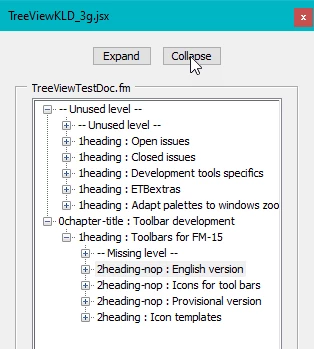
  • If only part of the tree is visible and Collapse is used, nothing happens:
→ What could be wrong with FunCollapseAll?

function FunExpandAll(oTree) { // --- recursively used
// Reference    Peter Kahrel
var j, branches;
  oTree.expanded = true;
  branches = oTree.items;
  for (var j = 0; j < branches.length; j++) {
    if (branches[j].type == 'node') {
      FunExpandAll (branches[j]);
    }
  }
} // end of FunExpandAll

function FunCollapseAll(oTree) { // --- recursively used
var j, branches;
  oTree.expanded = false;
  branches = oTree.items;
  for (var j = 0; j < branches.length; j++) {
    if (branches[j].type == 'node') {
      FunCollapseAll (branches[j]);
    }
  }
} // end of FunCollapseAll


This topic has been closed for replies.
Correct answer K.Daube

The following 'brute force' method works:

// --- behaviour of the buttons
  wDocNav.g1.btnExpand.onClick = function () {
    FunExpandAll(oTree);
  }
  wDocNav.g1.btnCollapse.onClick = function () {
    FunExpandAll(oTree); // to avoid error with partial view
    FunCollapseAll(oTree);
    wDocNav.show();
  }

2 replies

Inspiring
February 14, 2020

I can't try this, but my guess is that you can't collapse a node if it's parent is already collapsed.


Is there a way you can work in the opposite direction for collapse?

Fold all of the lowest nodes first and work up the tree?

K.Daube
Community Expert
K.DaubeCommunity ExpertAuthorCorrect answer
Community Expert
February 14, 2020

The following 'brute force' method works:

// --- behaviour of the buttons
  wDocNav.g1.btnExpand.onClick = function () {
    FunExpandAll(oTree);
  }
  wDocNav.g1.btnCollapse.onClick = function () {
    FunExpandAll(oTree); // to avoid error with partial view
    FunCollapseAll(oTree);
    wDocNav.show();
  }