

Colored Text Box, White Artifact Lines
Hi,
I'm creating colored text boxes for different note types, e.g. Note, Caution, Warning, Danger.
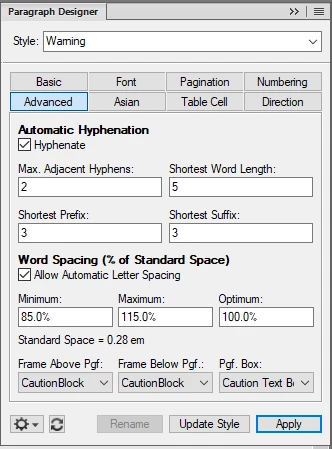
I've been using the Frame Above Pgf function and Frame Below Pgf function to add spacing of the colored text box above and below. The frames for Frame Aboe Pgf etc. are being sourced from the reference page.
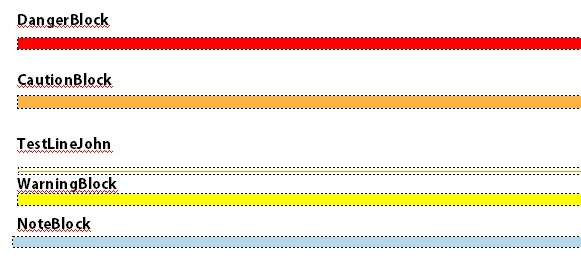
The colors look good, but the resulting PDF has white artifact lines on the text boxes (noticable in below pic on Caution box, but happens randomly on other colored boxes also).
This seems to be a consistent Adobe problem, as Word doesn't cause these artifact lines.
I know that I can modify the preferences of the PDF, with things like uncheck Smooth Line Art and Enhance Thin Lines, and this does seem to get rid fo the white artifact lines. But then it screws up the way that the border lines on the headers and footers look.
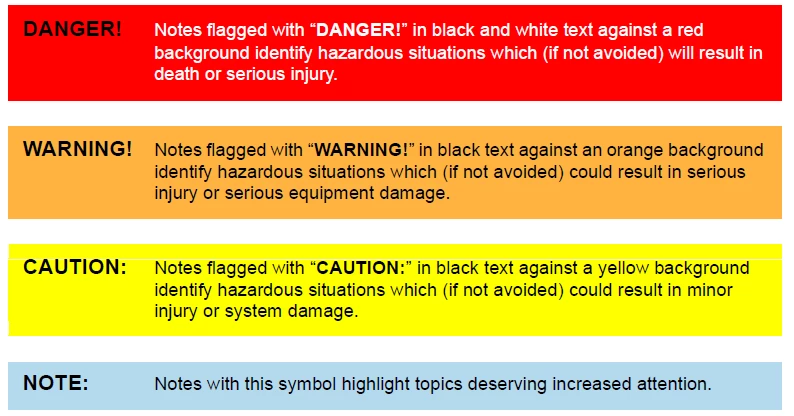
I'm wondering if there's a way to create colored text boxes and not have these white artifact lines.
Is there a way to add "padding" to the text box so that I don't have to use the Frame Above Pgf function? That function seems to be the culprit for creating the artifact lines, as the lines usually happen right at border of text.
In the paragraph style, when I set space above paragraph, it doens't apply to the first line of text. Not sure why that would be the default behavior...
Thanks.


 AdChoices