Participant
April 24, 2025
Answered

Colour of cross references in HTML5 output

  • April 24, 2025
  • 2 replies
  • 835 views

Hi

Is there a way to change the colour of cross-reference links when output in HTML5? In FrameMaker, the text colour is black, but in the Help output, I would like it to be #0C1233. How and where can this be changed, if possible?

TIA

    Correct answer FrameMaker-dk

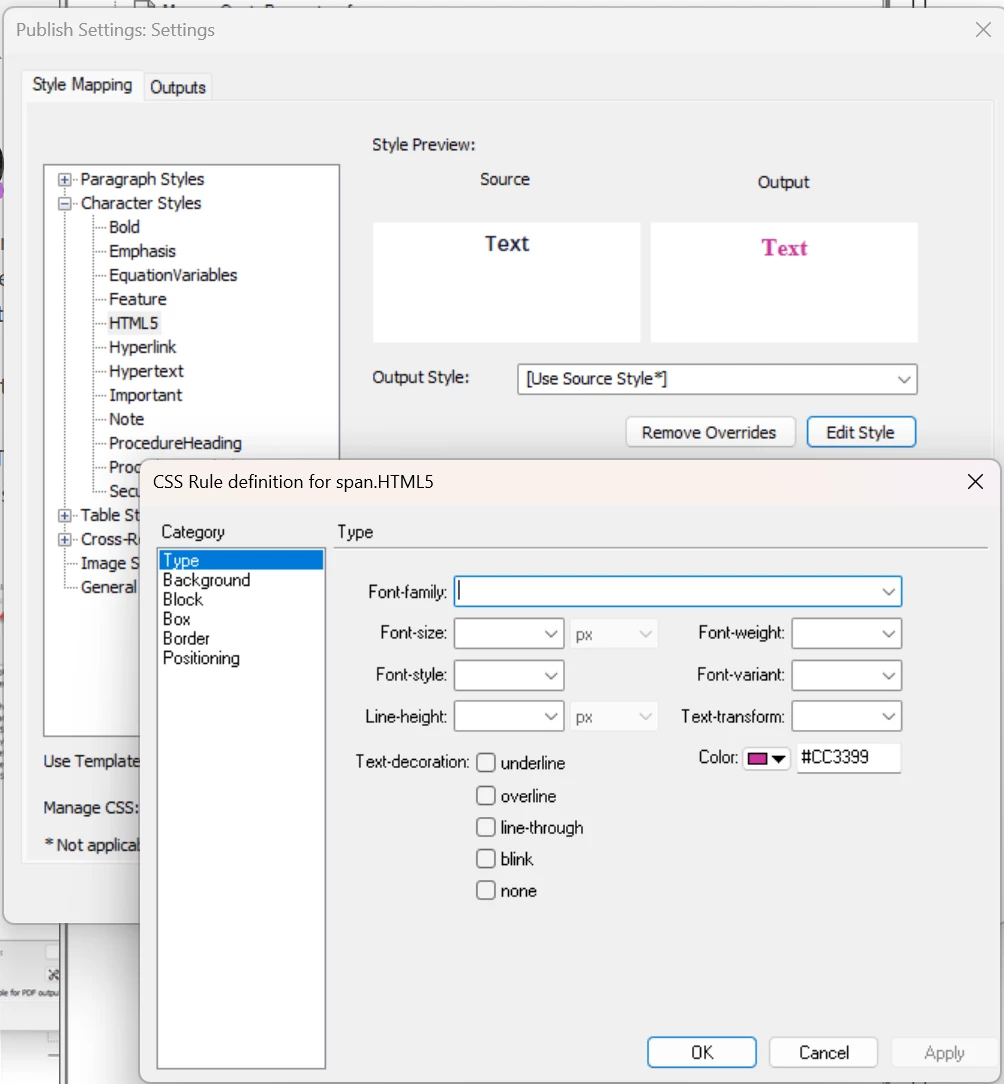
    Thank you so much for your very clear instructions. I have done what you've suggested:

    But still the output hasn't changed...


    Might this be a browser cache issue? Hitting F5 and clearing all browser cache?

    2 replies

    Community Expert
    April 24, 2025

    Hi,

    Just change the cross-reference format before you output to HTML5.

    Create a character format (e.g. html5) with everything set to As Is and a color, e.g. blue.

    In the cross-reference format insert the building block for this character format. The character format building blocks are listed a the end of the building blocks.

    E.g.: <html5>“<$paratext>” on page\ <$pagenum><Default ¶ Font>

    Then update all cross-references.

    When you now export to HTML5 the cross-references should use your color.

    Of course this depends also on your CSS settings.

    Best regards, Winfried

    Participant
    April 24, 2025

    Hi Winfried

    I have set up the cross-reference, as per your instructions, but the hyperlink still displays the default light blue.

    I have exported the CSS file, but not too sure where I should look/where the change need to be made. Any ideas please?
    Below is my current Style Mapping, not sure if that's of any use?!


    Matt-Tech Comm Tools
    Community Expert
    Community Expert
    April 24, 2025

    You'll likely need view the source code (I'd use Inspect in Chrome) to identfy the specific HTML that is controlling the link. Then, export the CSS using the Manage CSS option in style mapping, edit externally to display the content as needed. After, import with (again) the Manage CSS option.

    Feel free to post the HTML code from your published output.


    -Matt Sullivan, FrameMaker Course Creator, Author, Trainer, Consultant
    Jeff_Coatsworth
    Community Expert
    Community Expert
    April 24, 2025

    I would think that's all controlled by the CSS you're using in the output. 

    Participant
    April 24, 2025

    Hi Jeff
    My cross-reference is called 'Heading & Page', but can't see any reference to that in the CSS file. Any ideas please?


    Jeff_Coatsworth
    Community Expert
    Community Expert
    April 24, 2025

    Take a look at the source HTML5 for an xref link - see what is being applied to it; then that will give you a clue for what to look for in the CSS (or to create your own definition to be used).