

Community Expert
July 1, 2020
Answered

Condition does not hide autonumbered text

  • July 1, 2020
  • 1 reply
  • 463 views

FrameMaker 2019 - Unstructured

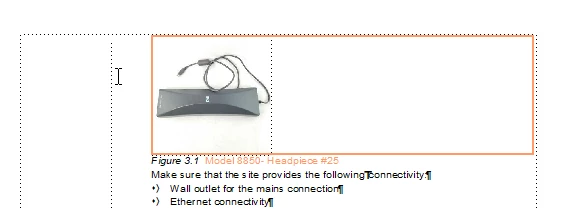
I am working on a small chapter which is to have an anchored frame which is conditional. I have set up a condition for the anchored frame, and it works ok. But the figure text which flows below the anchored frame is also set to be conditional, but that does not work. I suppose this has something to with the figure text being autonumbered, but how do I solve it. How do I hide the figure text along with the rest of stuff which has been set to "Hide"?
    This topic has been closed for replies.
    Correct answer Winfried Reng

    Hi,


    Is your figure title a regular paragraph in the main text flow?

    Does also the paragraph mark have the condition?

    Then this should work.

    Can you also post a screenshot with the condition hidden?


    Best regards


    Winfried

    1 reply

    Winfried RengCommunity ExpertCorrect answer
    Community Expert
    July 1, 2020

    Hi,


    Is your figure title a regular paragraph in the main text flow?

    Does also the paragraph mark have the condition?

    Then this should work.

    Can you also post a screenshot with the condition hidden?


    Best regards


    Winfried

    Community Expert
    July 1, 2020

    Hi

    Thanks for your quick answer. Your question regarding the paragraph mark, put me on the right track! I had omitted to make that conditional as well. Thanks!

    Bjørn Smalbro - FrameMaker.dk