

Connecting FrameMaker 10 with SharePoint 2010?
We have successfully connected FrameMaker 10 to SharePoint 2010. However, we've run into an issue with the functionality, and we don't know how to correct it or if it's simply a feature limitation:
When we check out and open from within FrameMaker a file that is stored on SharePoint, we can only import referenced graphics/files that are stored on the directory in SharePoint we're connected to.
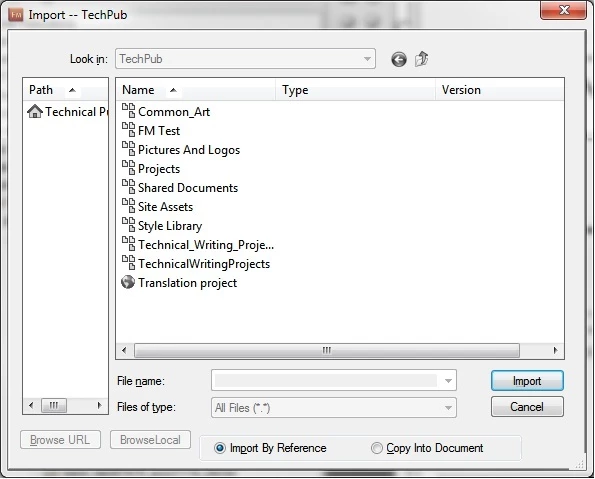
All navigation options in the "Import" dialog box are grayed out (see attached image), so we cannot add references to any files that are stored on:
* Our local drive
* A mapped network drive
* Another SharePoint directory
Is this an intentional limitation built into how FrameMaker integrates with SharePoint? Or is there a way we can "see" local and network drives when adding references to artwork in our FrameMaker files?
(When all referenced files are stored on the single SharePoint directory we're connected to, everything seems to work fine.)
Thanks in advance,
Jason Nichols
We're running:
* FrameMaker 10
* SharePoint 2010
* Windows 7 (64-bit)
* IE 9


 AdChoices