oscars62719390
Participant
May 10, 2019
Answered

Connecting FrameMaker to SharePoint

  • May 10, 2019
  • 3 replies
  • 5833 views

Hi,

I'm having trouble connecting FrameMaker 19 to SharePoint (I think version 2016).

In FM i go to File --> CMS --> Connection Manager --> Choose Connection --> Microsoft SharePoint Online
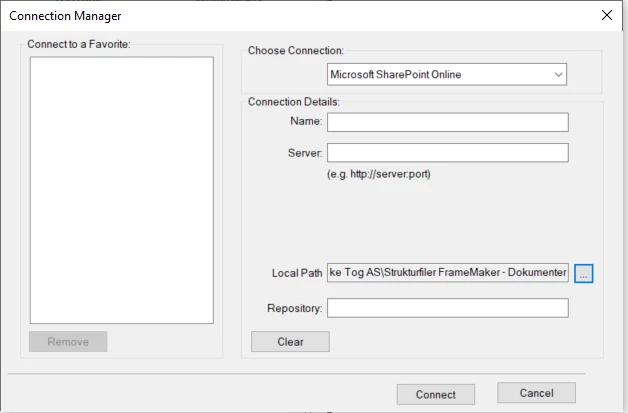
Couple of questions:

The name can be whatever? Like "FrameMaker Documents"

Does it matter if the server is https instead of http?

Can the server name be https://xxxxxxx.sharepoint.com or should it be https://xxxxxxx.sharepoint.com/sites/xxxxxx/shared%20Documents/Forms/Allitems.aspx

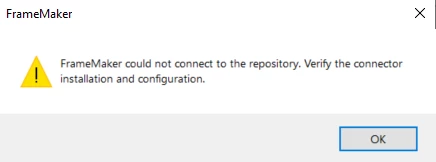
The main problem is the repository text box. I have tried many different things, but i'm still not sure what is supposed to go in there. I always get this message:
I have watched this video: Out-of-the-box SharePoint 2016 support in FrameMaker (2019 release)  

It is exactly what i want, but the video completly skips the connection manager part. I have also failed to find an answer through google searches.

Please help

This topic has been closed for replies.
Correct answer TariniSunil

Hi Oscar,

Hope you are doing well, I will try my best to help you out

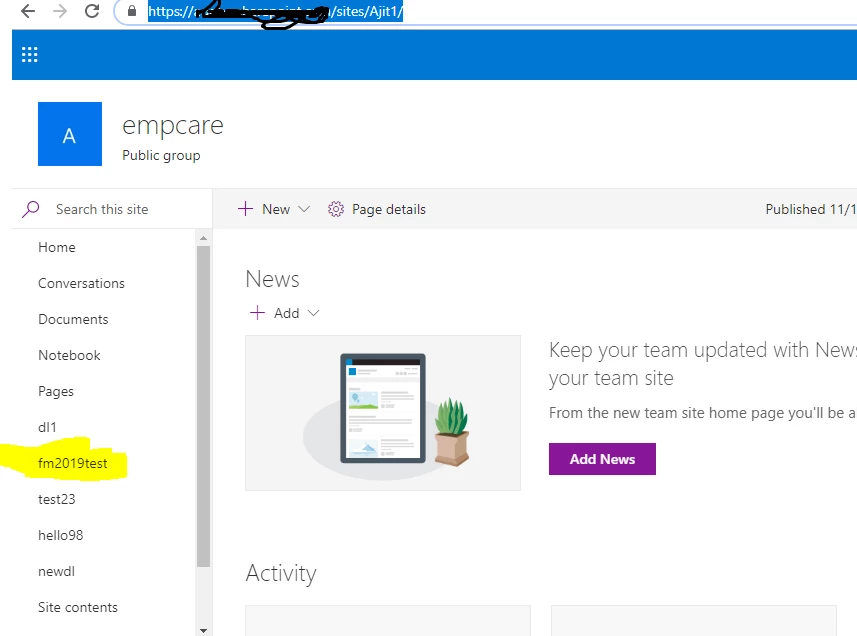
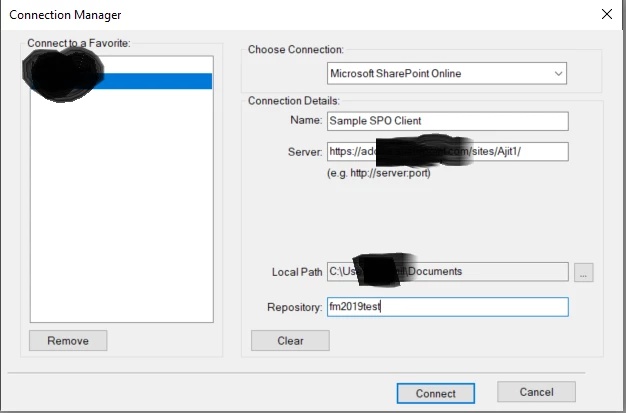
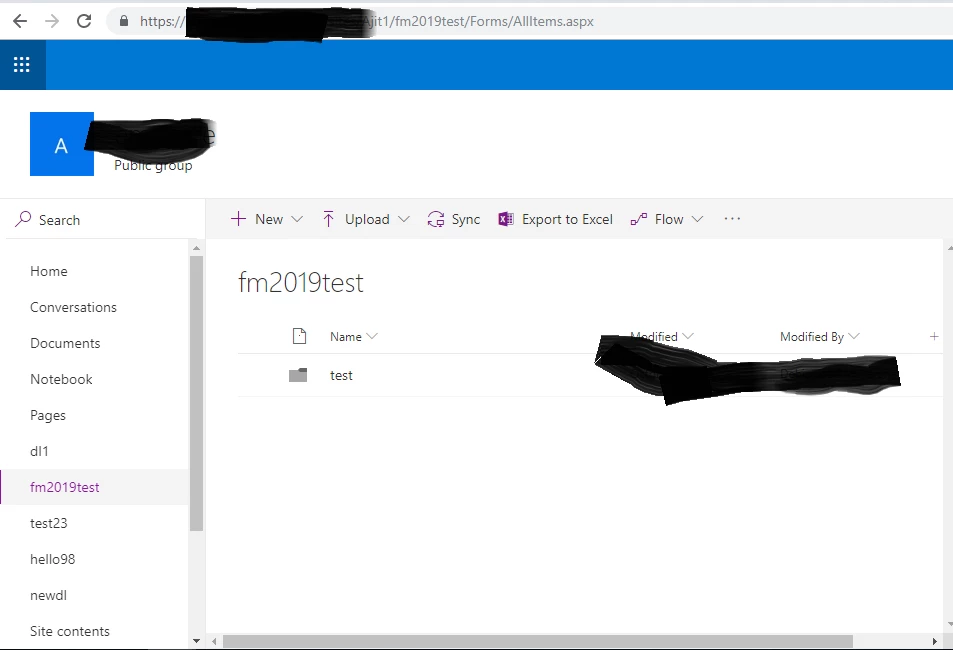
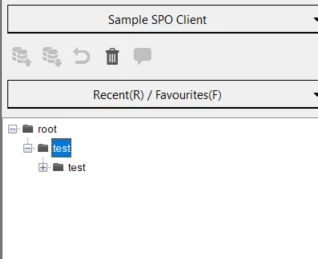
The above images show the flow of SharePoint Online Connection

We see that we have a site named

https://xxxx/sites/Ajit1

this goes in "Server" in Connection Manager

Name can be anything only thing to note (this would eventually form the directory which is used to store files in local system e.g Sample SPO client here) so no invalid characters are allowed

Repository

as in the first image higlighted the list name fm2019test , the same name goes in repository, and connects to that list.

Hope this helps.

Regards

Tarini

3 replies

Participant
December 2, 2021

Hi.

In the same situation trying to  connect corporate share point i get:

 What must be configurated?

Thanks

Jeff_Coatsworth
Community Expert
Community Expert
December 2, 2021

What point version of FM are you running @Vova_Epa? You're not getting the same issue as the OP on this thread - maybe we should create a new one for your issue...

Participant
December 2, 2021

I use 2019. What is OP?


TariniSunil
Adobe Employee
TariniSunilCorrect answer
Adobe Employee
May 10, 2019

Hi Oscar,

Hope you are doing well, I will try my best to help you out

The above images show the flow of SharePoint Online Connection

We see that we have a site named

https://xxxx/sites/Ajit1

this goes in "Server" in Connection Manager

Name can be anything only thing to note (this would eventually form the directory which is used to store files in local system e.g Sample SPO client here) so no invalid characters are allowed

Repository

as in the first image higlighted the list name fm2019test , the same name goes in repository, and connects to that list.

Hope this helps.

Regards

Tarini

oscars62719390
Participant
May 13, 2019

Thank you.

I have managed to connect them together with your post.

I tried first to connect with "documents", but when i made a new document library it suddenly worked.

Follow up question:

Do you have to manually connect each time? It seems when i close FM and open it again it does not remember the connection.

Regards

Oscar

TariniSunil
Adobe Employee
Adobe Employee
May 13, 2019

Hello Oscar,

It will remember the server and connection name, FM does not remember the name of repository because the user may want to the connect to a new repository oeach time, or the name of the repository might have changed or repository deleted.

Regards

Tarini

Jeff_Coatsworth
Community Expert
Community Expert
May 10, 2019

You will probably have better luck in this forum - the one you picked was all about FM to RoboHelp integration.