April 1, 2013
Answered

Copy text from FrameMaker 11 to another editor

  • April 1, 2013
  • 1 reply
  • 1504 views

It appears that one cannot copy text in FrameMaker 11 and paste it into another editor such as Notepad++ or MS Word. It is as though FrameMaker does not use the Windows clipboard. We observe this behavior with WYSIWYG View and Author View. On the other hand, we can copy text from the XML View and paste into these other editors with no problem.

This issue seems to have been introduced with FrameMaker 11, as we can copy and paste the identical text from FrameMaker 10. As another data point, unstructured FrameMaker 11 also allows copy and paste to an external editor.

Can anyone provide insight into why this behavior occurs and how we might modify it?

Thank you,

--larry0
This topic has been closed for replies.
Correct answer frameexpert

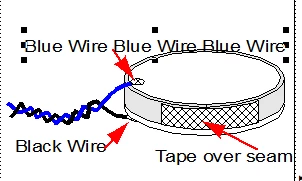
I meant to send this, with the box selected. 


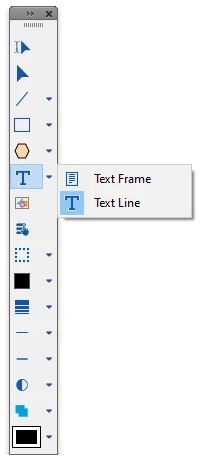
These are Text Lines, which are created with the Text Line tool:

Text Lines are single line objects; if you press return, you will get a separate Text Line. You can apply Character Formats to Text Lines, but not Paragraph Formats. I prefer to use small Text Frames for my callouts instead of Text Lines.

1 reply

Legend
April 2, 2013

Hi Larry,

I don't observe this behavior with my FM11 installation. Is there anything unusual with your files? I suppose not, otherwise you might have mentioned it. Is there any difference between using Ctrl-C and Edit > Copy?  I'm thinking perhaps there is a chance that the shortcut became hijacked or corrupted, which has been reported before. Can you paste into FM from another application?

Russ

April 2, 2013

Hi Russ,

I tried your suggestion and saw no difference between the keyboard shortcut and the menu command. However, your question about there being anything unusual in our files led me to think about what might be different. The difference is that we use DITA-FMx. I converted back to native FM DITA and the anomaly disappeared.

I'll contact Scott Prentice directly about this issue to minimize traffic on this forum.

Thank you for your help,

--larry0

Participating Frequently
September 29, 2023

Hello: I am experiencing this issue currently of being unable to copy and paste text into any text editor. The text is floating, with no text box around it. I can see the text and make a Character Format change, like color or size, but it does not have a Paragraph format, and I can't seem to apply a Paragraph format to the text, either. I can copy into the document in other sections, but the text in these floating areas cannot be copied. Any suggestions would be appreciated. Many thanks, John