MR89
Inspiring
October 10, 2017
Answered

Creating format with under/overlines

  • October 10, 2017
  • 1 reply
  • 3173 views

I've created formats for the catalog before, but how do I create a format that has the underlines and/or overlines associated?


This topic has been closed for replies.
Correct answer Barb Binder

I'd recommend paragraph rules over over/underlines. These lines live on the 1st Reference page, so if you don't care for their color, thickness, position, you can modify them there. If that is new to you, see Adobe FrameMaker: What are Reference Pages? - Rocky Mountain Training  and Adobe FrameMaker: More on Reference Pages - Rocky Mountain Training.

Anyway,

  • Create a ¶ tag for the note.
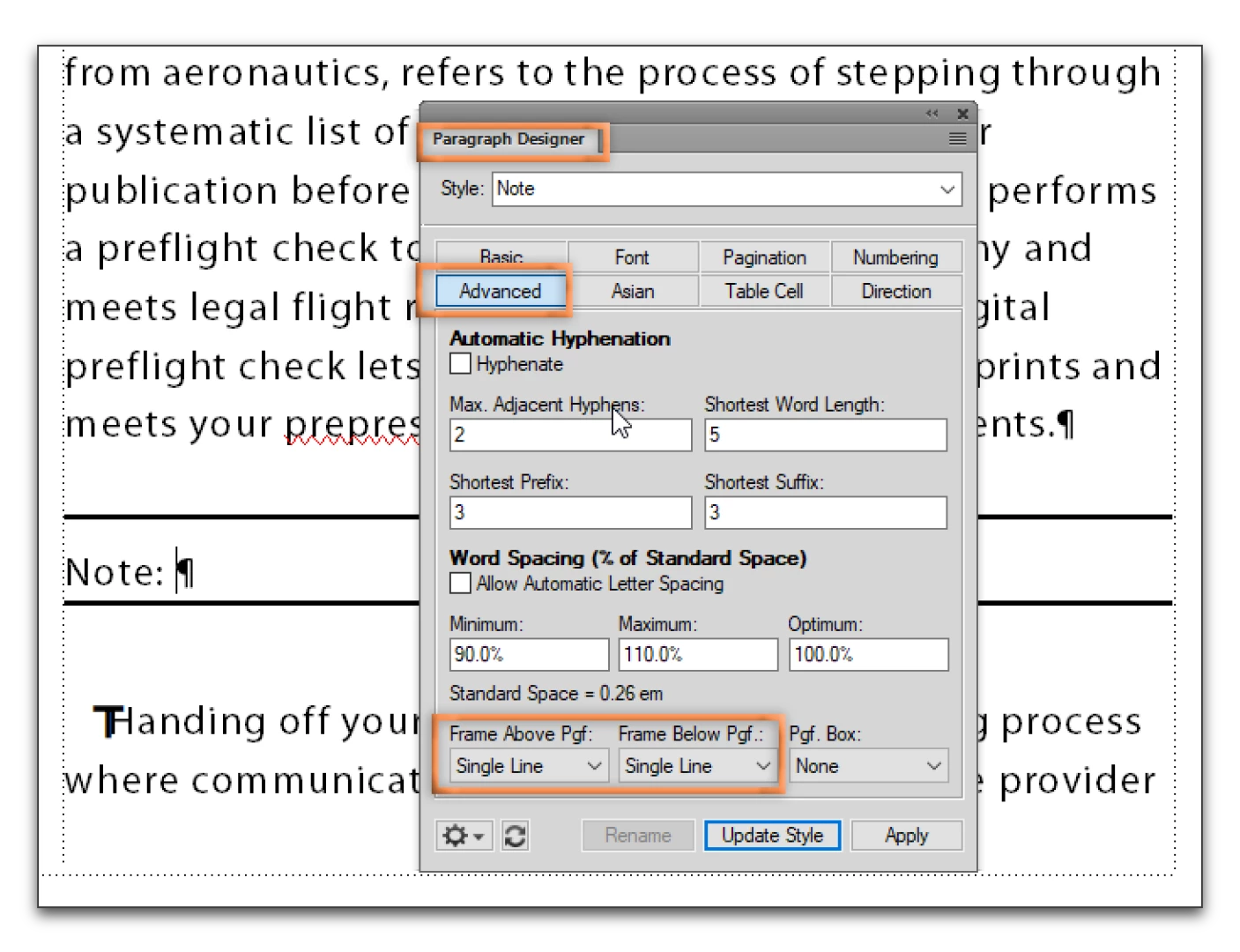
  • Format > Paragraph Designer > Advanced
  • Change Frame Abv Pfg and Frame Below Pfg to Single Line

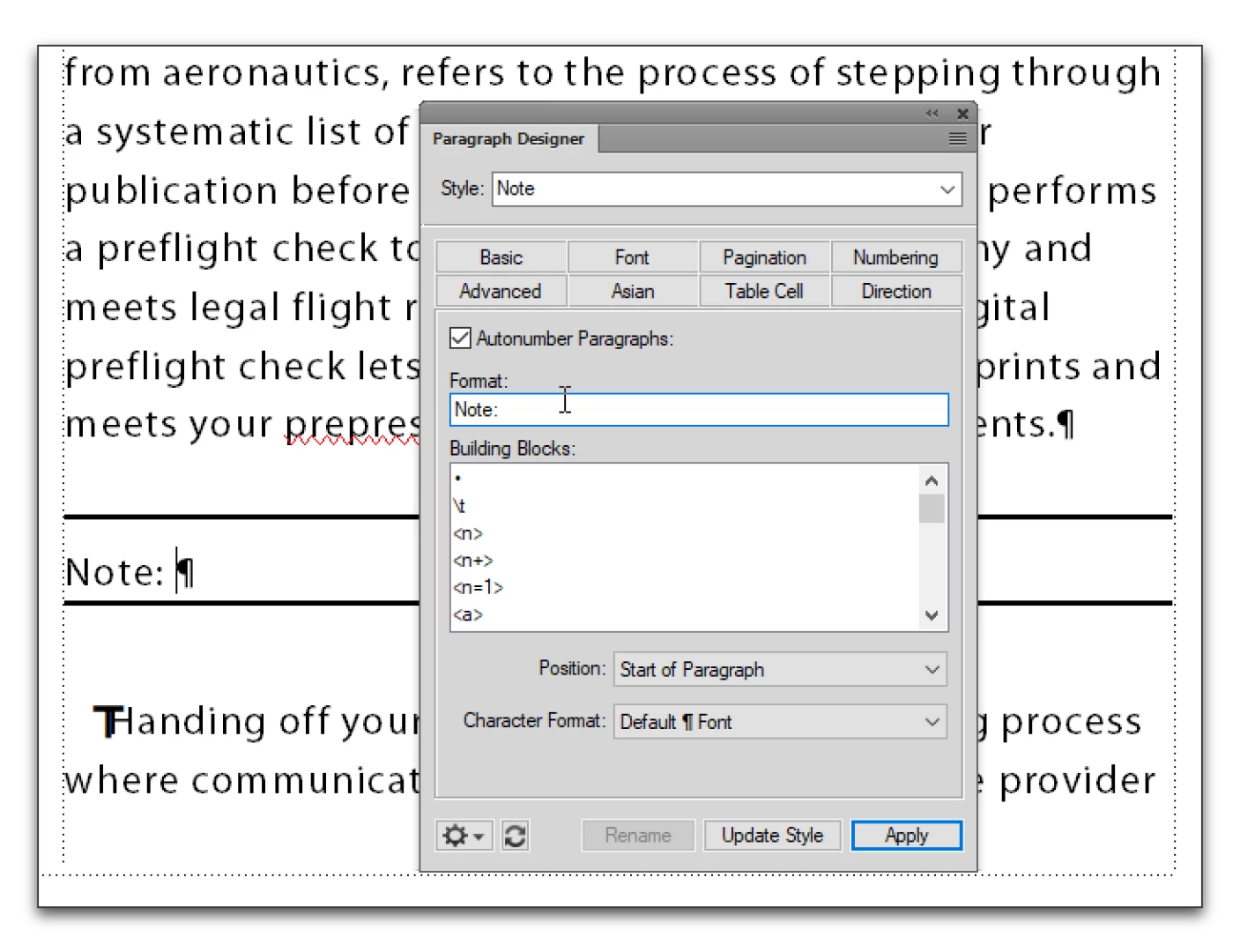
  • You might also consider using Numbering to type out the word Note for you, just to automate the process as much as possible.

~Barb

1 reply

Barb Binder
Community Expert
Barb BinderCommunity ExpertCorrect answer
Community Expert
October 10, 2017

I'd recommend paragraph rules over over/underlines. These lines live on the 1st Reference page, so if you don't care for their color, thickness, position, you can modify them there. If that is new to you, see Adobe FrameMaker: What are Reference Pages? - Rocky Mountain Training  and Adobe FrameMaker: More on Reference Pages - Rocky Mountain Training.

Anyway,

  • Create a ¶ tag for the note.
  • Format > Paragraph Designer > Advanced
  • Change Frame Abv Pfg and Frame Below Pfg to Single Line

  • You might also consider using Numbering to type out the word Note for you, just to automate the process as much as possible.

~Barb

~Barb at Rocky Mountain Training
MR89
MR89Author
Inspiring
October 10, 2017

That worked What I'm ultimately trying to create is a Notes tag that can have multiple notes underneath bulleted.  I'm not quite sure how to apply bullets to a paragraph format.  When I select "bullet" in my catalog, the note disappears and changes to a bullet, but what I'm looking for is bullets underneath the note for multiple "notes".

Barb Binder
Community Expert
Community Expert
October 10, 2017

FrameMaker can't to do that with a single paragraph tag, unless you want to use soft returns and manually add bullets. I would recommend adding a second paragraph tag for bullets under the notes tag.

~Barb at Rocky Mountain Training