

Creating, Positioning, and Referencing Figure Numbering (e.g. Figure 1.1, Figure 1.2, etc)
Hello-
I am new to Framemaker. I am currently learning/working with Framemaker 10 to create a user manual for my company's product and having some difficulty with the captioning of images in the text.
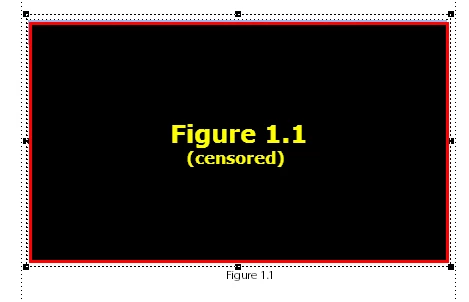
I intend to number each figure in the manual according to the chapter and figure number. For example, the first figure in Chapter 1 would be labeled as Figure 1.1, etc. For Figure 1.1, I placed the image itself inside an anchored frame within the body text frame with the label centered in the text frame one line below the graphic as such:
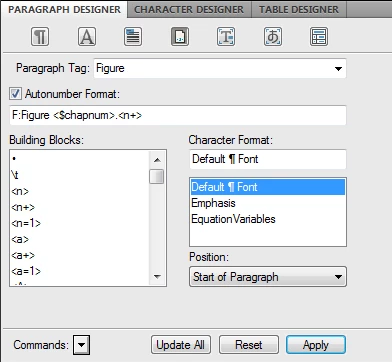
I set the "Figure 1.1" label by creating a paragraph tag called "Figure". It is formatted as such:
Question:
How can I insert references in the body text which will be updated whenever a new figure is inserted into the document in the same way the title directly under the graphic itself is updated?
For example, I might have a sentence in the body which says "Product X comes in the color shown in Figure 1.1". How can I make sure that if a new image is inserted into the manual ahead of Figure 1.1 that the Figure 1.1 currently there will have its displayed title automatically changed to "Figure 1.2" and the example sentence above will automatically be changed to "Product X comes in the color shown in Figure 1.2" within the text body?
Thanks for the help-
Michael
 AdChoices