Known Participant
January 27, 2018
Answered

Cross Reference an second layer Autonumbered paragraph

  • January 27, 2018
  • 1 reply
  • 352 views

I have a set of Auto Numbered paragraphs in a document. They look like this:
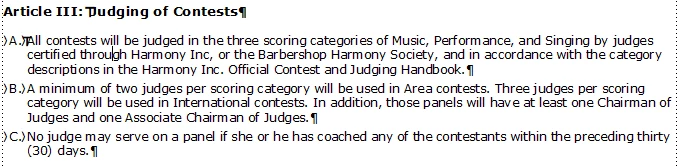
I want each of these paragraphs to be repeated exactly as they are in this section into another section of my book.

The "Article" Auto Number is set up as: A:Article <R+>:\sn

The next level "BodyAlpha1" Auto Number is set as: B:\t<A=1>.\t

I was able to get the "Article III: Judging of Contests" paragraph to repeat perfectly with the cross reference built like this:

<Default ¶ Font><$paranum[ArticleHead1]><$paratext><Default ¶ Font>

However when I try to get the next level to show up, I seem to lose the \t "tabs that are in the Auto Number of the second level. The text comes through perfectly but I can get it to bring along the complete Auto Number from the original Auto Number. It looks like this.
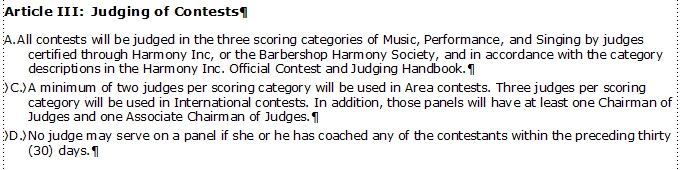
This is how I have the Cross Reference set for the second level:

<Default ¶ Font><$paranum[BodyAlpha1]><$paratext><Default ¶ Font>

I have only attempted to do the first paragraph cross reference. As you can see the tabs do not come with the reference. I only did the first paragraph so the second two paragraphs are picking up the numbering from previous paragraphs in the section. I tried entering "\t" into the cross referencing settings but it does not matter. And I have the paragraph tabs set in the paragraph that I am pasting the reference into.

I don't know if anyone can help me but I sure would welcome some suggestions.

Chris

    This topic has been closed for replies.
    Correct answer Barb Binder

    Hi Chris:

    To clarify: you want to maintain the same auto-number, right, and not have it increment at the new location? (Either one is possible.)

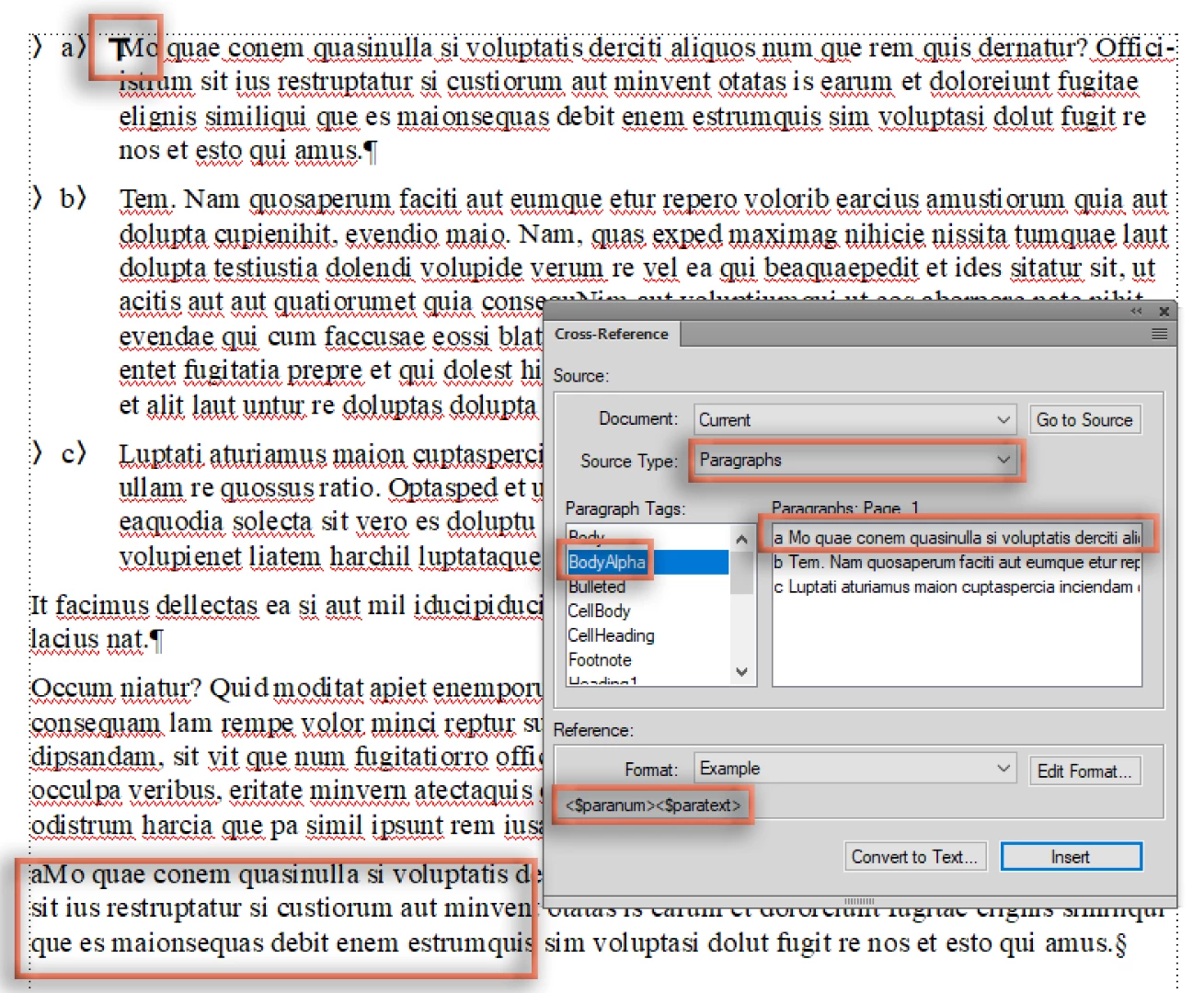
    In that case, add a paragraph x-ref to the A paragraph (mine is the very last paragraph in my screen shot) and create a custom x-ref format—mine is <$paranum><paratext> and it references BodyAlpha (you have extraneous building blocks in your format):

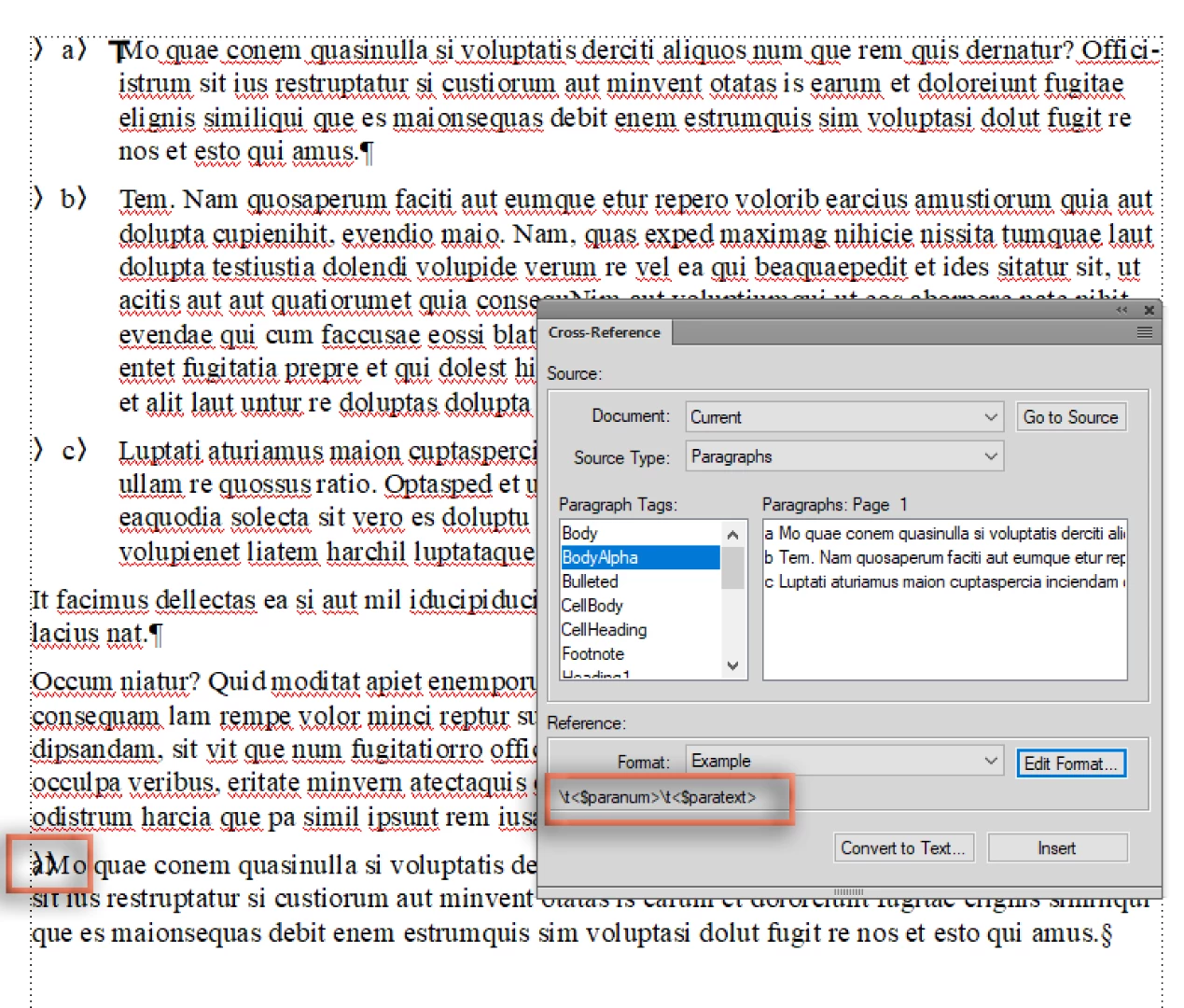
    Add the tabs to the xref format—Mine is \t<$paranum>\t<paratext>

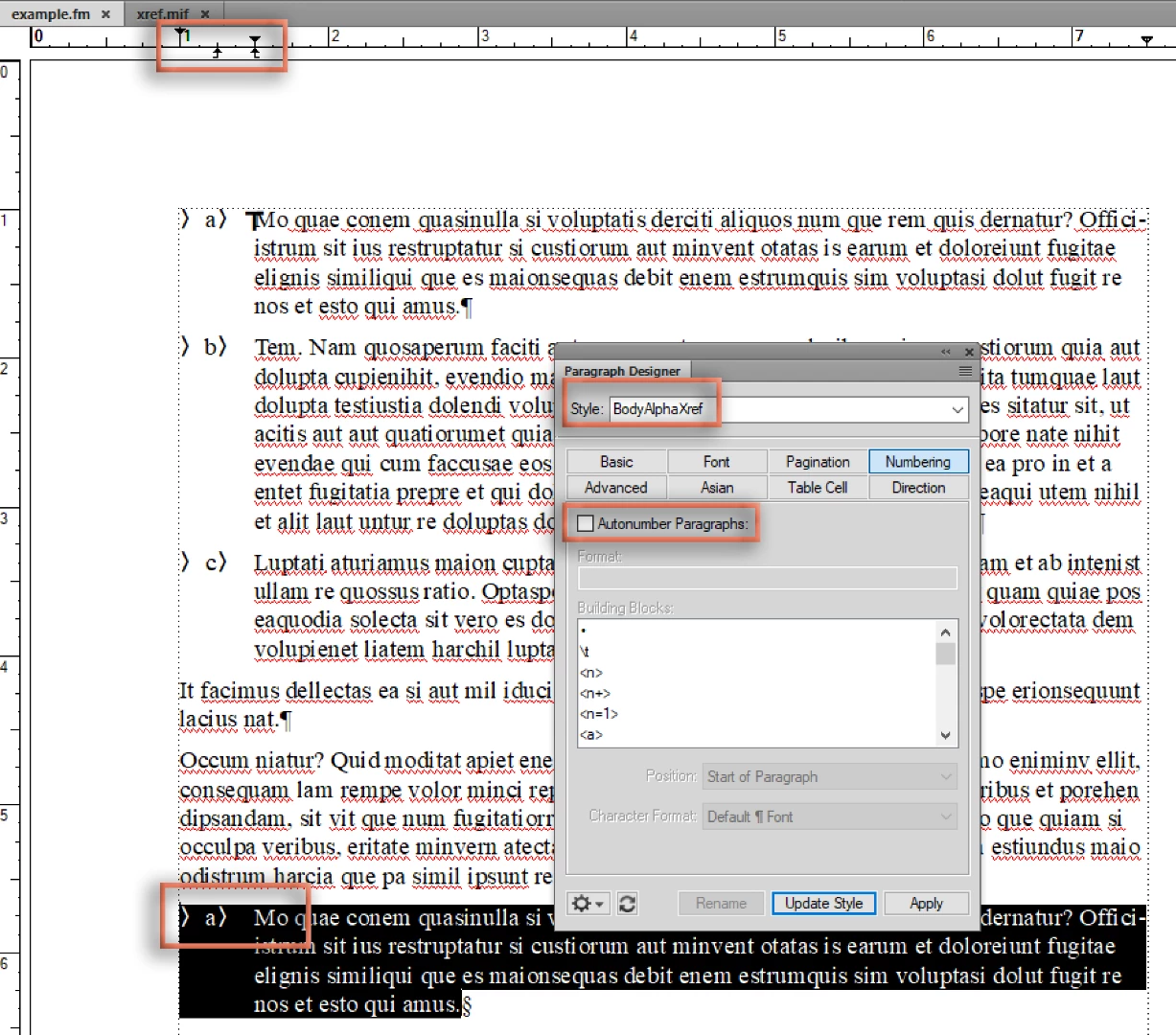
    Make a new paragraph tag to format it—note I turned off auto-number because we are pulling in the number from the source paragraph, but left the tabs.

    ~Barb

    1 reply

    Barb Binder
    Community Expert
    Barb BinderCommunity ExpertCorrect answer
    Community Expert
    January 28, 2018

    Hi Chris:

    To clarify: you want to maintain the same auto-number, right, and not have it increment at the new location? (Either one is possible.)

    In that case, add a paragraph x-ref to the A paragraph (mine is the very last paragraph in my screen shot) and create a custom x-ref format—mine is <$paranum><paratext> and it references BodyAlpha (you have extraneous building blocks in your format):

    Add the tabs to the xref format—Mine is \t<$paranum>\t<paratext>

    Make a new paragraph tag to format it—note I turned off auto-number because we are pulling in the number from the source paragraph, but left the tabs.

    ~Barb

    ~Barb at Rocky Mountain Training
    Known Participant
    January 28, 2018

    Thanks so much Barb,

    That worked perfectly!

    Thanks

    Barb Binder
    Community Expert
    Community Expert
    January 29, 2018

    Awesome! So glad to hear it.

    ~Barb

    ~Barb at Rocky Mountain Training