
Question
Customize DITA Plugin missing documented icons / functionality (FM2019)
I'm attempting to apply custom styles to DITA structured content. The product help leads me to the Customize DITA Plugin: https://help.adobe.com/en_US/framemaker/dita/index.html#t=book%2FCustomiseDita.html
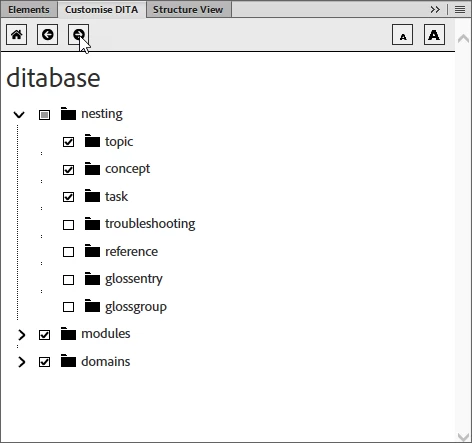
When I follow steps 1 and 2 above, I do see the plugin tool, but the look is completely different, see image below. What am I missing here?


 AdChoices