Inspiring
Nov 21, 2019 5:51 PM UTC
Question

Customize Table of Contents

I am working on my first book in FrameMaker and I am looking to customize my TOC a little bit. I figured out how to add in the dotted line between section name and page number but now I am hoping to create seperators between chapters (Modules for labeling purposes) so that as items appear in the TOC they Appear in this format:

Module 1 "Title of Module"....................1-3
Section 1.1 "Title of Section" .................1-5
SubSection 1.1.1 "Title of Subsection"...1-6
Module 2 "Title of Module"....................2-20
Section 2.1 "Title of Section"..................2-21
SubSection 2.1.1 "Title of SubSection"..2-24


This would continue through all Chapters/Modules of the book. 
 

This topic is closed to new replies. Start a new post to keep the conversation going.

2 replies

LinSims
Community Expert
Community Expert
Nov 21, 2019 6:41 PM UTC

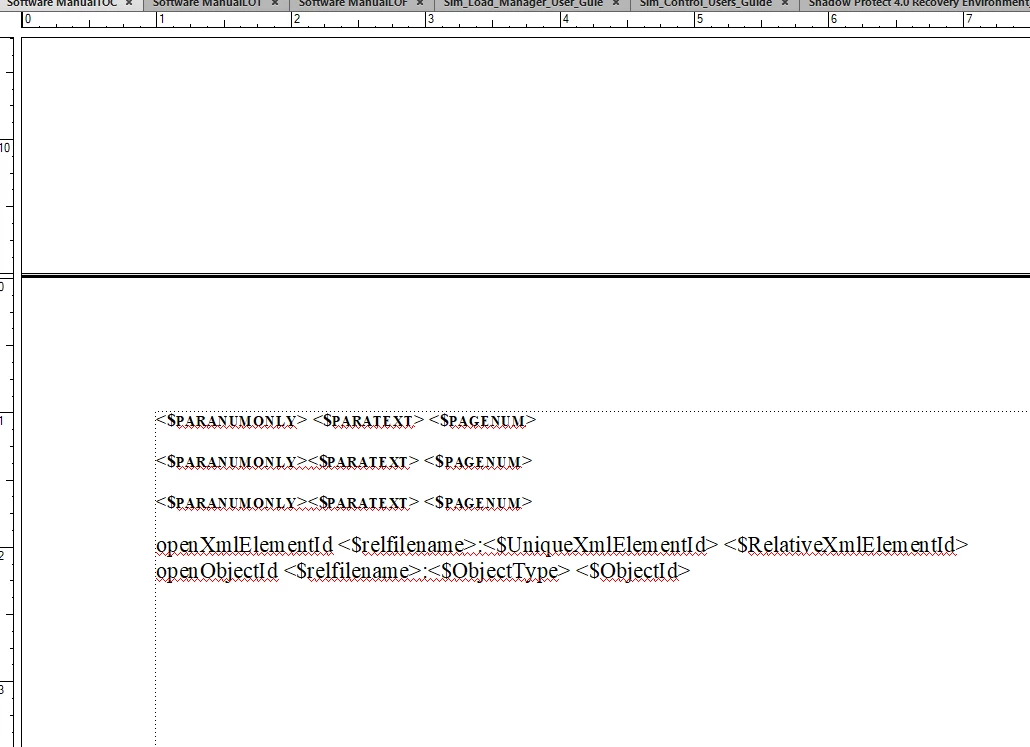
Assuming what you mean is that you want to add the heading numbering to the TOC, you need to change the layout on the TOC reference page (View > Reference Page, then find the one that says the Flow is TOC) from this:

to this:

You just type the "<$paranum>: " in and save. You get back to your text view by clicking View > Body


Translate
Inspiring
Nov 21, 2019 7:10 PM UTC

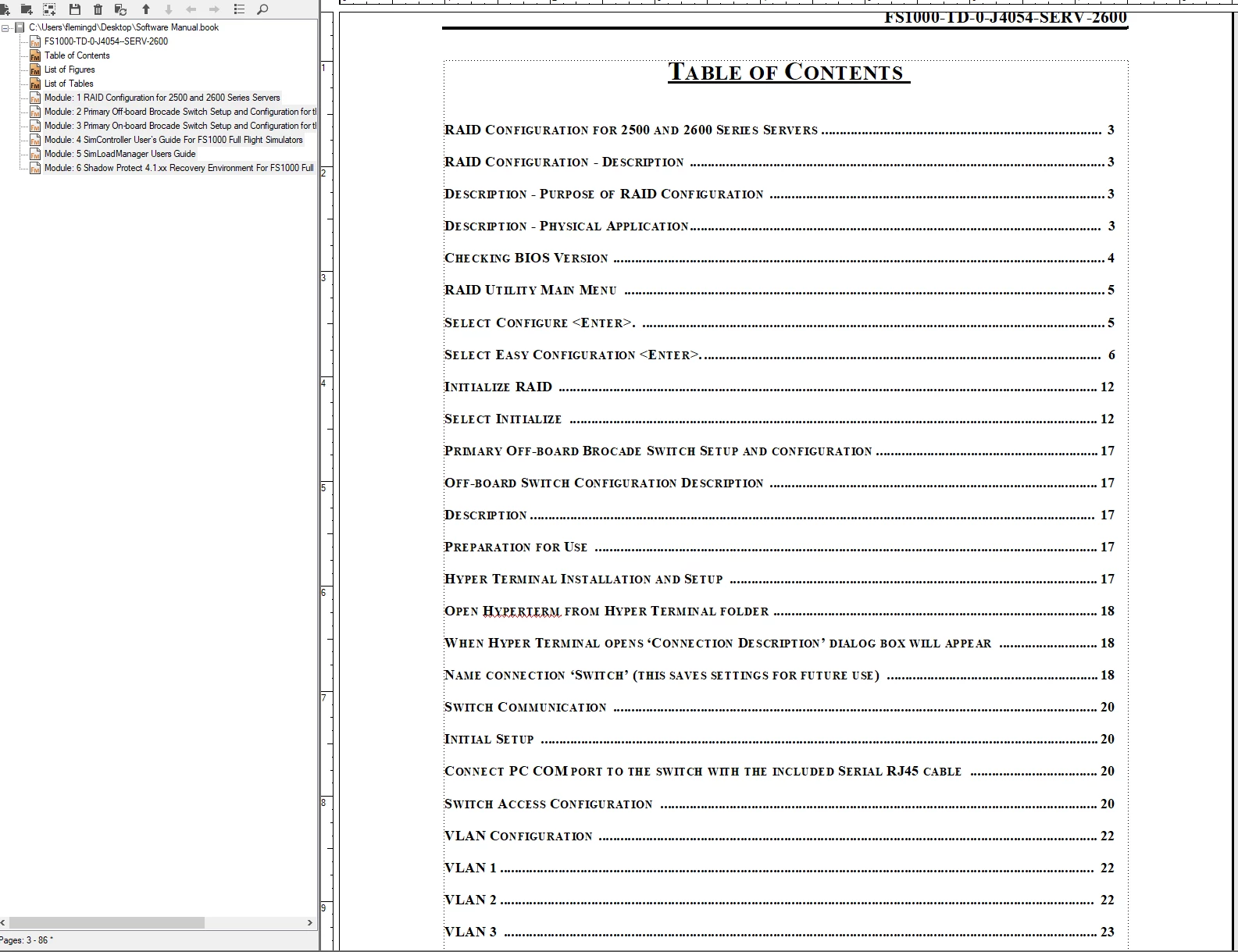
I tried that and instead of updating the TOC it adds in the "updated" info above what is already there that I made changes to attempting to get the desired laout 1.0 "Tilte of Chapter".... 1 as descibed above. 

The other thing I noticed that conflicts research I have done is that this Table is not labled on the reference pages to suggest that it has anything to do with the TOC and I am not sure if that is why I am having issues. 


Translate