Matt-Tech Comm Tools
Community Expert
Community Expert
December 16, 2020
Answered

[DITA] Removing section number from PDF bookmarks

  • December 16, 2020
  • 1 reply
  • 312 views

Hi all, 

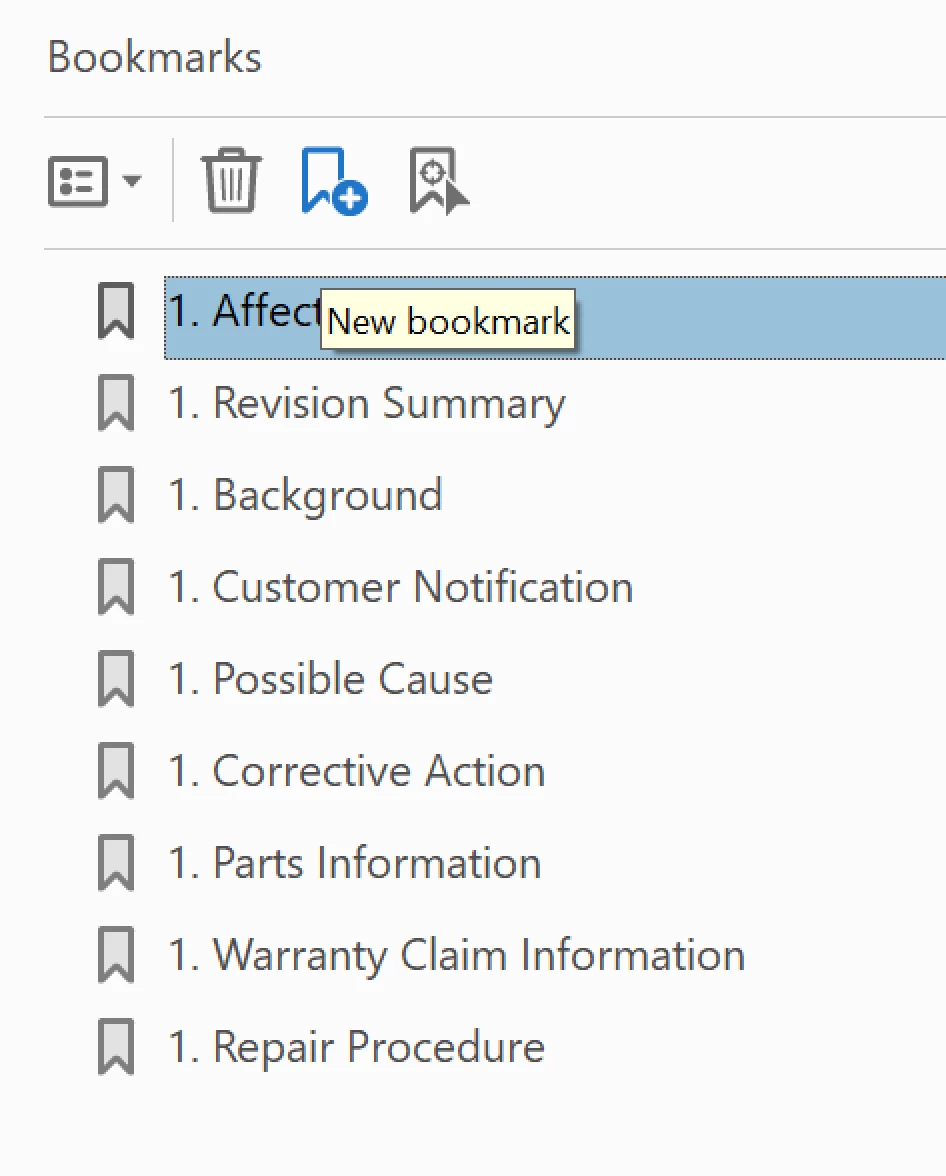
Anyone had an issue where the PDF from a ditamap (using Publish panel) has numbering applied to the PDF bookmarks?

If the numbers were incrementing, I could live with it, but these are all showing as 1. as shown in uploaded image.

Ideally, the numbers would not display at all.

-Matt
This topic has been closed for replies.
Correct answer Matt-Tech Comm Tools

I figured it out, and here's the solution for those that run into the same issue:

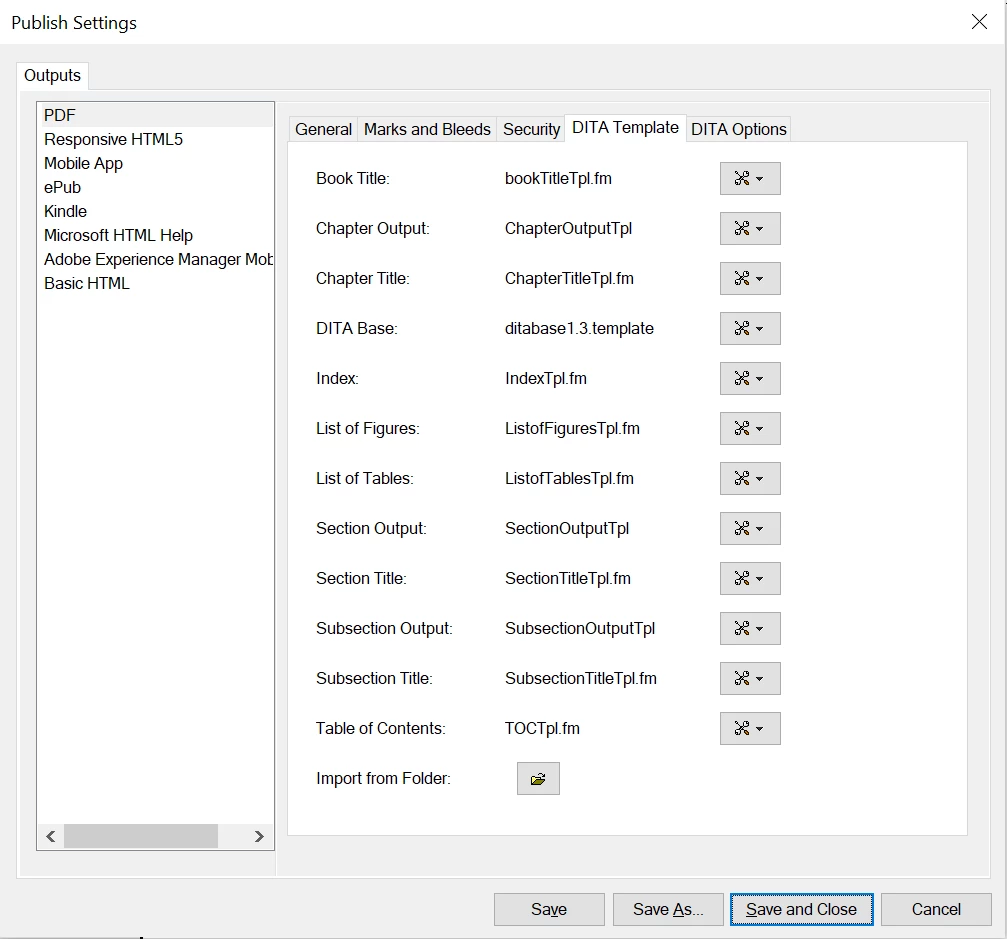
  • In Fm 2019, using the Publish panel, the DITA Base template file had numbering specified for the Title.0 paragraph tag
  • Interestingly, the topic template didn't have numbering specified, so the issue didn't appear when outputting a single file to PDF...only when producing PDF from ditamap.
  • By exporting the DITA Base template, removing the autonumber, saving, and importing the file back into the Publish settings, the file stored in the STS is now updated.

I hope this helps someone else!!!


-Mat

1 reply

Matt-Tech Comm Tools
Community Expert
Matt-Tech Comm ToolsCommunity ExpertAuthorCorrect answer
Community Expert
December 17, 2020

I figured it out, and here's the solution for those that run into the same issue:

  • In Fm 2019, using the Publish panel, the DITA Base template file had numbering specified for the Title.0 paragraph tag
  • Interestingly, the topic template didn't have numbering specified, so the issue didn't appear when outputting a single file to PDF...only when producing PDF from ditamap.
  • By exporting the DITA Base template, removing the autonumber, saving, and importing the file back into the Publish settings, the file stored in the STS is now updated.

I hope this helps someone else!!!


-Mat

-Matt Sullivan, FrameMaker Course Creator, Author, Trainer, Consultant