

Does Framemaker support text wrapping around a frame in table cells?
I've re-created some informational text+icon boxes in my document which were originally created on Indesign. I've used the method described in the following instruction which utilizes a 2 column table where the first cell is being used for the icon image and the second one is being used for the informational text. The first icon cell becomes wider when I insert more than one icon into it and of course, this causes the text cell column to become narrower.
Is there a way to straddle cells which are placed on different columns and rows? I've thought that maybe creating a 2x2 table with the above method and then straddling the text cells would solve my problem. Framemaker doesn't allow me to do this but maybe I couldn't find the trick to do it.
If not then is there a similar feature in Framemaker to the text wrapping feature of Indesign?
The informational text+icon box on Indesign

The same informational text+icon box on Framemaker that I've created based on the above instruction (Adobe Framemaker Icons).
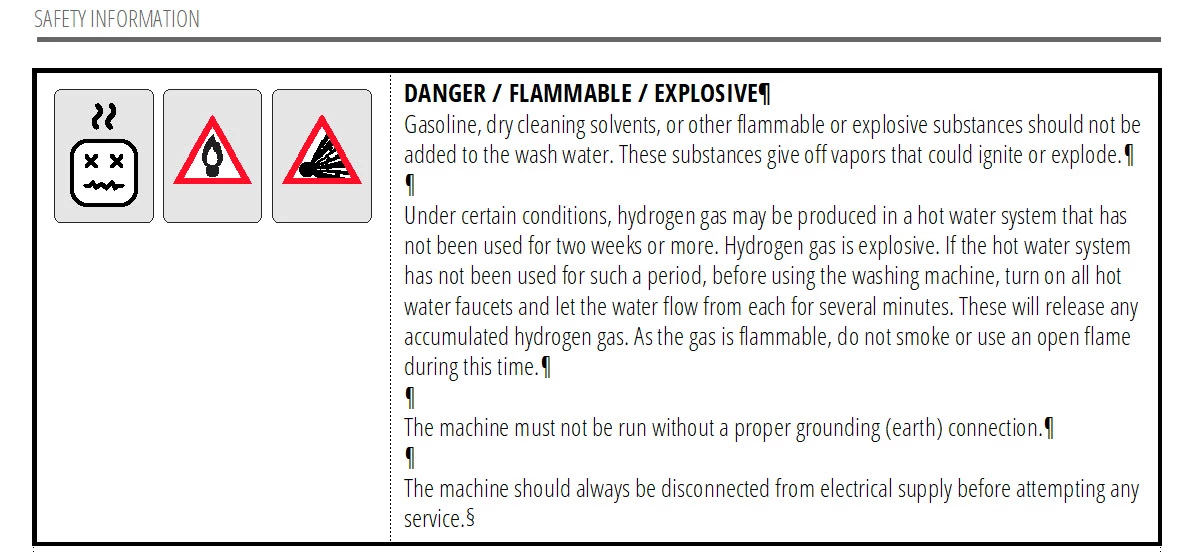
An informational text+icon box on Framemaker which has only one icon in the image cell. As you can see this format has much more width for the text cell.



 AdChoices