
Inspiring
July 12, 2018
Answered

Draw a simple rectangle

  • July 12, 2018
  • 1 reply
  • 373 views

I'm using FrameMaker 2017 unstructured. I simply want to draw a rectangle, but every time I do, this dialog appears:
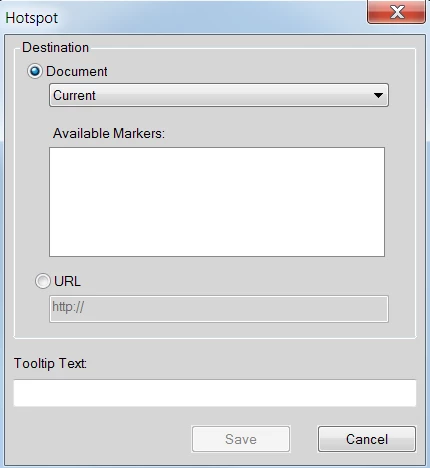
I don't want to create a Hotspot, I just want a simple rectangle, so I click Cancel, but then the rectangle disappears and deletes itself.

How can I draw a plain old simple rectangle like I used to in prior versions of FrameMaker?

    This topic has been closed for replies.
    Correct answer Matt-Tech Comm Tools

    You've inadvertently activated the hotspot mode (the lower blue icon in the screencapture)

    Deselect it and you should be good to go!

    -Matt

    1 reply

    Matt-Tech Comm Tools
    Community Expert
    Matt-Tech Comm ToolsCommunity ExpertCorrect answer
    Community Expert
    July 12, 2018

    You've inadvertently activated the hotspot mode (the lower blue icon in the screencapture)

    Deselect it and you should be good to go!

    -Matt

    -Matt Sullivan, FrameMaker Course Creator, Author, Trainer, Consultant
