
Participating Frequently
September 26, 2022
Answered

Duplicated Chapter Number

  • September 26, 2022
  • 4 replies
  • 1329 views

Hi everyone! I'm fairly new to FrameMaker 2020 and recently inherited a document with some chaptering issues. In the ToC, two different chapters are listed as "Chapter 5," which also appears in both sections' page/chapter headers. This happened after I'd used the "Update Book" option to try to fix some other page numbering issues.


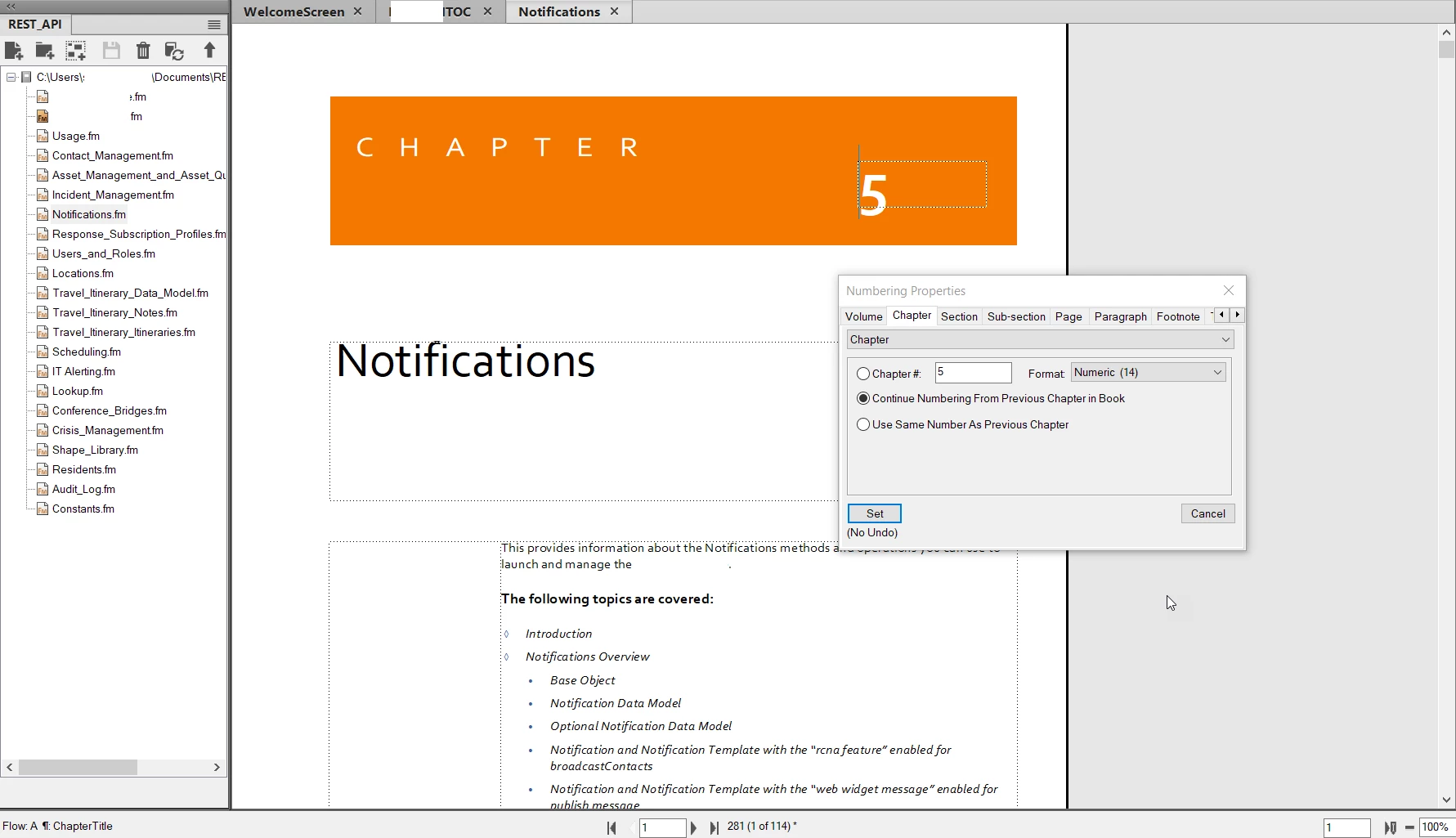
The correct Chapter 5 looks like this: 
 

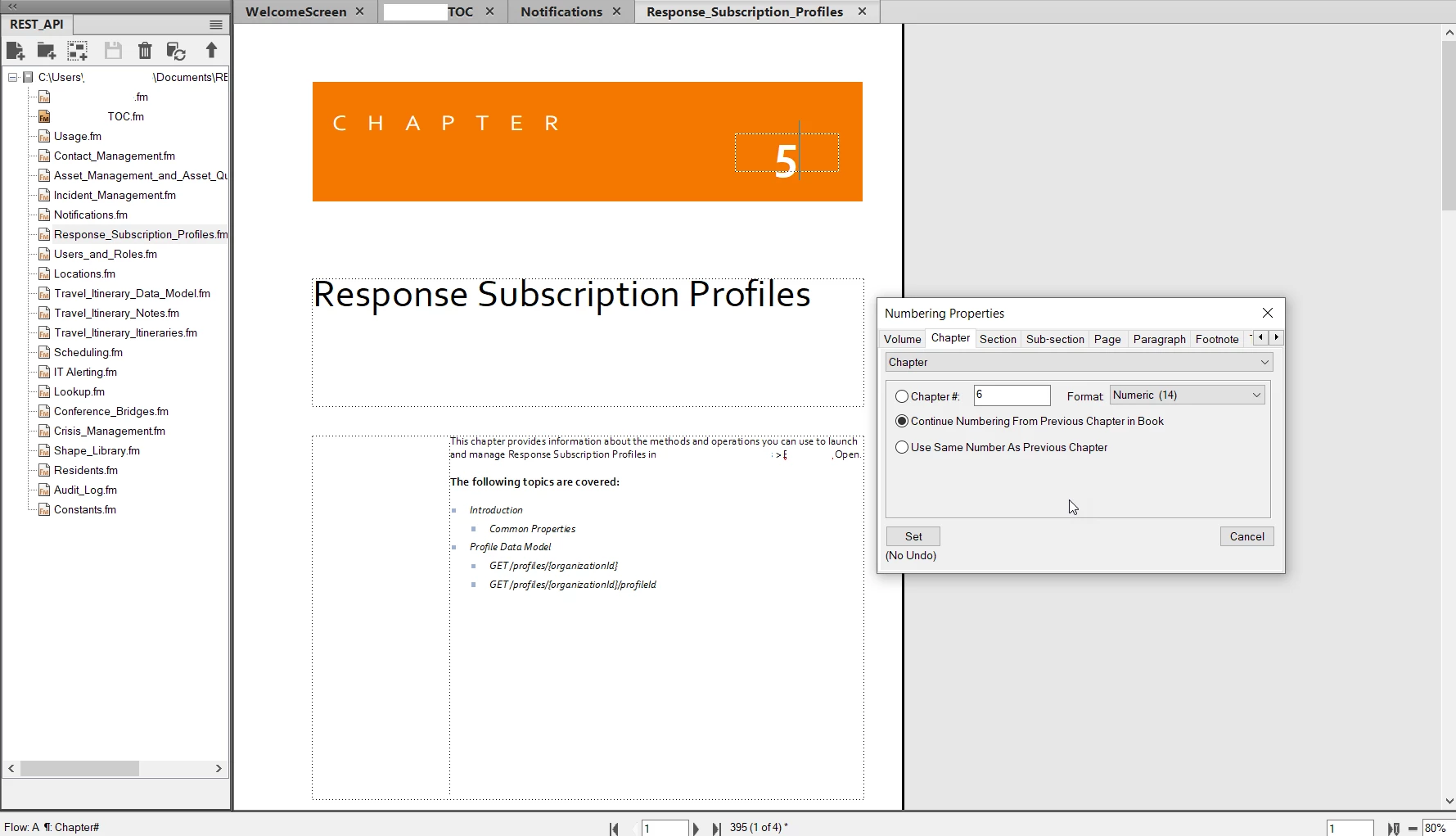
And the incorrect Chapter 5 (which should be Chapter 6) looks like it's formatted the same way, so I'm not sure what the issue is:
 

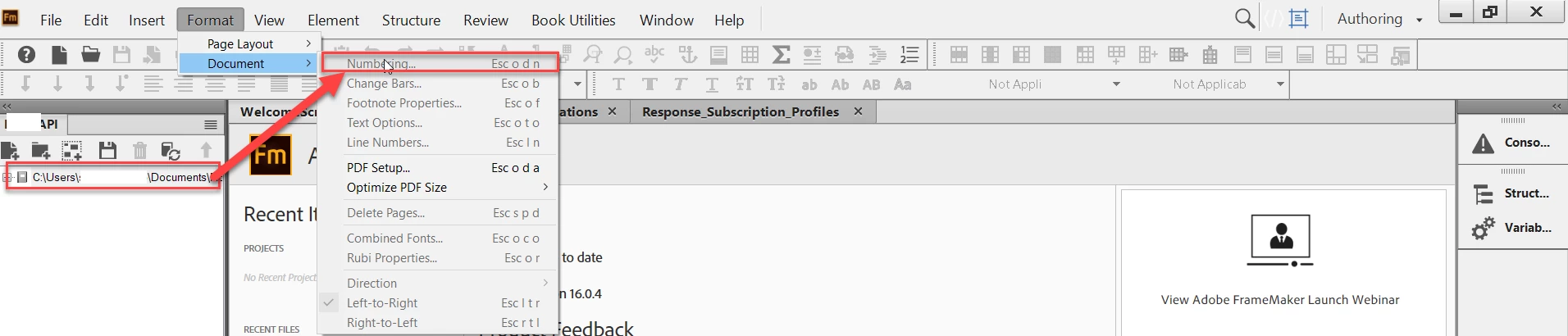
I've tried to check the overall chaptering settings for the book file for disceprancies between that and the individual chapters, but it's greyed out: 
 

I've been trying to fix this for a few days without any luck, so any help would be greatly appreciated! 
    This topic has been closed for replies.
    Correct answer Barb Binder

    Hi Sarah:


    I know you have a lot a amazing folks trying to help on this thread, so I'm only speaking for myself: I misread your screen shots showing the <$chapnum> variables in the the two chapters as showing the <$chapnum> building blocks in Paragraph > Auto-numbering, because that's what I was expecting to see. (Sorry!!)


    You aren't using a variable here at all. For all chapters in your book except the Notifications.fm chapter, you are using auto-numbering on the Chapter# number paragraph style. (Though you aren't using the normal <$chapnum> building block, but instead the legacy technique of C:<n+>. Which is fine, again just unexpected.)


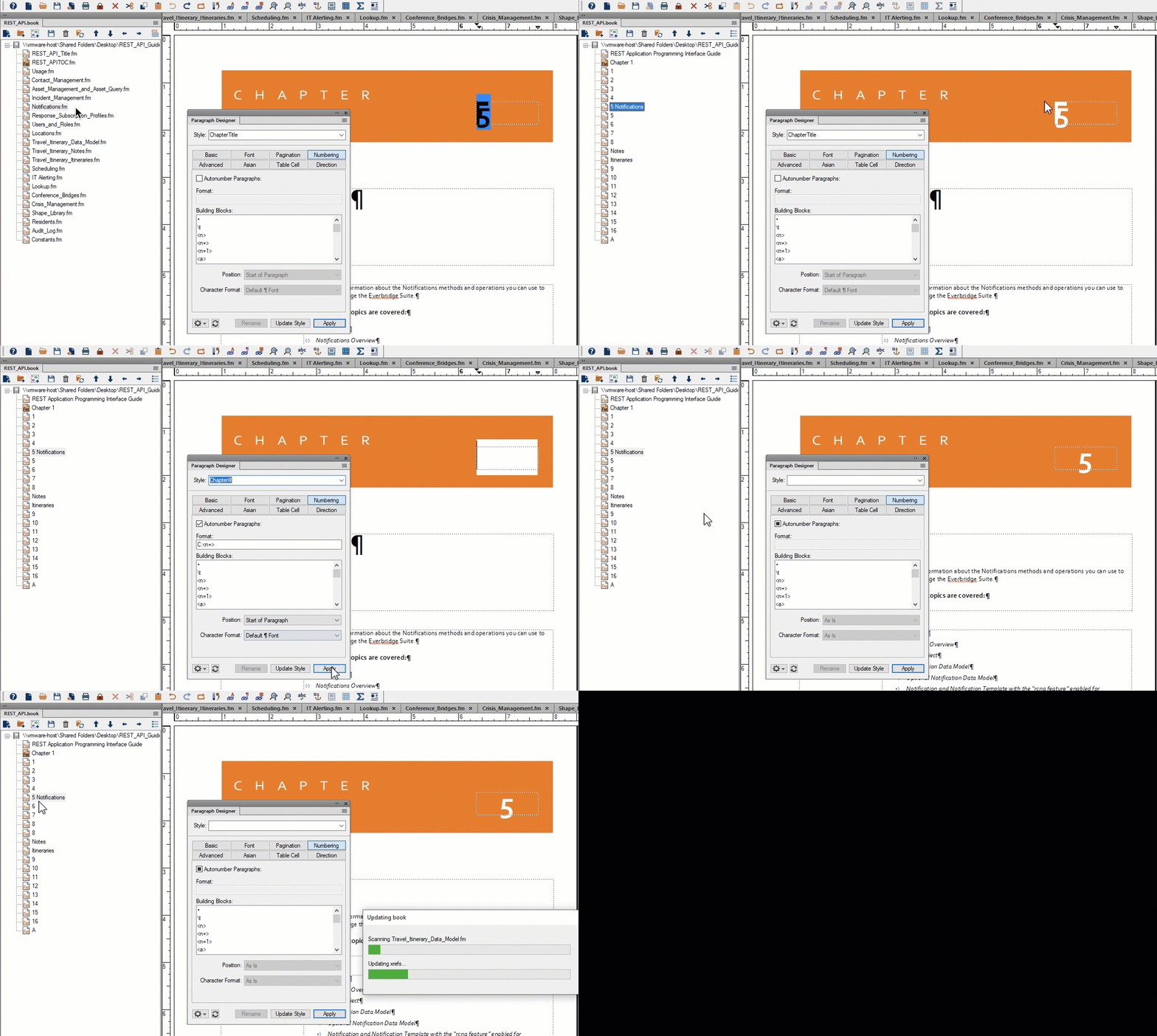
    The issue is that Notifications.fm has the wrong style is applied (ChapterTitle and not Chapter#), and the number 5 was typed in manually. So, 

    • Open Notifications.fm
    • Remove the 5
    • Assign Chapter#
    • Update your book


    ~Barb


    4 replies

    Barb Binder
    Community Expert
    Community Expert
    September 27, 2022

    Hi Sarah:


    FrameMaker is a tough application to teach yourself—it's significantly easier after attending training. If that isn't in the budget, we do have one more free webinar coming up at the end of October. Consider joining us! It's going to be mostly on books and generated files.

    https://community.adobe.com/t5/framemaker-discussions/framemaker-essentials-join-the-virtual-workshop-series-on-adobe-framemaker/td-p/13078448


    And come back when you hit another stumbling block. We are all very happy to help.


    ~Barb

    ~Barb at Rocky Mountain Training
    Sarah V.Author
    Participating Frequently
    September 28, 2022

    Awesome - thanks, Barb! I just registered for the October webinar. See you then, and I'll definitely pop back in here if I run into any issues in the meantime! 

    LinSims
    Community Expert
    Community Expert
    September 28, 2022

    You can also register for the two earlier webinars and watch the recordings. Very useful stuff, even for those of us who have been using FM for decades now.

    Barb Binder
    Community Expert
    Barb BinderCommunity ExpertCorrect answer
    Community Expert
    September 27, 2022

    Hi Sarah:


    I know you have a lot a amazing folks trying to help on this thread, so I'm only speaking for myself: I misread your screen shots showing the <$chapnum> variables in the the two chapters as showing the <$chapnum> building blocks in Paragraph > Auto-numbering, because that's what I was expecting to see. (Sorry!!)


    You aren't using a variable here at all. For all chapters in your book except the Notifications.fm chapter, you are using auto-numbering on the Chapter# number paragraph style. (Though you aren't using the normal <$chapnum> building block, but instead the legacy technique of C:<n+>. Which is fine, again just unexpected.)


    The issue is that Notifications.fm has the wrong style is applied (ChapterTitle and not Chapter#), and the number 5 was typed in manually. So, 

    • Open Notifications.fm
    • Remove the 5
    • Assign Chapter#
    • Update your book


    ~Barb


    ~Barb at Rocky Mountain Training
    Sarah V.Author
    Participating Frequently
    September 27, 2022

    Thank you so much! It worked. Can't believe I missed that - definitely still getting the hang of FrameMaker and have no idea how long that would've taken me to solve. 👏

    Be.eM
    Inspiring
    September 26, 2022
    quote

    I've tried to check the overall chaptering settings for the book file for disceprancies between that and the individual chapters, but it's greyed out: 


    Sarah,

    the option for setting the numbering options is greyed out, because you cannot set the numbering for the book itself, but only for the individual files within the book. So when displaying the individual book files within the book, right-click on them and chose "Numbering…" there.

    Bernd

    Bob_Niland
    Community Expert
    Community Expert
    September 26, 2022

    And the usual choice for .book chapters is:
    ⦿ Continue Numbering From Previous Chapter in Book
    but it might also be:
    ⦿ Read from file

    in which case you'll need to se how the .fm file itself is set.

    frameexpert
    Community Expert
    Community Expert
    September 26, 2022

    Make sure you are setting the numbering properties at the book component level. Right-click on the document in the book window and choose Numbering to set it there. Also, make sure the chapter numbers in your paragraph format are using the <$chapnum> building block.

    Sarah V.Author
    Participating Frequently
    September 26, 2022

    Thanks, @frameexpert! When I right-click on the .book file itself, the Numbering options are unavailable:


    And it looks like both of these chapters are using the <$chapnum> building block: 


    Jeff_Coatsworth
    Community Expert
    Community Expert
    September 26, 2022

    No, right-click on the document in the book, not the book file itself.