
EDD update, hidden conditional text and paragraph orphan lines: wrong behaviour ?
Hello,
Note: somehow switching computer solved the forum's "wrong html" issue so I updated this post to have the images directly here....
I have encountered an odd behaviour in the following situation:
- Document is structured
- Page layout is 2 columns (scientific type)
- Some conditional text that hidden within text paragraphs
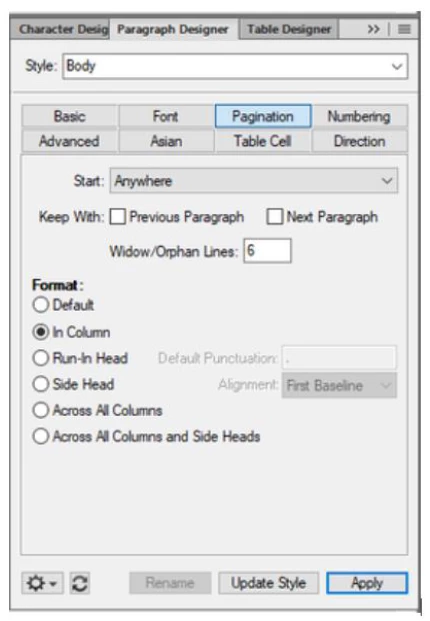
- "Body" element paragraph design states that allowed orphan lines number is 6
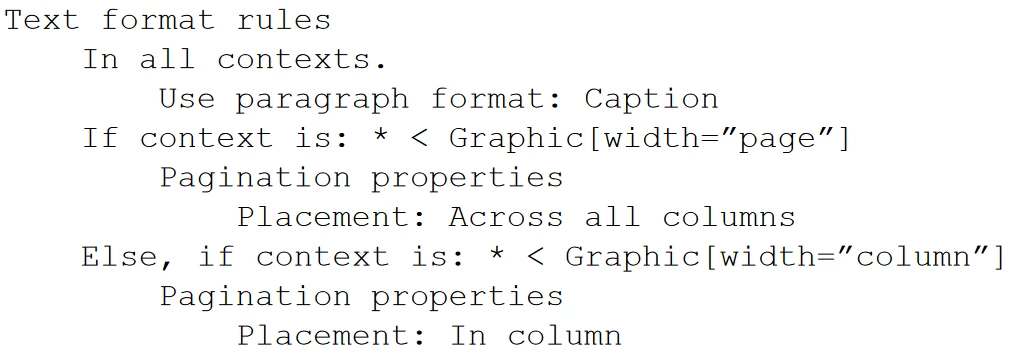
- EDD for graphic object option allows for 1 clumn wide captions and 2 column wide caption, depending on attribute value as follows:
When switching from one conditional-based document to the other I apply the following script, in that particular order:
- Show/Hide conditional text
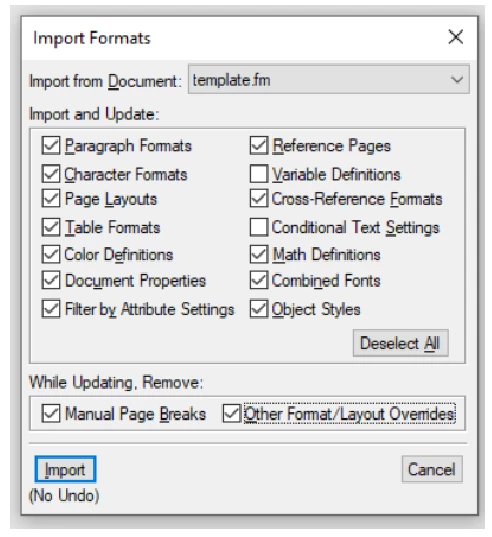
- Update template with the following settings
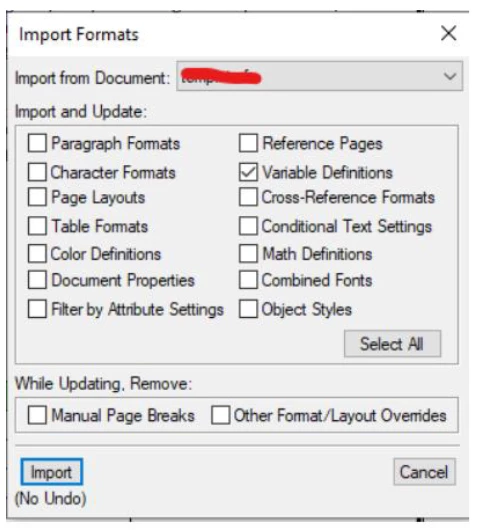
- Import variables from an external .fm file with following settings
- Update book
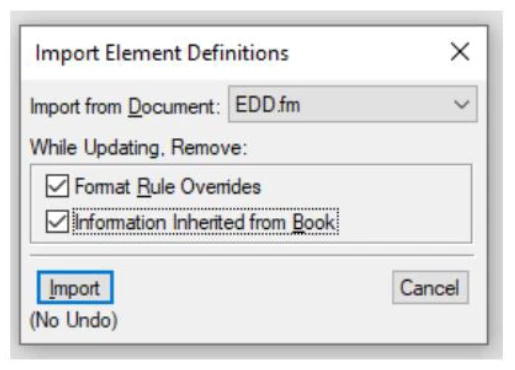
- Update EDD with following settings
Problem is, in some specific situation, it seems that the orphan lines setting is messed up when some text is hidden by conditional show/hide settings. Here is an example of this happening (had to blur text for confidentiality reasons)
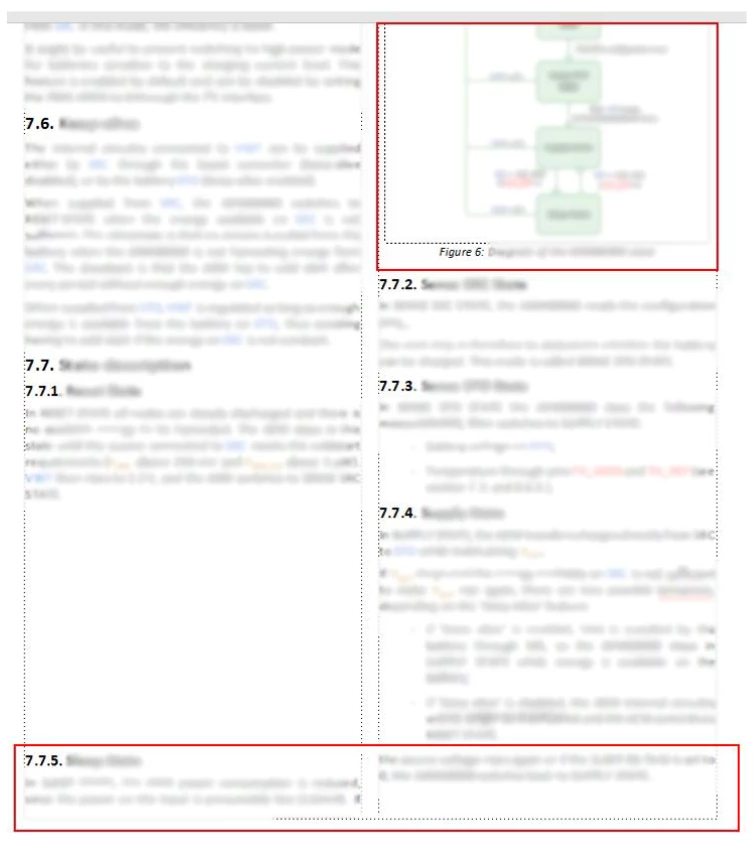
The text surrounded the red rectangle, section 7.7.5, is a paragraph that is supposed to be placed after the paragraph on the end of the right column (after 7.7.4), not to be split across both columns like that, which doesn't make sense in terms of text flow anyways.
Also the two orphan lines after the 7.7.5 title shouldn't be allowed by the paragraph design.
IMHO what happens is that the EDD has somehow messed up the paragraph design 6 orphan lines setting. In section 7.7.5 there is a significant part of the text that is hidden by conditional settings, so I thought this may be related.
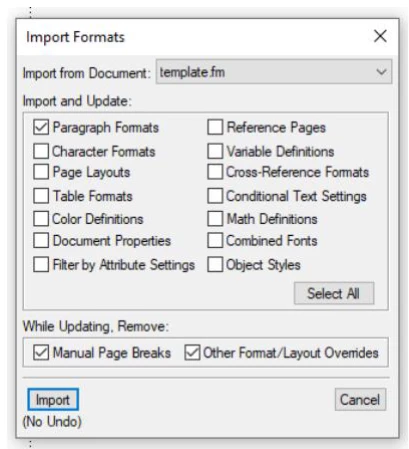
A solution that I was able to find was to add a step right after the EDD import, that is to re-import the template but with only paragraph formats like this:
While this solves the orphan lines problem, it messes the figure caption, that is set to be "In Column" by the EDD attribute-dependent condition (see EDD extract above). Now the paragraph format import has overridden the EDD condition and the caption is set accross all columns, leading to the following result, surrounded by red rectangle:
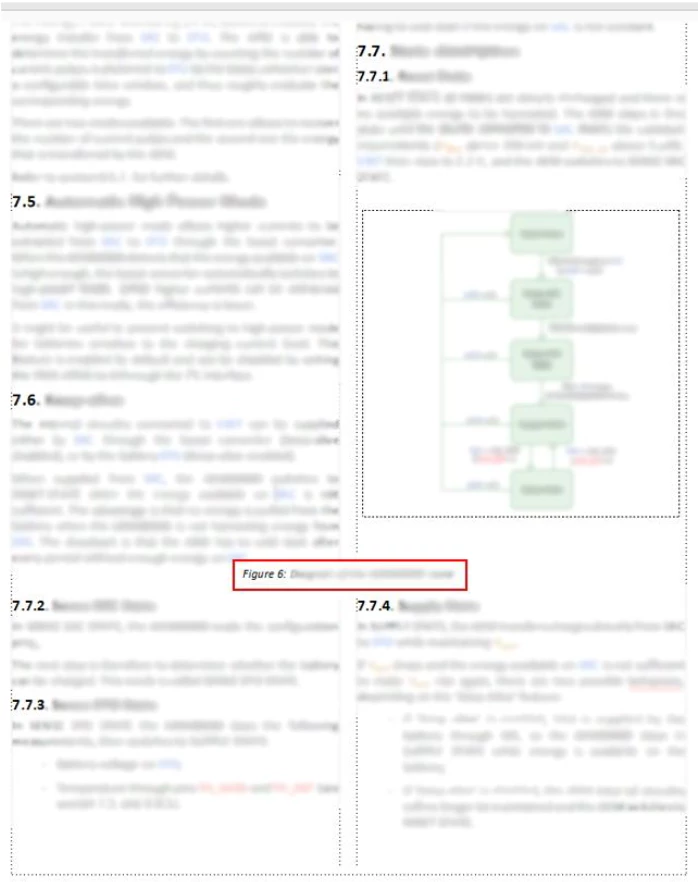
The 7.7.5 part has been pushed to the next page as expected, which is good, but we lost the caption format.
Is it a bug of Framemaker, that doesn't consider correctly the paragraph formating when updating the EDD, or is there something that I could do to solve this issue ?
Thanks in advance.
Best regards
Eric


 AdChoices