When FrameMaker crashes again, then you can describe your issue here:
Do you have a book or a single file?
What did you do exactly?
The MIF wash which Bob mentions is: Save the FrameMaker file as MIF and then save the MIF again as FM. This corrects insonsistencies and mistakes in the FM file.
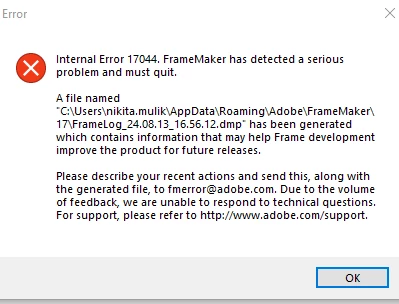
The error message asks to send the dmp file to fmerror@adobe.com. You can do this as well. However, it could be that this e-mail service is no longer active.
The forum participants here cannot interpret this dmp file. This is a file which the Adobe developers can decrypt.
Winfried, thank you for detailing how to do a MIF wash. That's sorted out issues I've been having lately that I was stuck on. I've decided that using FrameMaker reminds me of this quote.
Hi, it is just a lot of words to say that Framemaker crashed. The best you can do is restart FrameMaker and hope that it doesn't happen again. And save your work frequently.



 AdChoices