Sam Tomanio
Known Participant
August 22, 2020
Answered

Error Messages

  • August 22, 2020
  • 2 replies
  • 489 views

Hello All,


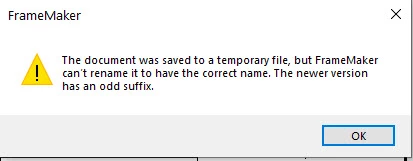
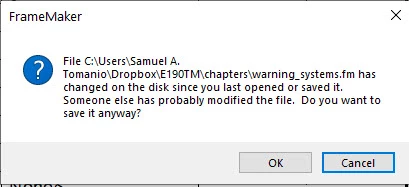
I'm constantly getting these messages when I try to save my FM 2019 files.

I've cleared the temporary folders and done a MIF wash. 

This is a real PITA!

Any other sugestions?


Thanks!


Sam

 

    This topic has been closed for replies.
    Correct answer Jeff_Coatsworth

    It looks like you're trying to save in a Dropbox folder - try moving it to a non-synched local folder.

    2 replies

    Jeff_Coatsworth
    Community Expert
    Jeff_CoatsworthCommunity ExpertCorrect answer
    Community Expert
    August 24, 2020

    It looks like you're trying to save in a Dropbox folder - try moving it to a non-synched local folder.

    Sam Tomanio
    Known Participant
    August 25, 2020

    Jeff,


    Thank you for your response. I moved the files to my documents folder and have not had the issue again so far.

    Dropbox had a recent update maybe that was the issue? I'm not sure why syncing would cause this?


    Thanks again!


    Regards,


    Sam

    I’m available to develop or revise small aviation Projects in FrameMaker.
    Legend
    August 24, 2020

    I get this type of message when working remotely with a slightly flaky network connection, but I see your first screenshot refers to your C: drive …