Inspiring
March 6, 2024
Question

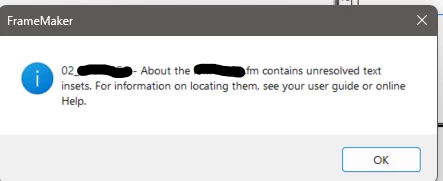
Error: Unsolved Text

  • March 6, 2024
  • 2 replies
  • 310 views

I updated some information in my document and make sure the variables were right but I keep getting error message unsolved text but can't seem to find what text is the issue?

 

    This topic has been closed for replies.

    2 replies

    Community Expert
    March 6, 2024

    There are two "standard options"

    1: Open the panel "Insets" - View->Panel. The inset ought to be there and a click ought to bring  you to the place of insertion.

    2: Another option is to generate a list of references and choose "Unresolved Text Insets"

    If you click the option for "Generate Hypertext Links" you ought to get a link directly to the place of insertion,

    Bjørn Smalbro - FrameMaker.dk
    frameexpert
    Community Expert
    Community Expert
    March 6, 2024

    Open the document and choose Edit > Find/Change. Set the Find to this:


    Double-click on the unresolved text inset and it will tell you the path to the text inset.

    Inspiring
    March 6, 2024

    Hello,
    I tried that and it found nothing.

    frameexpert
    Community Expert
    Community Expert
    March 6, 2024

    Choose View > Master Pages and try the find there. And try the find at View > Reference Pages. If that doesn't work, you may have hidden conditional text.