Absolutely nothing? - No end of flow and/or marker like below?
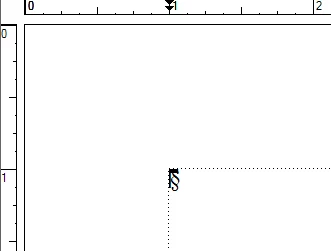
What's at the bottom of the previous page? Any markers, anchors, end-of-flow symbol, etc.?
Does the blank page represent an increase in the total page count when you apply your conditions? Or is it left over when the page count decreases after the conditions are applied and FM reflows the document?
Is it a standard Right or Left master page that is applied to this blank page or is a different master page used? Does the page have an override, e.g. the text frame size/position has been adjusted? FM only automatically removes default Right/Left pages without overrides.
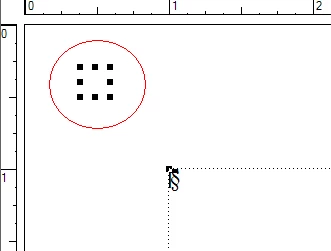
Are there any other features on the page besides the text frame? [click in the margins and do a ctrl+A to select all objects on a page] You might see an empty set of "handles" like this:
Over the weekend I sent my problem file to Arnis to look at. Here is his response:
|
Arnis Gubins wrote:
The reason that the extra page was appearing when Conditions were used was due to having the Top text frame set to Autoconnect along with using the Anchored frame position at "Below line" for both logo graphics. The text frame was too small to hold both graphics at once, so with the Autoconnect turned on, FM creates another copy of this text frame on a new page to hold the other logo graphic. When you activate or switch conditions, FM has to show everything and then hide the appropriate one(s), so it would always add that extra text frame on the new page in order to display both graphics (because that is what autoconnect does).
There are some remedies.
1. Just simply turn off the Autoconnect setting.
2. Place the logo graphics using the "outside of text frame" setting for the AFrame. This allows you to stack the graphics one atop the other such that you would not trigger an autoflow to create a new text frame if both should need to be rendered.
3. You could also do both, to be really certain that a new page isn't triggered.
|
Turning off the Autoconnect Setting did fix the issue of an extra page being created and not being removed. I will require a bit more work to see about relocating the Frame and keeping my page layout the same.
Thanks for all the help Arnis Gubins



 AdChoices