radhas12609065
Participant
March 7, 2022
Question

Farme Maker Fonts getting corrupted

  • March 7, 2022
  • 3 replies
  • 289 views

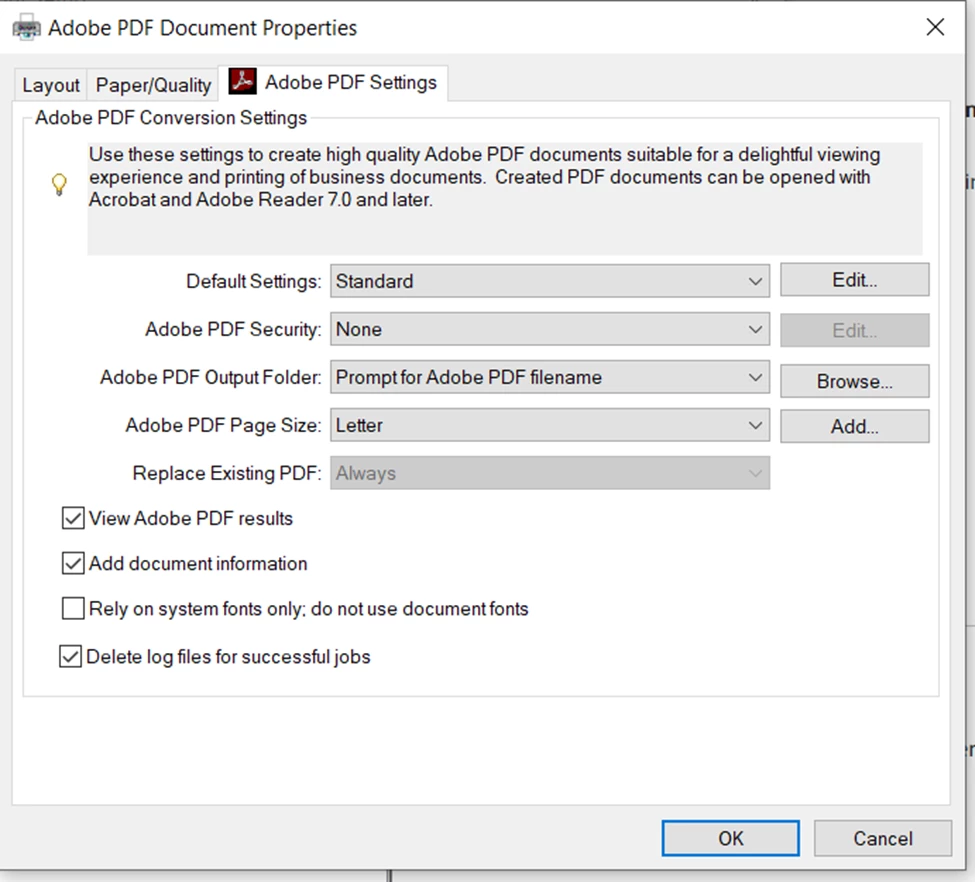
Whenever I generate pdf fonts getting corrupted. 


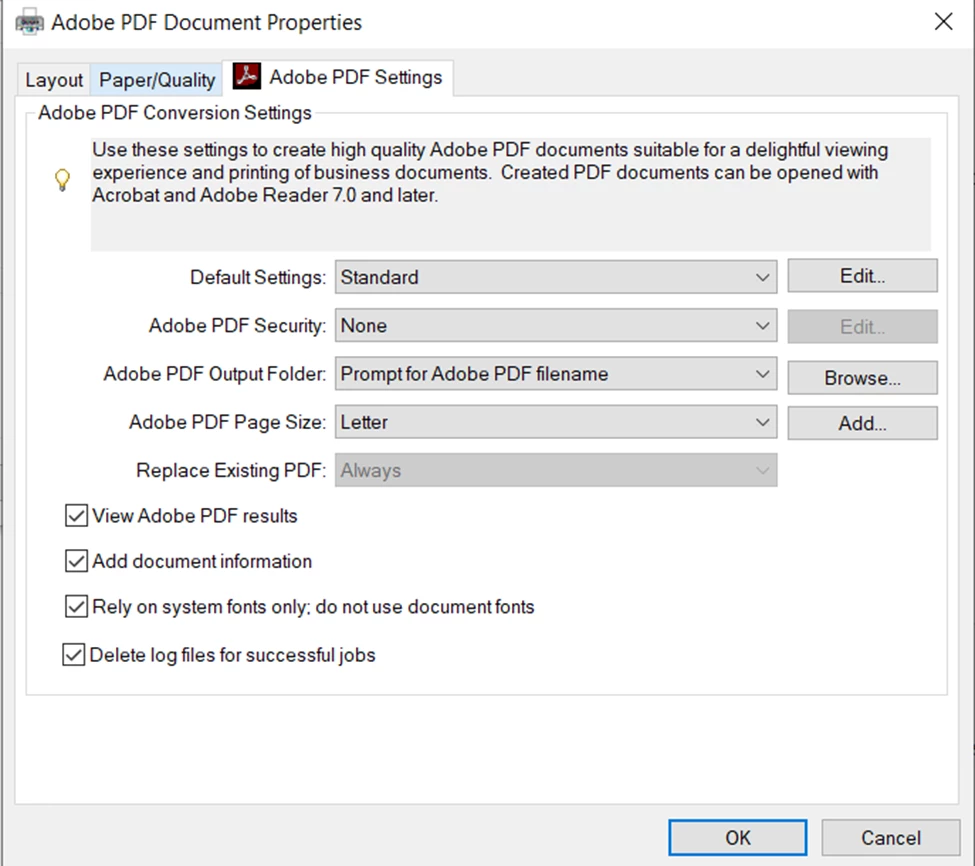
After I uncheck the box of Rely on system fonts the isssue gets resolved.


But everytime I start frame maker I have to uncheck the box manually.


    This topic has been closed for replies.

    3 replies

    Matt-Tech Comm Tools
    Community Expert
    Community Expert
    March 7, 2022

    To permanently fix this, you'll need to create a custom setting that you use instead of Standard.

    If you set the font setting as described, and then save that settings file, then that's how it will appear in the future.

    I have a specific setting for creating PDFs for Ingram Spark publishing that specifies that exact property.

    -Matt

    -Matt Sullivan, FrameMaker Course Creator, Author, Trainer, Consultant
    Community Expert
    March 7, 2022

    Hi,


    In my Adobe PDF printer settings the option "Rely on system fonts" is always activated, and all fonts are fine.

    What do you mean with corrupted fonts? What happens?


    Jeff, which option in the job options would you change?


    Best regards


    Winfried


    Jeff_Coatsworth
    Community Expert
    Community Expert
    March 7, 2022

    @Winfried Reng - no idea - I was just reacting to this line - "But everytime I start frame maker I have to uncheck the box manually." - sounds like a case of saving your preferences off to be used later. I don't do enough PDF creation to get too lost in the nuts & bolts of doing it.

    Jeff_Coatsworth
    Community Expert
    Community Expert
    March 7, 2022

    I suspect you need to go into the Adobe PDF printer instance and save out your choices as a joboptions file.