Known Participant
November 21, 2018
Answered

Figure counter restarts for each component file

  • November 21, 2018
  • 2 replies
  • 1708 views

Hello,

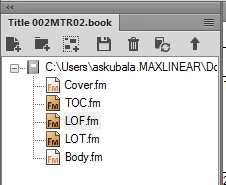
I have a cover page that uses figures, then a generated LOF, then a body page that uses more figures.

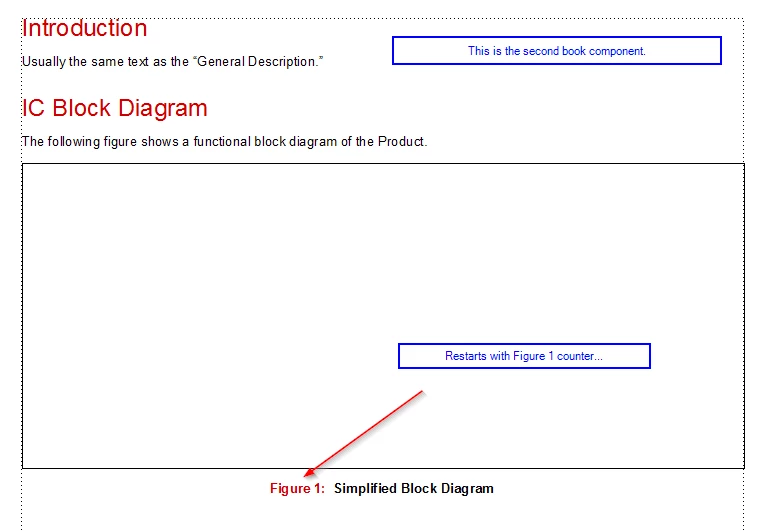
The figure numbers restart in the body page (and therefore in the LOF).

I have researched this issue and followed all suggestions to no avail.

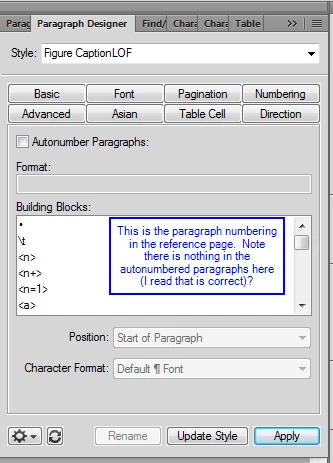
  1. There are no other counters using F: in the paragraph designer numbering.
  2. I've searched for paragraph format overrides and nothing.
  3. I've ensured that book and component files are set to "continue from previous file in book".
  4. I have updated the book numerous times.

WHAT is going on here that I am missing?

This is the LOF:

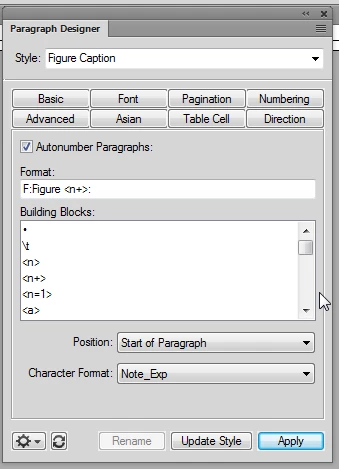
All use the following paragraph numbering (for all book components) in the BODY pages:

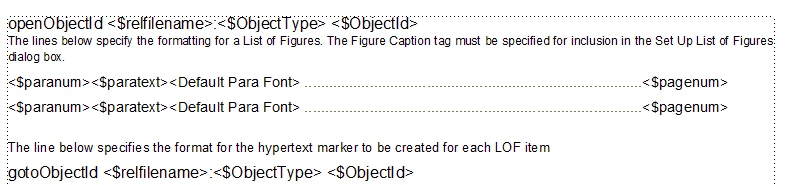
Here is the code in the reference page:

Does anyone have any clues what is going on?  Any help is much appreciated.

Thanks.

This topic has been closed for replies.
Correct answer Barb Binder

Hi Alexia:

I have some answers for you.

Discrepancy between LOF numbers and source file numbers

The first one is addressing the mystery of why the figure numbers increment correctly in the LOF but not on the page. The reason is because you are not pulling in the para numbers from the source files—instead you are adding para numbers to the LOF para tags on the reference pages. This is ok to do, but it was causing confusion in the thread.

To pull in the auto-numbers from the source files, remove the auto-numbering on the LOF tags and add <$paranum> in front of <$paratext>:
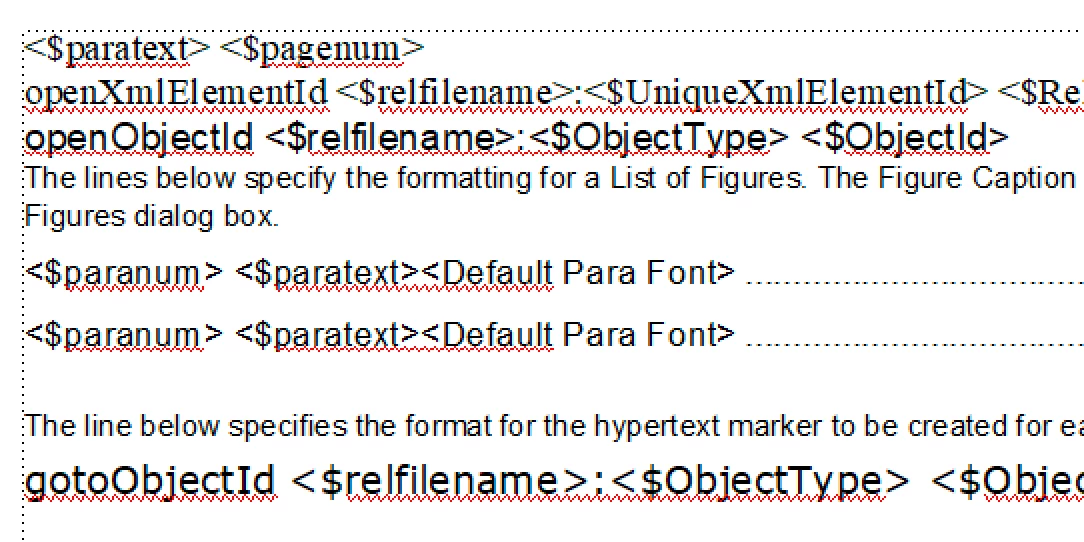
Update your book. Now the source file issue is represented in the LOF:
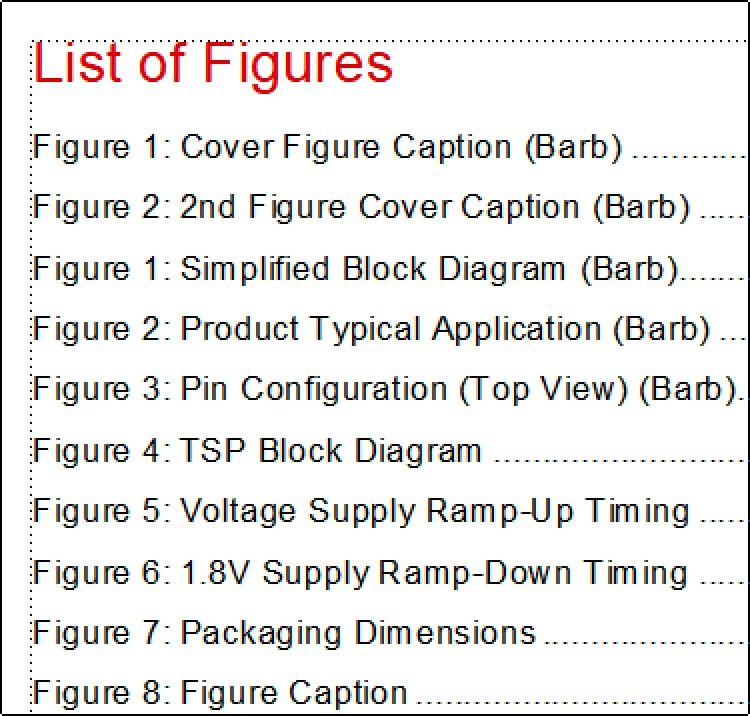
Incrementing the numbers in the source file

The problem isn't in the Body.fm file, or with your Continue Numbering choices—you did all of that correctly. The issue is actually in the Cover file and you can see it in the screen shots below. The reset is happening on page iii, before we ever get to Body.fm.
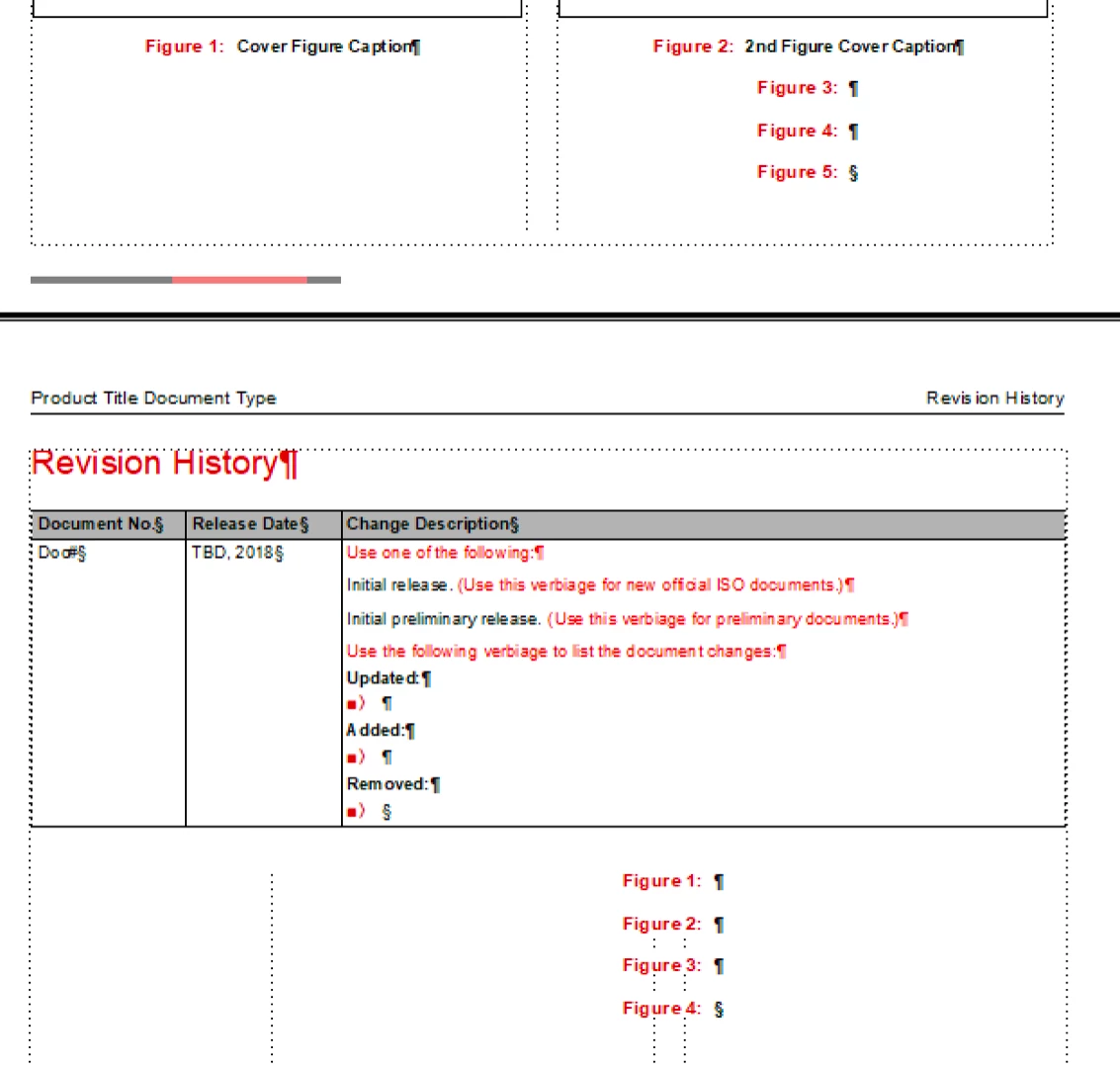
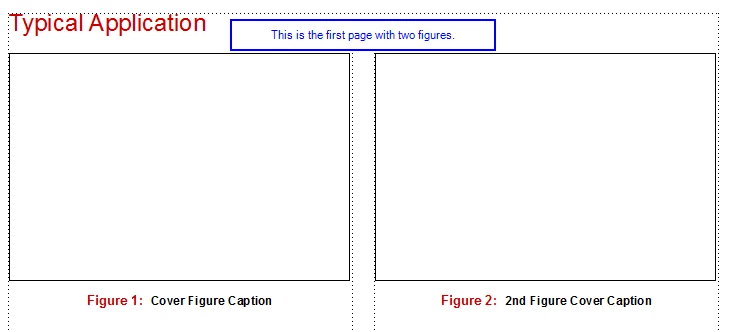
There isn't another paragraph tag forcing the reset, instead it is because the frames are disconnected, and in FrameMaker, the counter starts with zero for each new flow. The fix is to navigate to page iii, select the text frame and choose Format > Customize Layout > Connect Text Frames to connect it with the frames on the previous page.

Update your book and take a look at the LOF. Everything is now incrementing correctly in both the LOF and in the source files.

NOTE: Once you have this working and have some free time, I would suggest creating a new custom master for page iii, based on page I (auto-connect will be on as a default) and then apply it to page iii. Page iii is using a sidehead column, which I don't see the need for, so you can clean that up at the same time. Back up the original cover file before you start so that you can restore it if you run into trouble.

As a general rule, we don't want use disconnected pages unless there is a specific need to use them.

~Barb

2 replies

Barb Binder
Community Expert
Barb BinderCommunity ExpertCorrect answer
Community Expert
November 26, 2018

Hi Alexia:

I have some answers for you.

Discrepancy between LOF numbers and source file numbers

The first one is addressing the mystery of why the figure numbers increment correctly in the LOF but not on the page. The reason is because you are not pulling in the para numbers from the source files—instead you are adding para numbers to the LOF para tags on the reference pages. This is ok to do, but it was causing confusion in the thread.

To pull in the auto-numbers from the source files, remove the auto-numbering on the LOF tags and add <$paranum> in front of <$paratext>:

Update your book. Now the source file issue is represented in the LOF:

Incrementing the numbers in the source file

The problem isn't in the Body.fm file, or with your Continue Numbering choices—you did all of that correctly. The issue is actually in the Cover file and you can see it in the screen shots below. The reset is happening on page iii, before we ever get to Body.fm.

There isn't another paragraph tag forcing the reset, instead it is because the frames are disconnected, and in FrameMaker, the counter starts with zero for each new flow. The fix is to navigate to page iii, select the text frame and choose Format > Customize Layout > Connect Text Frames to connect it with the frames on the previous page.

Update your book and take a look at the LOF. Everything is now incrementing correctly in both the LOF and in the source files.

NOTE: Once you have this working and have some free time, I would suggest creating a new custom master for page iii, based on page I (auto-connect will be on as a default) and then apply it to page iii. Page iii is using a sidehead column, which I don't see the need for, so you can clean that up at the same time. Back up the original cover file before you start so that you can restore it if you run into trouble.

As a general rule, we don't want use disconnected pages unless there is a specific need to use them.

~Barb
~Barb at Rocky Mountain Training
LinSims
Community Expert
Community Expert
November 26, 2018

Nice detective work, Barb!

LinSims
Community Expert
Community Expert
November 21, 2018

Wait, I thought you said the LOF was working correctly?

I'd still check the generated files and make sure that nothing is getting reset there, and I'd also check each file individually with Format > Document > Numbering > Paragraph.

You might also want to save as MIF and do a scan through for <PgfNumbering Restart>. If you find it, that's your culprit.

Known Participant
November 21, 2018

Somehow now (after playing around with all sorts of different settings/paragraph tags/etc) the figure numbers in the LOF are correct, but the numbering still resets.  I am going to try the .mif scan now and keep you posted.  Thank you for your help! This is so frustrating!

Known Participant
November 21, 2018

Honestly, I have no idea what to do after I've converted the files to .mif...could you walk me through it?  How do I search for the <pgfnumberingrestart>?