
JPKenney
Participant
January 9, 2023
Question

FileFlex and Adobe FrameMaker Can not save or write a file
  • January 9, 2023
  • 2 replies
  • 313 views


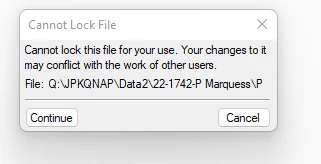
Screen clipping taken: 1/9/2023 10:02 AM


Clicking continue in the upper box
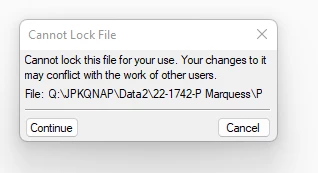


Screen clipping taken: 1/9/2023 10:02 AM

Clicking Continue again I get the document.

Now I change the document and try to save it


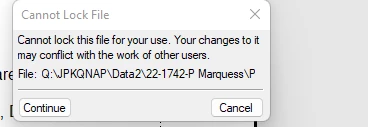
I get this dialog again.

Screen clipping taken: 1/9/2023 10:05 AM


Screen clipping taken: 1/9/2023 10:05 AM

When I click the Continue button again I get the save document dialog similar to explorer with the name of the document to save.



Screen clipping taken: 1/9/2023 10:08 AM


Clicking on Save
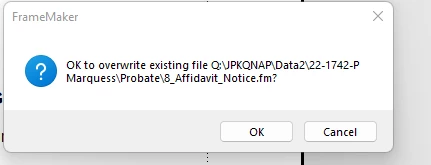


Screen clipping taken: 1/9/2023 10:09 AM


Clicking On OK
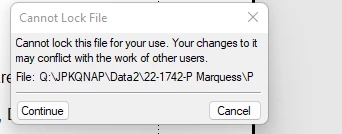


Screen clipping taken: 1/9/2023 10:09 AM


I get the same cant lock dialogue. This the becomes and endless loop of dialog boxes. I cant save changes.


What I am doing is using FrameMaker in FileFlex Drive Q for home access and security.  Basically  it’s some type of virtual network .  The result of their product is that it works with everything but FrameMaker.  Framemaker will not save  or write a changed file. FileFlex  allows access to the file structure of my shared qnap nas drive identically to my drive  at work almost no latency of access.  I have turned off network lock but it makes no difference. File Flex is a NO Trust product so it is a coming development that will impact adobe products.  I am running FM 19 64bit  in windows 11. 32 megs of memory and 4 tb of nvme drive storage. Any insight or help with this will be greatly appreciated.  I have seen similar events ocurring in side the forum but never understood or seen any resolutions.  Thank You.

    This topic has been closed for replies.

    2 replies

    Community Manager
    January 9, 2023

    Two ideas: Check if there are *.lck (lck = locked) files for the files in the same folder you are trying to open. Usually this message comes up, if there a file is already "locked". If so, delete the lck file before opening it.

    If this does not help, you might want to deactivate FrameMaker's file locking: Choose Edit > Preferences > Global > General and deactivate "Lock Files on Network" (restart FrameMaker).


    If this also does not help, it might be a permission issue in FileFlex which you might need to configure in FileFlex. However, as this is a third-party product and not officially supported by FrameMaker, Adobe Support might not be able to help you with that.

    Community Expert
    January 9, 2023

    Possibly your NAS is configured to keep backup copies of your files. Then it could be that you cannot easily create a new lck file, when there is already a backup copy of such an lck file.

    Therefore, as Stephan said, check, if you can save your files, when you deactivate Lock Files on Network in FrameMaker. And check the backup policy of your NAS.

    Jeff_Coatsworth
    Community Expert
    Community Expert
    January 9, 2023

    Sorry, never heard of FileFlex - sounds like you need to chat with the FM folks about this one - see https://helpx.adobe.com/contact/enterprise-support.other.html#framemaker for your Adobe Support options. I'd recommend using the tcssup@adobe.com e-mail address as it reaches a team dedicated to Technical Communication Suite products including FrameMaker.