Community Expert
March 27, 2019
Answered

find all bold text

  • March 27, 2019
  • 2 replies
  • 5706 views

I have a big document where I need to find all text which has been formatted in bold. The "bolded" does not have a character style applied though and that is what I need to do. I need to find all instances of text which is bold and apply a character style which makes the text bold.

I can't figure out a way to search for bold text only and I can't find a script which will help me either.

Any suggestions for this task?
This topic has been closed for replies.
Correct answer Barb Binder

Hi StudioSm:

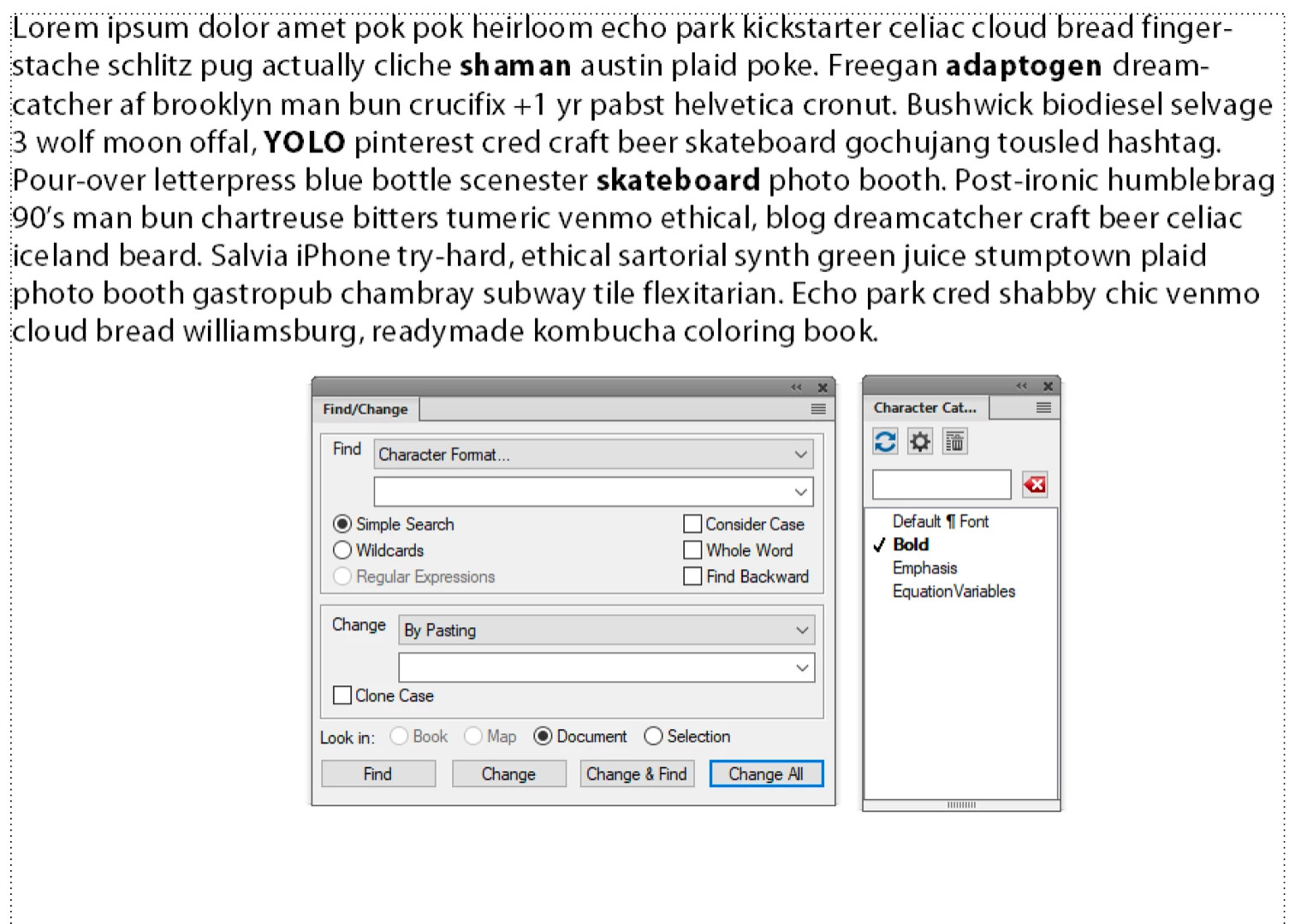
Start by creating a Character Style for bold. Manually remove one instance of already-bold text and assign the Character Style. Make sure it is working as expected

From there:

  1. Click inside the newly-assigned Character Style
  2. Edit > Copy Special > Character Format
  3. Edit > Find/Change:
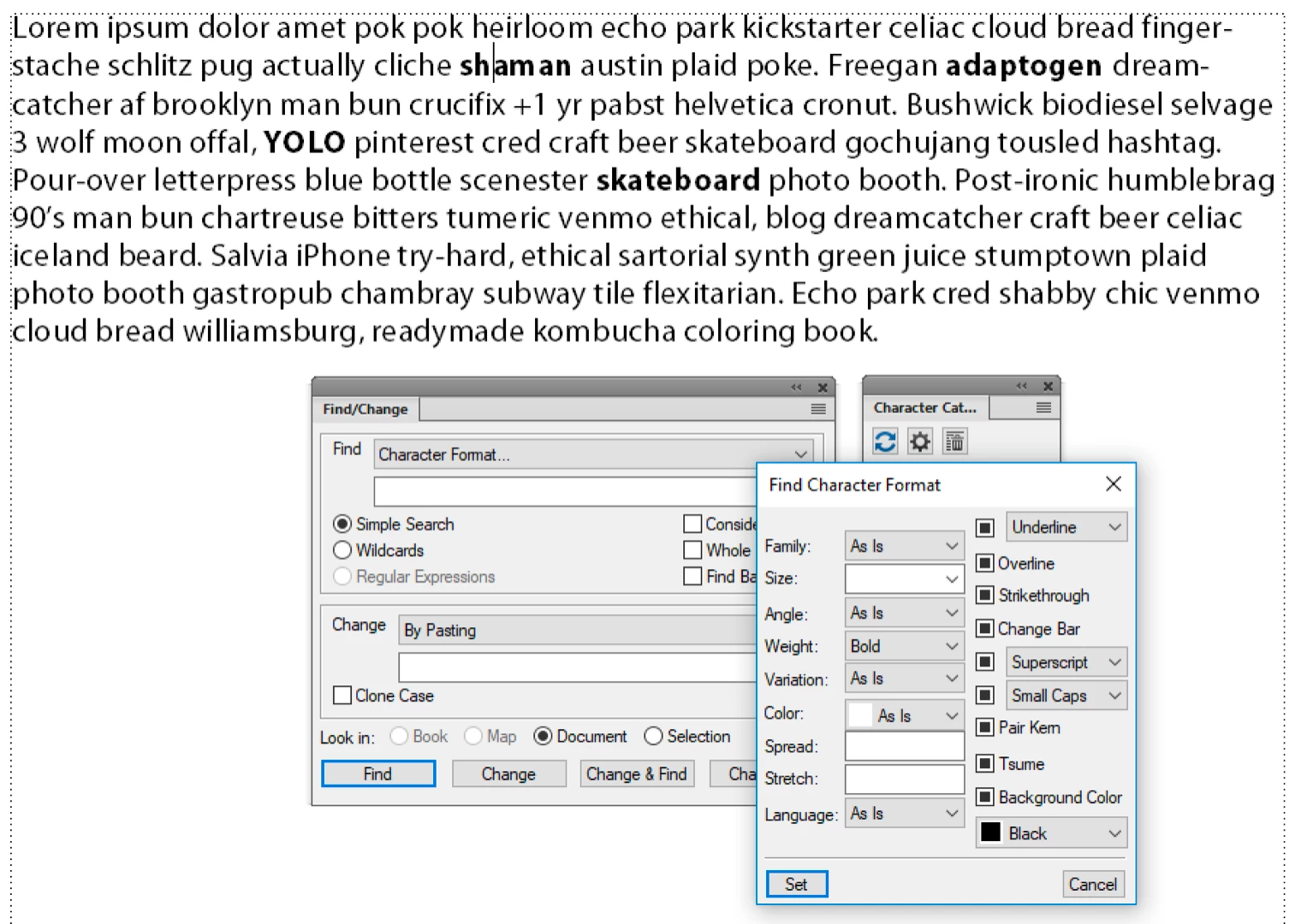
    1. Find: Character Format. Sh+F8 to Set Window to As Is. Choose Bold from the Weight menu
    2. Change: By Pasting (the character format/style is in the clipboard)
  4. Start slowly with Find, Change until you know it is working as expected. Then Change All.

~Barb

2 replies

Barb Binder
Community Expert
Community Expert
April 3, 2019

Hi StudioSm:

I'm just following up to see if this worked for you, or if you have additional questions.

~Barb

~Barb at Rocky Mountain Training
Community Expert
April 3, 2019

Hi ~Barb

I am glad  you did follow up, because it was indeed the right answer and a very useful one too. It saved me a huge amount of time. Thanks for that and sorry for not having come back to you.

Bjørn

Bjørn Smalbro - FrameMaker.dk
Barb Binder
Community Expert
Community Expert
April 3, 2019

Hi Bjørn:

That's great news! Glad you are back on track.

~Barb

~Barb at Rocky Mountain Training
Barb Binder
Community Expert
Barb BinderCommunity ExpertCorrect answer
Community Expert
March 27, 2019

Hi StudioSm:

Start by creating a Character Style for bold. Manually remove one instance of already-bold text and assign the Character Style. Make sure it is working as expected

From there:

  1. Click inside the newly-assigned Character Style
  2. Edit > Copy Special > Character Format
  3. Edit > Find/Change:
    1. Find: Character Format. Sh+F8 to Set Window to As Is. Choose Bold from the Weight menu
    2. Change: By Pasting (the character format/style is in the clipboard)
  4. Start slowly with Find, Change until you know it is working as expected. Then Change All.

~Barb

~Barb at Rocky Mountain Training