


FM 12 chapter numbering issue
In FM 12, I have this book:
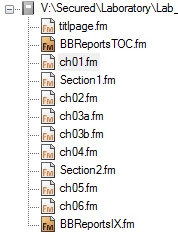
The Section1 and Section2 files are new to the book. Ever since I added them, both Chapter 1 (ch01.fm) and Chapter 2 (ch02.fm) generate/update as Chapter 1:
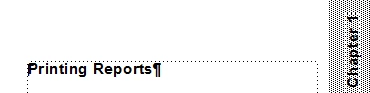
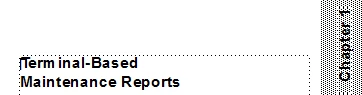
Subsequent chapters after Chapter 2 are numbered consecutively, but they're all off by 1 (ch03.fm is Chapter 2 ... ch06.fm is Chapter 5).
If I remove the section files from the book, the chapter numbers generate correctly. If I move Section 1 before Chapter 1, the chapter numbers generate correctly. So the issue appears to have something to do with inserting Section 1 in between chapters 1 and 2.
Chapters 2 and 5 both appear after a section file. The numbering properties are set identically on all tabs in both files. Yet chapter 2 restarts chapter numbering and chapter 5 continues numbering from the chapter before it. Any idea why? I can't figure it out.
Thanks,


 AdChoices