

K.Daube
Community Expert
Community Expert
February 16, 2022
Answered

FM-15 Welcome screen does not behave

  • February 16, 2022
  • 2 replies
  • 401 views

Since today the Welcome screen in FM-15 presents only part of its contents - and this in huge size:
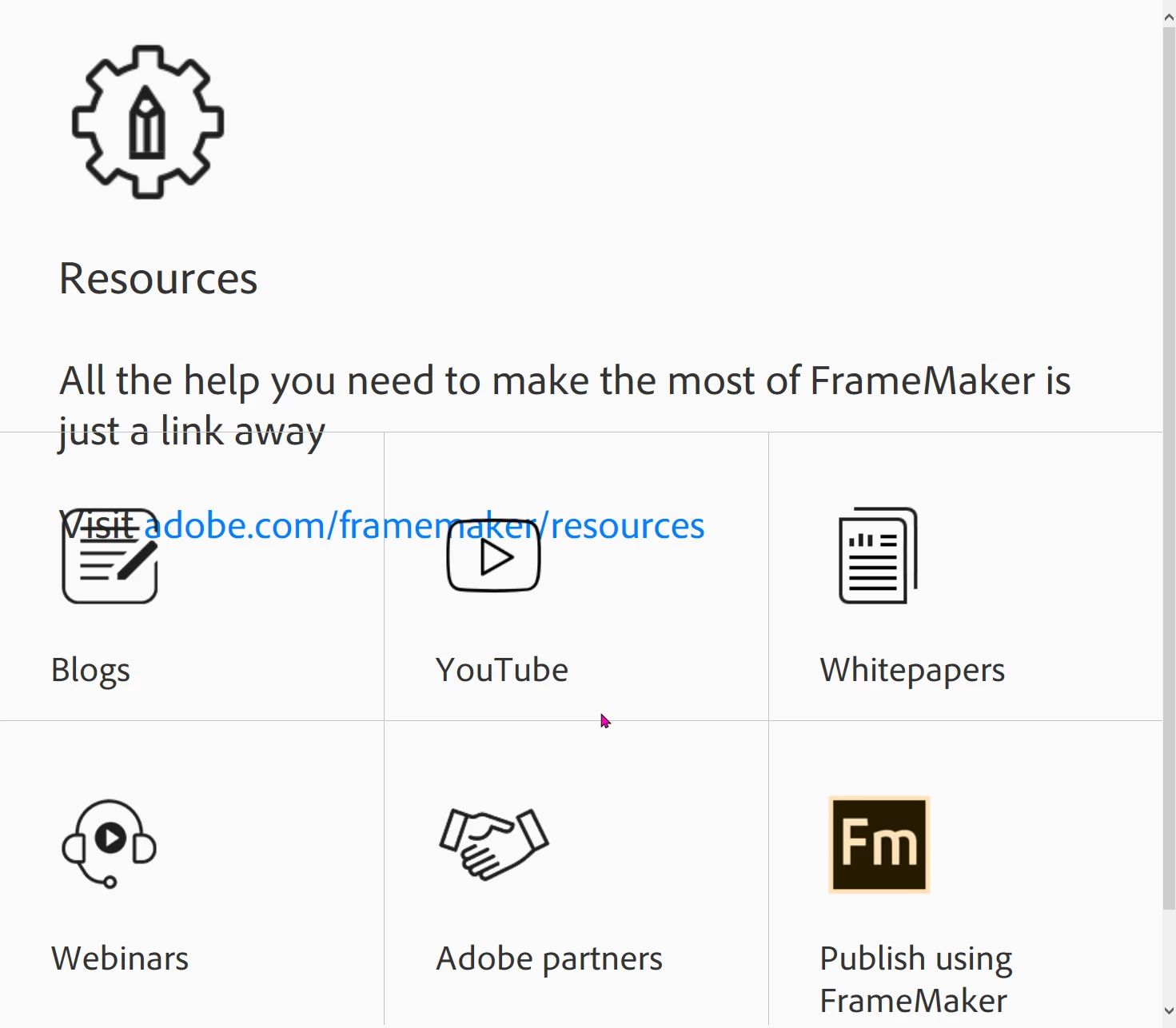
This happens even if I rename my modified Welcome screen and force FM to create a new one. It also happens with the Welcome screen copied from FM-16 to FM-15. In FM-16 things work as expected.

Welcome screen in FM-14 also does not behave.

Opening %appdata%\Adobe\FrameMaker\15\resources\welcomeScreen\welcome.html with FireFox presents it correctly, but this can not be used of couse.

    This topic has been closed for replies.
    Correct answer pulkitn

    Issue with welcome screen in FM2019 and FM2017 has been fixed from backend , No action needed from user .


    -Pulkit Nagpal

    -FM/FMS Engg.

    2 replies

    pulkitn
    Adobe Employee
    pulkitnCorrect answer
    Adobe Employee
    March 21, 2022

    Issue with welcome screen in FM2019 and FM2017 has been fixed from backend , No action needed from user .


    -Pulkit Nagpal

    -FM/FMS Engg.

    K.Daube
    Community Expert
    K.DaubeCommunity ExpertAuthor
    Community Expert
    February 16, 2022

    Now I  have noticed that it shows briefly (just a blink) the correct appearance, but then the marketing item takes over.


    What is shown after the blink is just the %appdaa%\Adobe/FrameMaker/15/resources/trial/trial.html :


    <div id="marketing" class="tdmarketing" style="position:relative;">
              <iframe src="../trial/trial.html" class="iframemarketing" style="height:100%;width:100%;border:none;position:absolute; top:0; right:0;bottom:0;left:0;"> </iframe>
              <!--<h2>Marketing</h2>--> 
              <!--<div>Marketing content here</div>--> 
    </div>


    I just found t his in my system log - the same error as this time:

    «Wed 2020-05-13 10:42:23 Logging ; ; FM-15 Welcome screen only shows shortly the correct view, then it switches to a huge presentation of the marketing are with all the icons. Top left a gear with pencil in it is visible - about 180 pix high. Remedy: in an empty area use Back from the context menu. Adobe confirmed a mis-reroute, which has been fixed towards the evening.»

    frameexpert
    Community Expert
    Community Expert
    February 16, 2022

    Klaus, thank you for the tip about using the Back context menu command. It works for me.