

Lion_techpub
Known Participant
June 22, 2020
Question

FM 2019: Korean text typing problem

  • June 22, 2020
  • 1 reply
  • 682 views

There are no changes in FM 2019 settings (configuration), just using default FM 2019 settings.

FM 2019 version 15.0.6.956


When opening DITA Topic template and typing text in Korean, I cannot type Korean text properly and, Korean texts are changed to question marks abruptly.
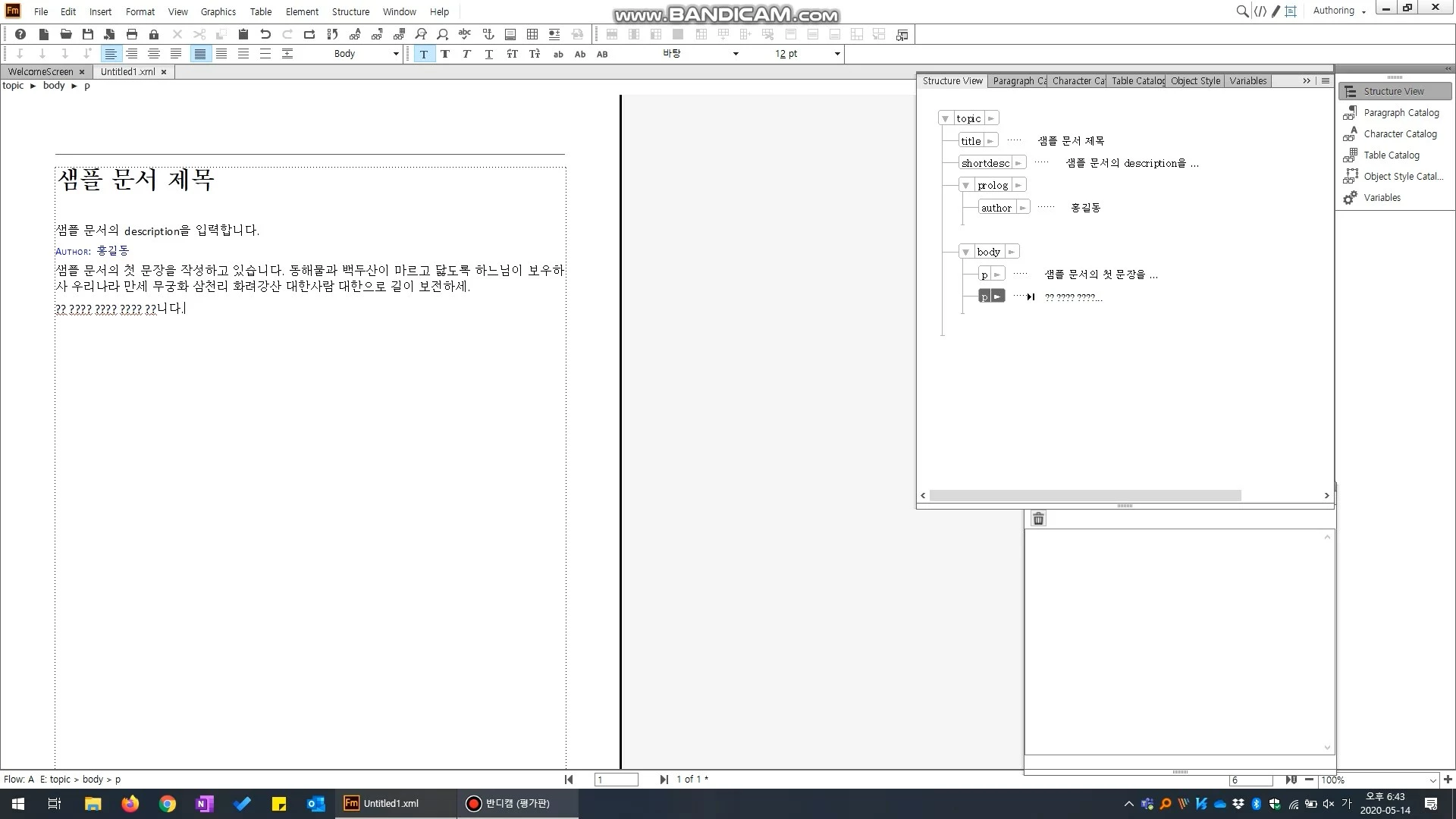


If you click the following link, you can see or download the video clip, which I recorded the happening.

https://drive.google.com/file/d/1Csfs67O2I06HePcBGzLmJyaVIcTlJxs-/view?usp=sharing 


Please, help me.

Thanks in advance.

    This topic has been closed for replies.

    1 reply

    Adobe Employee
    January 12, 2021

    Hi @Lion_techpub ,


    Hope you are doing good.


    Regarding your query, The behaviour is happening because the EDD Rules are getting applied at that moment.

    According to the DITA Template, the default font is Calibri. Since it doesn't support Korean Glyphs, the Glyphs are getting replaced as ?.


    If you are certain that the Authoring has to be done in Korean throughout the document, You may have to replace the Calibri font with a font that contains Korean Glyphs (like Batang Font) in DITA Templates.


    Please note that it can be done conveniently with the help of Fonts Panel (View > Panels > Fonts...) where there is an option to replace the font family.

    Hope it helps,

    Kunal Puri

    Lion_techpub
    Known Participant
    January 12, 2021

    Hi, Kunal


    Regarding DITA template, I did what you told, and changed default Korean font of Windows 10, which is Malgun Gothic.

    Then, question mark change problem has been fixed. It's great.


    Unfortunately, when typing in Korean, key-in delay issue comes up.

    Can you look into this issue?


    For your informtion, I'm using Korean locale Windows 10 and FrameMaker 2019 (15.0.6.956).


    Thanks for taking time to read this.

    Lion_techpub
    Known Participant
    January 12, 2021


    xml view

    It's kind of slow, but okay to type letters.


     WYSIWYG view

    very very slow, it's hard to type letters correctly.