
FM 2022 Paragraph Styles Not Publishing Properly
I have had two major ongoing issues since upgrading to Framemaker 2022 from 2020. The first I have found a workaround for, although I am still trying to figure out the reason, the second is below. I'm wondering if anyone else has experienced this problem or has a solution.
I work on a User Guide that has a healthy catalog of paragraph styles and we do utilize the reference page for a feature on the advanced tab of the paragraph designer tool.
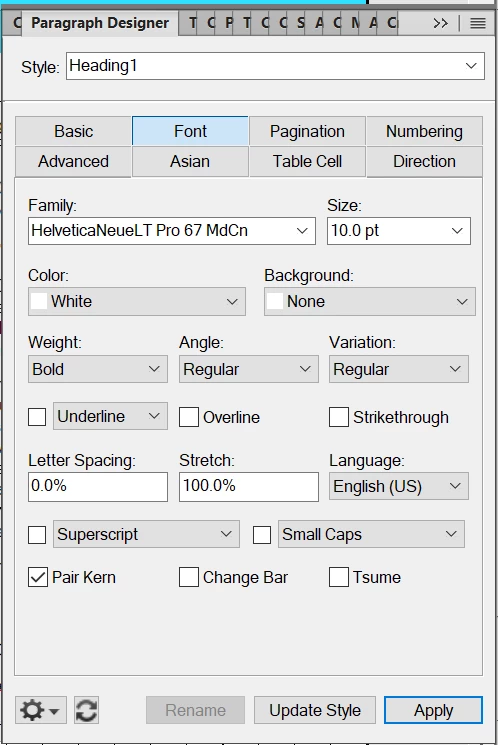
Here is what the settings look like (first two images). The third image is that paragraph style as it appears in FM (as it should). The second is how it looks when I publish a PDF for web viewing. Notice the notched left and right upper corners.
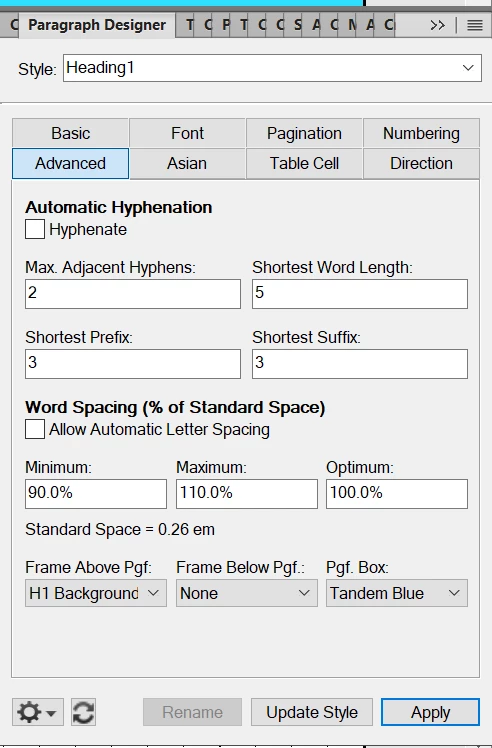


I have used the reference page to adjust the Heading1 background bar, which is the selected setting in Frame Above Pfg in the advanced tab of this paragraph design element. It has not solved the problem. I have a ticket with Adobe, but have not yet had success in troubleshooting this issue. If anyone in the community has any ideas, I am very open to suggestions. Thank you in advance.
To repeat/note, this is not happening for my coworkers running FM 2020, nor did it happen for me before the upgrade.


 AdChoices