


FM crashing when it imports formats / closes multiple files within a book
FM is crashing EVERY time it closes multiple files. I first noticed this issue when I tried to import formats across all of the files in a book. It would work for a less than 10 seconds and then it would die. My theory is that the crash occurs whenever FMis closing multiple files, and this makes sense (to me) because it seems as though FM opens and closes each document in a book when formats are imported across all the files in a book.
I first noticed this crash after i had changed multiple parameters in an existing book to change the way pages were numbered across the book (management wanted to change from a "steady" numbering system from the first to the last page of the book to a relative numbering system where numbering begins anew with each chapter). I don't recall the specific change that I made when I first got this crash, but this crash has been consistent since that point.
It plays out like this....
1. I select all the files in a book and select File/Import/Formats.
2. I click Apply, then I may get a few "Cannot be undone" alerts regarding the Undo history.
3. Then the crash happens and I get the following alert from Windows....
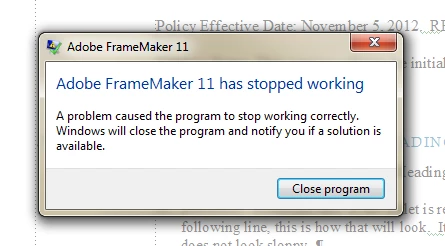
4. My workaround has been to open up every file in the book and then import formats. This does not create a crash; HOWEVER, the same crash will happen if I attempt to close all the open files at the same time by highlighting them, right clicking, and selecting Close.
5. This is really impacting my workflow because the only other workaround to avoid a crash is to close each file separately, and this is hugely frustrating especially when I'm dealing with a book that contains 60 files.
I'm a relatively newer user, and I'm certainly not the most technical user in this forum. I'm using FM 11.01.382 and Windows 7. I've searched the internet several times and I haven't found this particular issue, and I do apologize if this is covered elsewhere.
Thanks for any help !

 AdChoices