



FM Structured (not XML): losing text insertion points when charts stacked too close.
Hello,
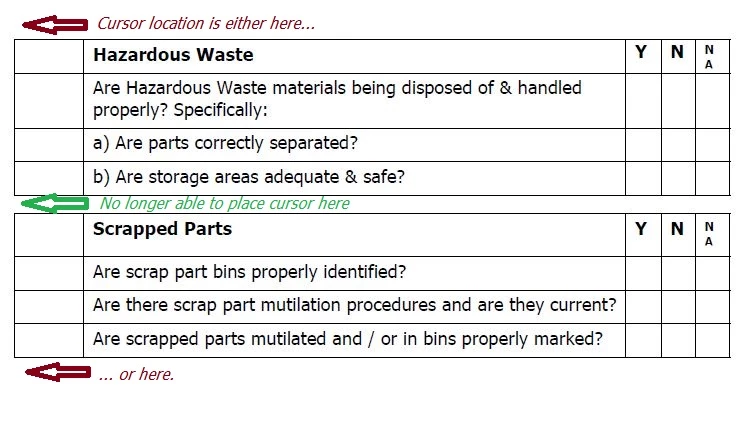
I am working a document comprised of many page-width charts separated only by 2-3 empty lines.
While adjusting spacing on the page, at times I remove too many empty lines between charts, to where there remains only a single empty line between them.
The makes the page look very neat but sadly removes any insertion point from within that single empty line, thereby barring me from re-entering another empty space or two between the charts if I desire.
I have tried insertion point placement shortcuts to no avail.
To illustrate, when the cursor is located above the whole mess, then "Beginning of the next paragraph" shortcut is employed, the cursor jumps past both 'joined' charts.
From that point on, the cursor only hops to before the first chart or after the second chart, and I no longer have control of the spacing between the two charts.
Any suggestions? Thank you for your time.
 AdChoices