


Known Participant
June 17, 2015
Question

FM12 - Leadings Dots

  • June 17, 2015
  • 1 reply
  • 527 views

Hello Everyone,

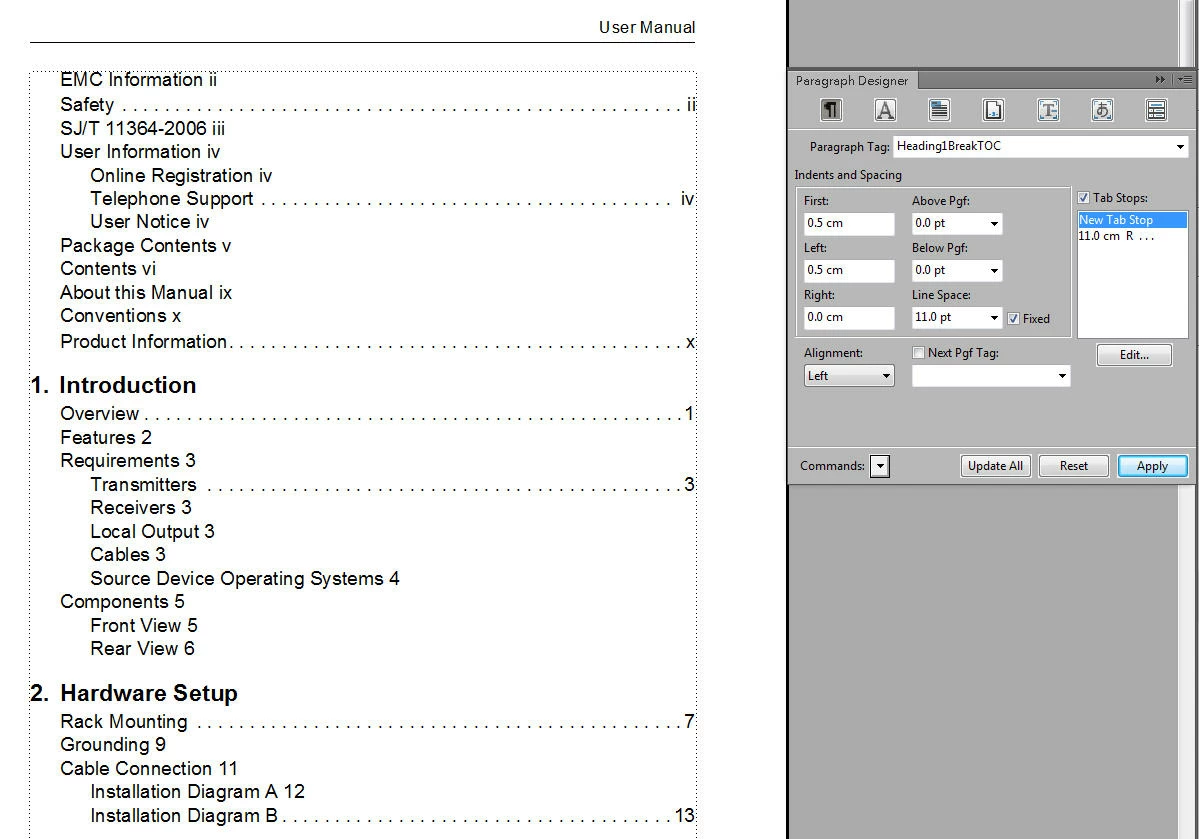
The Leading Dots appear for "Heading1TOC" but not for "Heading1BreakTOC" when the table of contents is generated. The same is happening with "Heading2TOC" having leading dots and "Heading2+TOC" not having leading dots. Does anyone know why? All the Tab Stops settings are exactly the same for both. This repeats through the entire Contents in every chapter.

Usually impatient, I just manually insert a "Tab" to generate the dots but it would be nice if I could expand my horizons and understand why.
    This topic has been closed for replies.

    1 reply

    Legend
    June 17, 2015

    Have you checked the TOC page in the Reference pages view? this is where you tell FM you want to insert tabs between building-blocks; the style definition then tells FM where to position the tabs. At first glance, I'd guess the entry for Heading1TOC includes a tab before the page number building-block and the Heading1BreakTOC entry accidentally doesn't. Turning on the display of non-printing characters (esc, v, t) just while you're checking can help.

    Known Participant
    June 17, 2015

    Thanks for replying. I'm afraid to mess things up even more. Here is my References page view of the TOC, where should I enter the tab? Also, is there a building block for each type of Paragraph Format? I don't see where the "tab" value for Heading1TOC or Heading1BreakTOC are or where the two differ in the References page.

    Arnis Gubins
    Inspiring
    June 17, 2015

    When you place your cursor between in the $paratext and $pagenum building blocks in any of the first seven entries, you need to insert a tab command (either \t or and actual tab). Also check the Status bar area in the lower left to see which paratag is being used. You will need to insert (or modify) the tab position(s) in each of those paratags to get what you want.