Participant
March 22, 2021
Question

FM2015 [window 7] has problem “Internal error...”. and “Adobe FrameMaker 2015 has stopped working”

  • March 22, 2021
  • 2 replies
  • 243 views

FrameMaker2015 [window 7] has problem

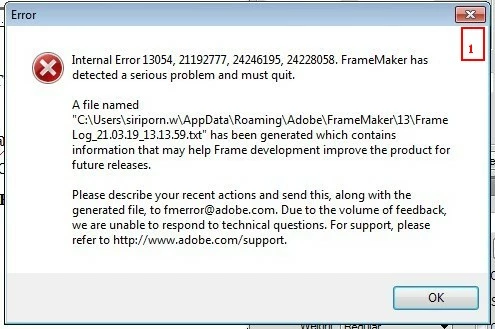
Picture 1 When I working for a while the message “Internal error 13054,21,92777,24246195,24228058. FrameMaker has detected a serious problem and must quit.” is appear, can’t working and then the program closed by itself.


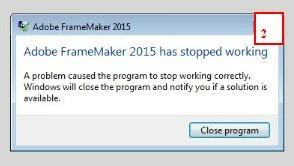
Picture 2 When double click file the message “Adobe FrameMaker 2015 has  stopped working” is appear.

I want to ask about the cause of both cases, and how to fix it. Anyone know what to do please answer. 
 

Thank you very much.


    This topic has been closed for replies.

    2 replies

    Community Expert
    March 22, 2021

    Hi,


    Normal users cannot intepret these error files. We will not know what might have caused your issue.

    What you should do:

    Send this error file to fmerror-reports@adobe.com. Possibly they will check this. However, your version is several versions back ...

    Check that you have the latest update. (But I think you have update 5 already.) You can check this also here: https://supportdownloads.adobe.com/product.jsp?product=22&platform=Windows

    Describe more thoroughly what you did before this happened.

    Is this something which happened now only with a specific file?

    Or do you encounter this issue also with other files.

    Did you change anything on your PC, before this issue started to appear?

    I would do a MIF wash will all files of your book. MIF wash means: save all files as MIF, open them with FrameMaker and then save again as FM. This consolidates the file. Often inconsistencies disappear.


    Best regards


    Winfried


    Nimisha_Aggarwal
    Adobe Employee
    Adobe Employee
    March 22, 2021

    Hi @Si5C80 ,


    Please mail it to Adobe at fmerror-reports@adobe.com  with crash ".dmp" files present at "%appdata%\Adobe\FrameMaker\16".


    Thanks,

    Nimisha Aggarwal