


LinSims
Community Expert
Community Expert
October 6, 2022
Answered

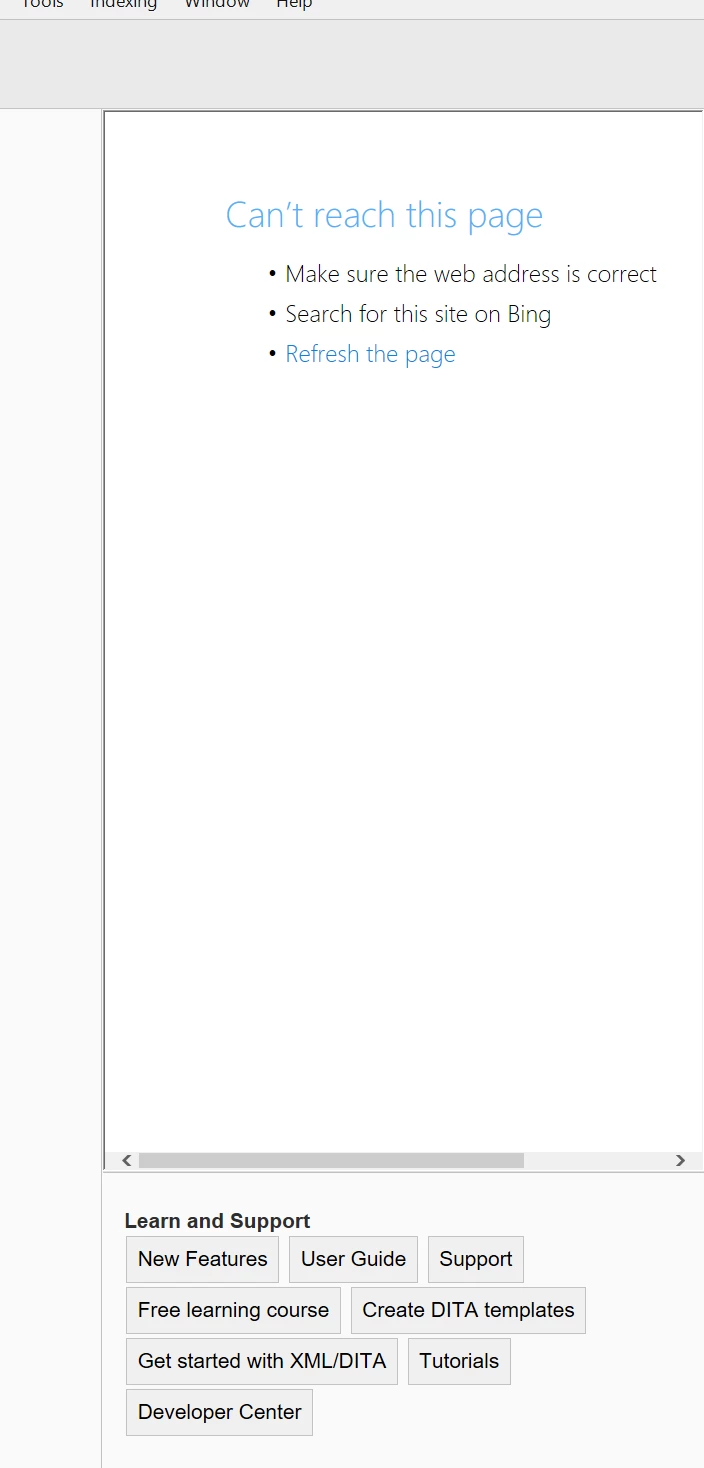
FM2022: Welcome screen showing "Can't reach this page" error again

  • October 6, 2022
  • 2 replies
  • 240 views

As I recall, this is something that has to be fixed on the backend, so if someone could, please?
 

This topic is closed to new replies. Start a new post to keep the conversation going.
Correct answer K.Daube

Lin, are you shure that it is for FM-17 (2022) - and not FM-16 (2020)?

In both I get this only with my personalised/modified Welcome screen.

If you delete (or rename) %appdata%\Adobe\FrameMaker\17\resources\welcomeScreen then FM will restroe a copy from $HOME\\fminit\dws\resources\welcomeScreen and You should get the correct Welcome Screen

2 replies

K.Daube
Community Expert
K.DaubeCommunity ExpertCorrect answer
Community Expert
October 8, 2022

Lin, are you shure that it is for FM-17 (2022) - and not FM-16 (2020)?

In both I get this only with my personalised/modified Welcome screen.

If you delete (or rename) %appdata%\Adobe\FrameMaker\17\resources\welcomeScreen then FM will restroe a copy from $HOME\\fminit\dws\resources\welcomeScreen and You should get the correct Welcome Screen

LinSims
Community Expert
LinSimsCommunity ExpertAuthor
Community Expert
October 10, 2022

Not sure. I think I copied my maker.ini over from 16 to 17. It's possible I did the same for fminit because of all the plugins I have. If so, that's on me and I'll figure something out!


Thanks. I'd begun wondering if that was the issue.

