
Known Participant
October 13, 2020
Question

Font Issue

  • October 13, 2020
  • 4 replies
  • 479 views

Greetings, 

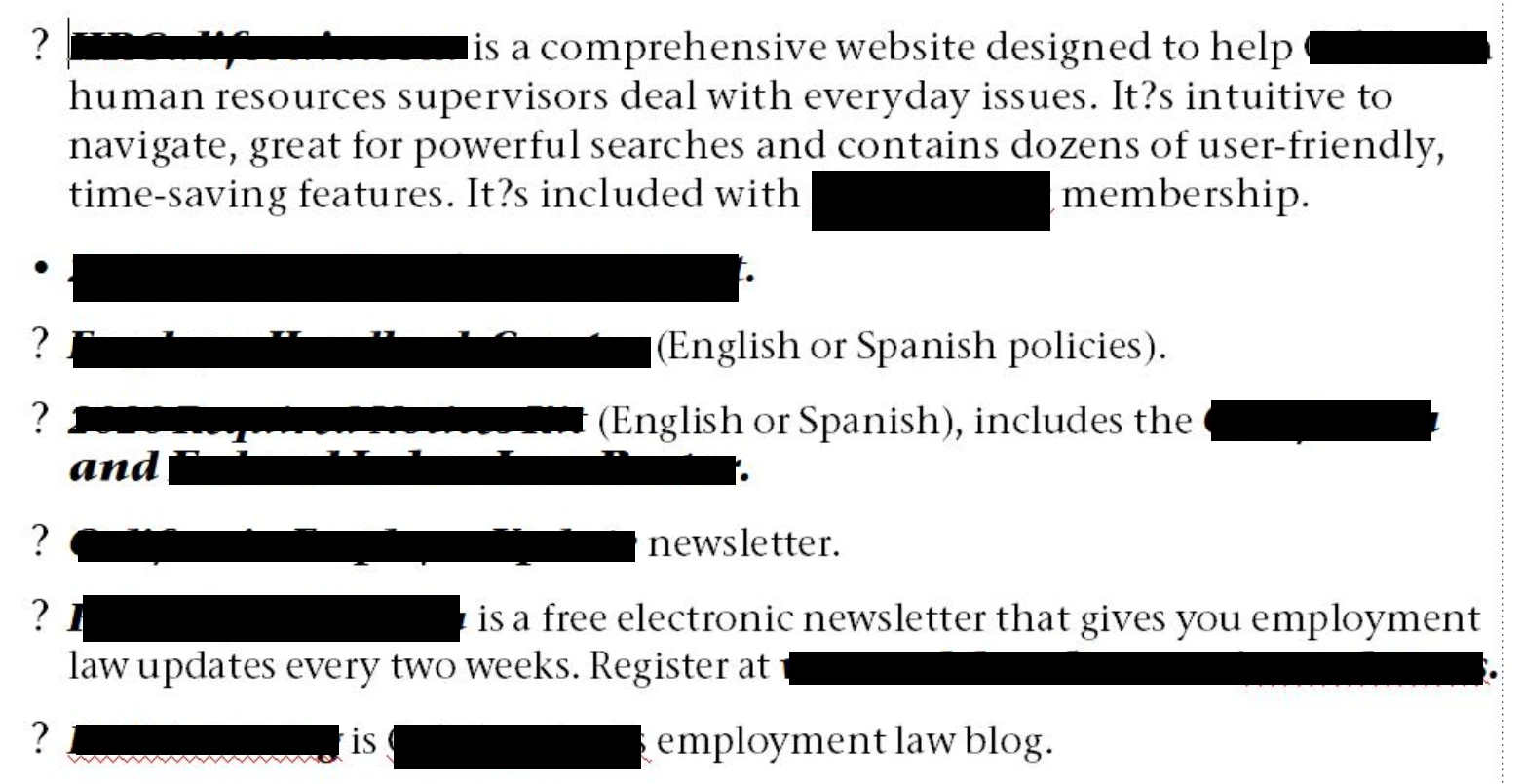
My coworker is having font issues with Frame 2019/Windows 10. I've copied all of my fonts to a folder for her and she installed them, but she's still getting a range of font issues. This is a legacy document that has had many font replacements over the almost two decades.  In the attached image, you'll see that questions marks are substituted for apostrophes, bullets and quotes (among other things). Any help is deeply appreciated! 
 

    This topic has been closed for replies.

    4 replies

    Community Expert
    October 14, 2020

    Hi,


    Can your colleague check the first font which is reported as missing?

    Do you get also a message, when you deinstall this font?

    Can you and she search your hard drives for this font? Possibly there is an additional folder with this font.

    Can she apply the font? Which characters are displayed as question marks? Can you paste them here?

    MIF wash as Lin suggested is definitely a good idea.


    Best regards


    Winfried

    LinSims
    Community Expert
    Community Expert
    October 13, 2020

    Stupid questions time, but:

    • Have you tried a MIF wash? Or have you tried viewing a MIF version of the file in a text editor to see if there are odd tags or font changes at the non-displaying glyphs?
    • Are her paragraph and character tags up to date? 
    • Is the language set to English on the Font tab for all her tags?
    • Is Asian composer turned on? Try turning it off if it is.
    • Is "Remember Missing Font Names" turned on in Preferences? If so, try turning it off and seeing what happens.
    pulkitn
    Adobe Employee
    Adobe Employee
    October 13, 2020

    Hi,

    Question marks are usually substituted when the correct language or font isn't selected/found.
    What exactly are the errors you are getting? If this is related to some fonts not found.
    Please verify if a particular font is installed or not (C:\Windows\Fonts).
    After installing the desired fonts, Restart FM.


    Known Participant
    October 13, 2020

    Thank you. It appears that she has the correct fonts installed, but is still getting missing font errors.

    Jeff_Coatsworth
    Community Expert
    Community Expert
    October 13, 2020

    I stuck your image into your message - much easier to see that way.
    Are you getting any missing font messages?

    Known Participant
    October 13, 2020

    Thanks! It is much easier. And yes, there are missing font errors, even though she has the same font directory as I do, only she gets the error and it opens clean on my end.