



Question
Font Noto Sans Cond does not behave in PDF creation
Dear all,
FM is 15.0.6.956; The following fonts are listed in Windowss
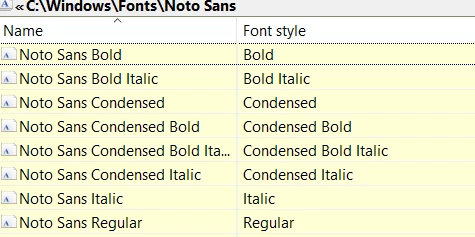
In FM File > Print the printer is set to Adobe PDF (with another setting even the Distiller route fails). "Rely on System Fonts only" is unchecked.
When creating a PDF via Distiller route, then also the bold version is OK. Only creation via PDFL (Publish panel, online route) I creates this effect:
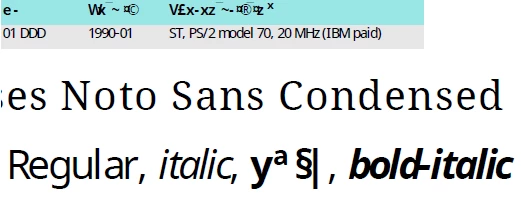
The table heading (top area in the screen shot) uses this bold variant - and the problem started today - a PDF created yesterday does not show this effect...
I have re-installed the fonts two times without success.
→ Is there some cache involved which I could delete? Renaming
%appdata%..._.cache_fonts
has no effect.
→ Any ideas are welcome!


 AdChoices