
Known Participant
January 7, 2025
Question

Footer change without changing master page.
  • January 7, 2025
  • 3 replies
  • 575 views

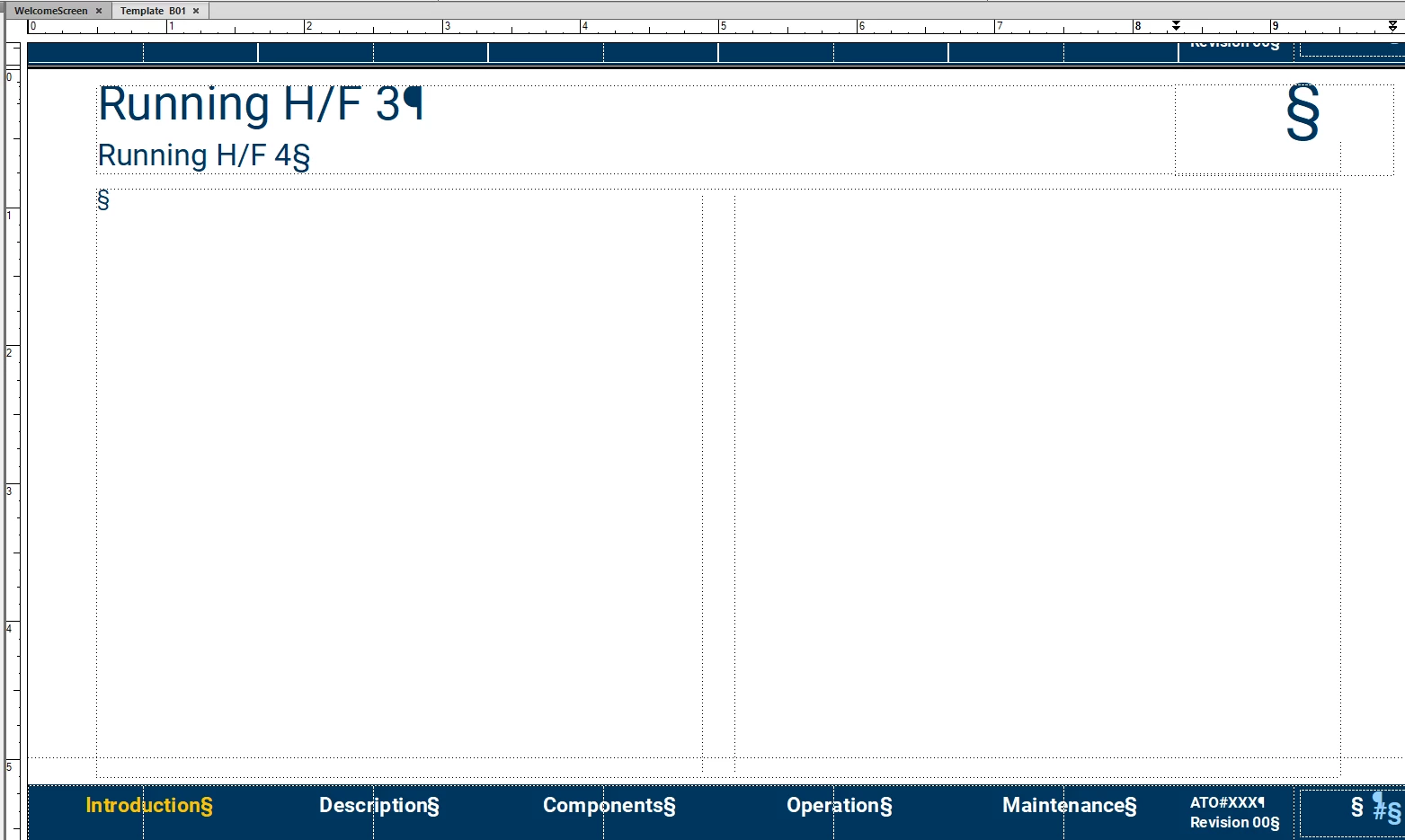
Hi All hope your year has started well. I'm wondering is the re a way to change the selected (amber) word on the footer without changing the master page. Currently I have a master page for each of the words on the footer. 

    3 replies

    Matt-Tech Comm Tools
    Community Expert
    Community Expert
    January 9, 2025

    Have you explored using text frames on the master page that display marker content?

    You may need to have a marker for each text frame (5 per page) to reset the yellow to white for each condition.

    Probably not your final solution, but hopefully this will spark movement in the right direction.


    -Matt Sullivan, FrameMaker Course Creator, Author, Trainer, Consultant
    Community Expert
    January 7, 2025

    Hi,

    When you use variables for the text in the footer, then you do not need to change the master page to change the text.

    Change only the variable content.

    That's what I do.

    Best regards, Winfried

    Jeff_Coatsworth
    Community Expert
    Community Expert
    January 7, 2025

    Sorry, I'm not getting what the issue is - you're talking about changing "Introduction" to something else? Why would that be a problem?

    Known Participant
    January 7, 2025

    The footer reflects the type of content on the page. Lets say the next page content is OPERATION. In that case I want INTRODUCTION to go back to white and OPERATION to become AMBER. Currently I am changing master pages to accomplish this. One page for each word on the footer to make one word Amber and the rest remain White.


    Community Expert
    January 8, 2025