

Formatting a page with images and text using structured document
I've read the tutorials about creating newsletters in unstructured Framemaker, and I can do that. My question is can I do something similar in a structured document.
Specifically, I want to create a master page for the 1st page in each chapter of my book that has 4 sections:
1) The top of the page has an image that is specific for that chapter
2) Underneath the image is a quote that summarizes the chapter contents
3) Below the quote is the beginning of the chapter text.
4) To the left of the body text are callouts that highlight specific passages in the body text, but I'm not trying to address that in this ticket.
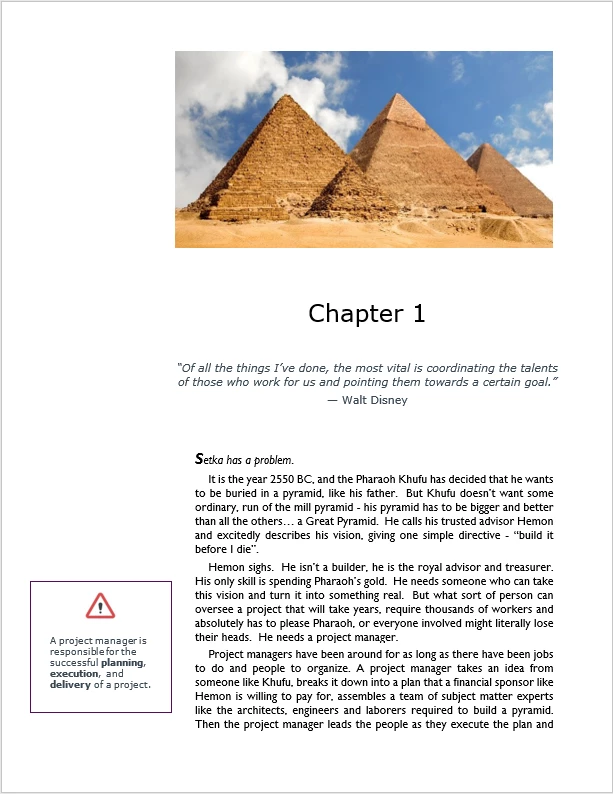
My first thought was to create a master page that has 3 sections - the image, the quote and the body. Each chapter has different content for each box (different image, different quote, different text). The body text is easy - it just happens. But I don't see a way to replace the image in the master page with that chapter's image. Is it best for me to create this as a single text frame, or is there a way I can create separate frames on my master page, and then use tags or some other technique to place the proper content in each frame?



 AdChoices