
Frame 2017 Equations Clipped in Print to PDF
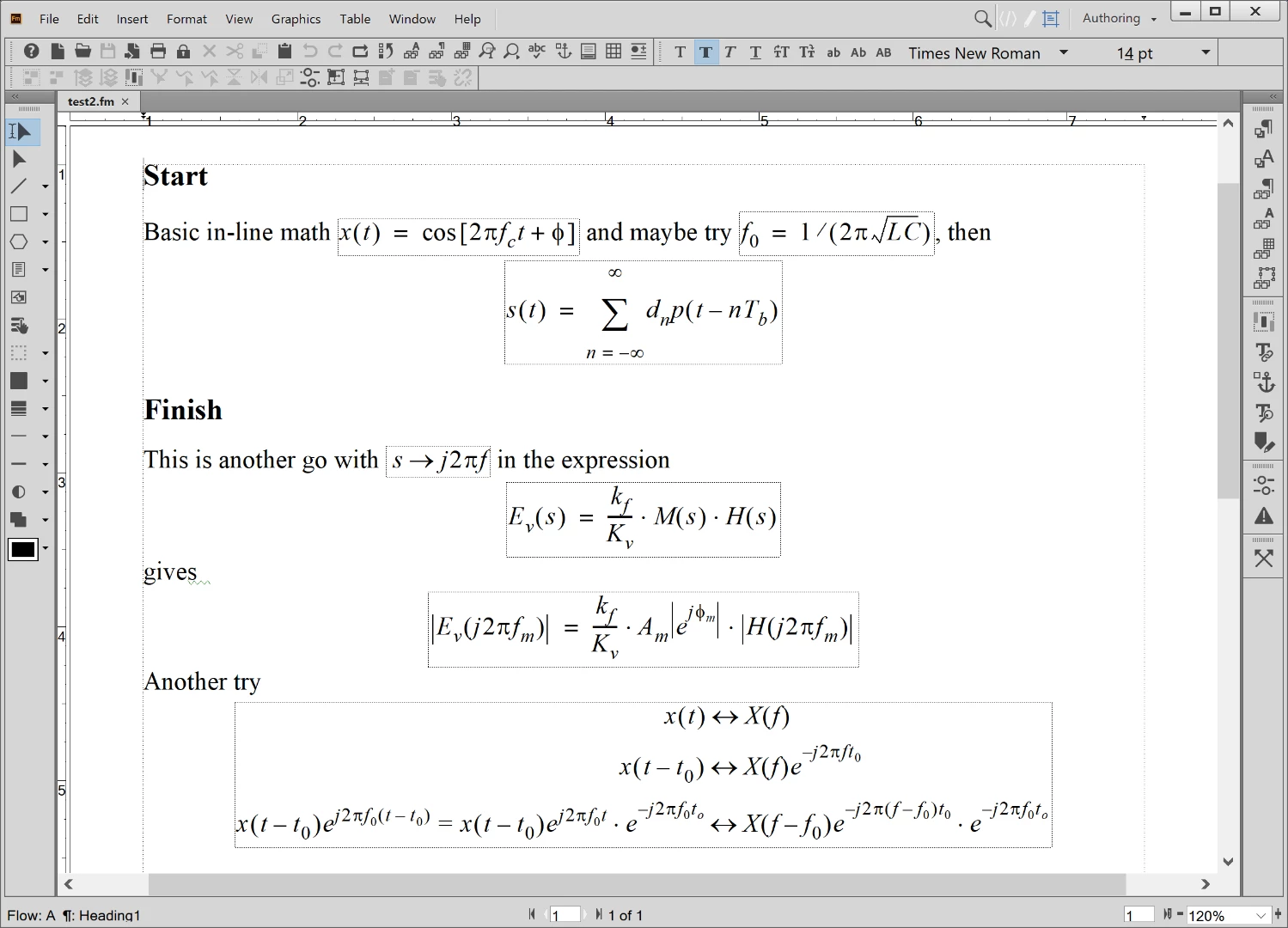
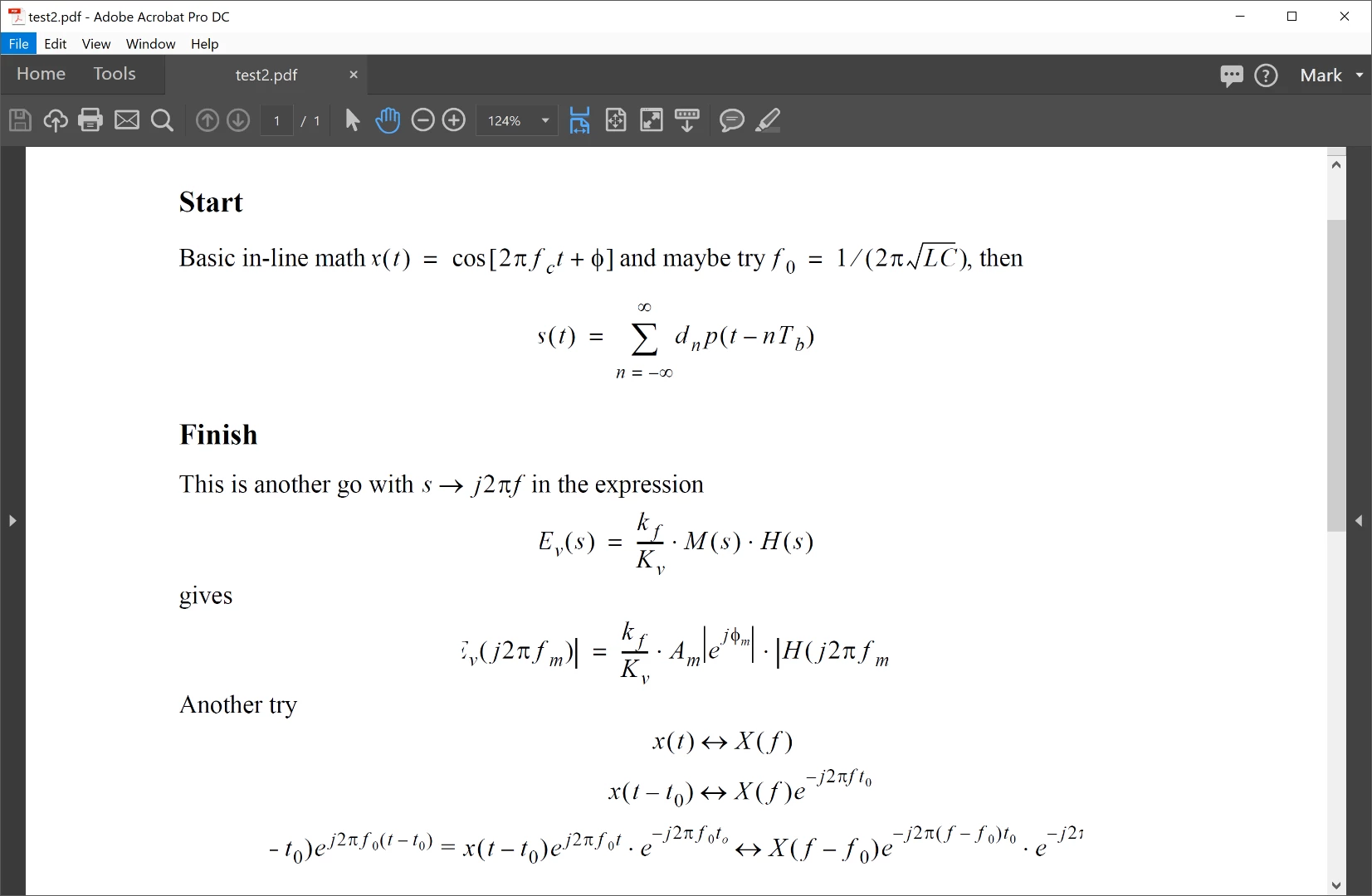
Since a major update to Windows 10, installed April 6 2018, printing to PDF results in clipped Frame equations. The screen shots below show (1) the view insider FrameMaker and (2) the view insider Acrobat DC.
(1)
(2)
I have Creative Cloud tools as well, in particular Acrobat DC. Running Windows 10, Version 1803, OS Build 17133.1
I had this problem a few years back when opening a document from an older version of FrameMaker in a newer version. The fix at that time was to open a new an empty document in the new version of FrameMaker and then copy all of the content from the old doc into the new document. This action would resolve the equation clipping problem. It does for me at present. In fact the example above was created in a clean document. Additionally when I directly print the document to a printer (in this case an Epson Ink Jet), the output is find, no equation clipping.


 AdChoices