


Participant
June 7, 2017
Question

Framemaker 12 won't display files

  • June 7, 2017
  • 4 replies
  • 509 views

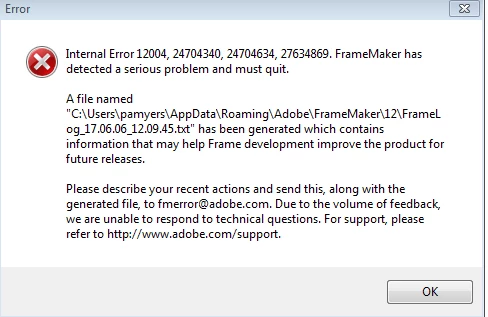
When I double-click a file to open it directly, Framemaker reports the following error.
When I open Framemaker and click File>Open and select a Framemaker file, it will appear to open the file but no content is displayed. It is completely blank.  If I close, save as, or print the file, the file content appears in the background but it disappears when I close the save/print window.

This happens to every Framemaker file including new files. My colleagues can open and edit the files normally. I have uninstalled and reinstalled Framemaker 12 but it did not fix the problem. 

Kind regards.

This topic has been closed for replies.

4 replies

Klaus Göbel
Legend
June 7, 2017

Hi,

do you auto-run any scripts?

It seems to me, that anything (a script in your startup folder)  switched display to off.

If you are familiar with scripts, you could start the ExtendScript Toolkit (ESTK) type in these lines or copy/paste and run it.

alert("Display : " +  app.Displaying);

if (app.Displaying == 0)

   {

   app.Displaying = 1;

   }

If Displaying is off it will show you "Display : 0" and switch it on.

ESTK can be found here: C:\Program Files (x86)\Adobe\Adobe ExtendScript Toolkit CC\ExtendScript Toolkit.exe

Participant
June 7, 2017

Thanks Klaus,

This worked! However when I close the file and open it again I must open Extendscript and run the script again. Is there a way of permanently applying the fix?

I don't normally work with scripts in Frame.

Klaus Göbel
Legend
June 7, 2017

Hi,

just have a look at the script in your autorun.

If you don't need it in autorun, just remove it : file-> script -> library.

It seems to me that this script crashes and so it can't reset "displaying".

You should find hints in your console.

In this case you should contact the author.