saratogacoach
Inspiring
December 12, 2016
Answered

Framemaker 2015 hypertext alert

  • December 12, 2016
  • 10 replies
  • 1222 views

New to FM 2015, trying to add a basic text message in a text frame, using hypertext alert, to display in PDF output.

So far, can't get it to work. I've followed instructions: select and place cursor in text frame where I would like the PDF comment icon to display. Using hypertext dialog, select "alert" and create a small test message, then add new. Print to PDF using Distiller available in FM. View PDF in Acrobat DC, and no icon, no hypertext alert where cursor was placed in FM frame.

Only need simple text pop up, so a plug-in for additional functionality probably not needed for this eLearning project.

Must be doing something wrong?

Any suggestions appreciated.

Thank you in advance.

    This topic has been closed for replies.
    Correct answer Barb Binder

    I notice in your screenshots that the linked text ("evaluation") has a tag which I've never seen

    That's a pilcrow or ¶ which looks fancy because it is in Adobe Garamond Pro.

    You mention "marker." Is that set up only using the hypertext dialog or do you need to use the "marker" dialog also?

    The Hypertext panel is a special version of the Marker panel. In days of old, we did all the linking via the marker box, but it meant we had to a.) memorize the building blocks, b.) type them in and c.) wonder if they would actually work. Moving the hyperlink commands to their own panel allowed Fm to display the commands in the drop down menu, add the building blocks when we click the appropriate command, and validate that we didn't mess up the spelling of a building block as we click on Add Hypertext Marker. You can add the markers in either place, but the Hypertext panel is easier.

    You mention "marker."

    The hypertext alert marker is the thick T visible in the 2nd screen shot right in front (and by "in front" I mean obscuring) the letter "r: in the word requires. You do need to have the marker in the paragraph, but you won't see it unless you have text symbols showing. (View > Text Symbols).

    My questions for you:

    • Do you have any character tags in the paragraph with the marker? That does impact hypertext hotspots.
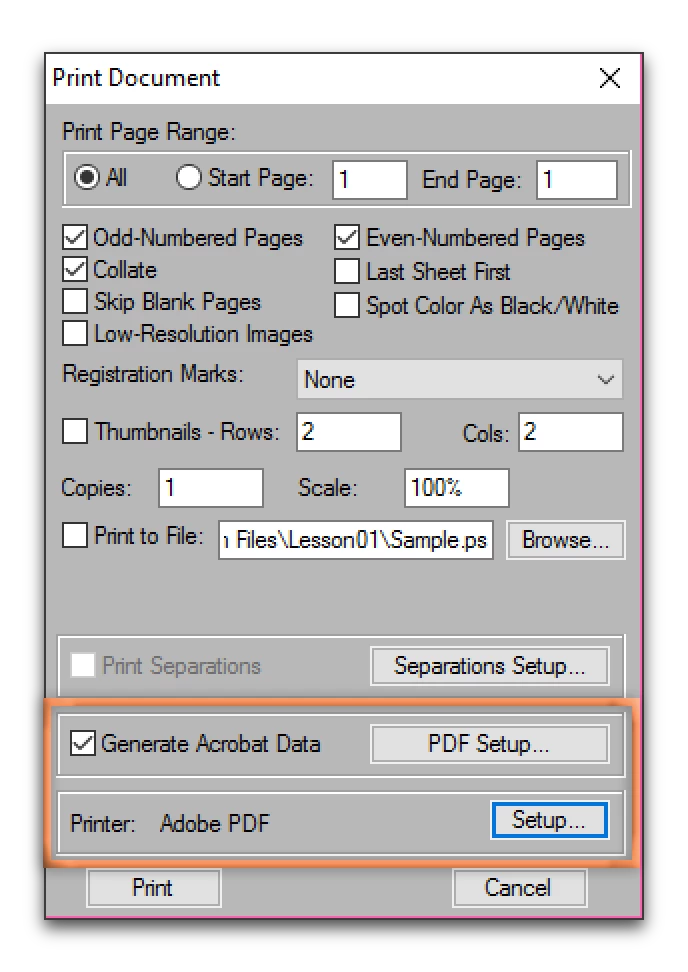
    • And you are using File > Print with Generate Acrobat Data on, as per Bob, and using the Adobe PDF printer? Print to File is unchecked? (I normally use File > Save as PDF, but I tested this with the exact same result.)

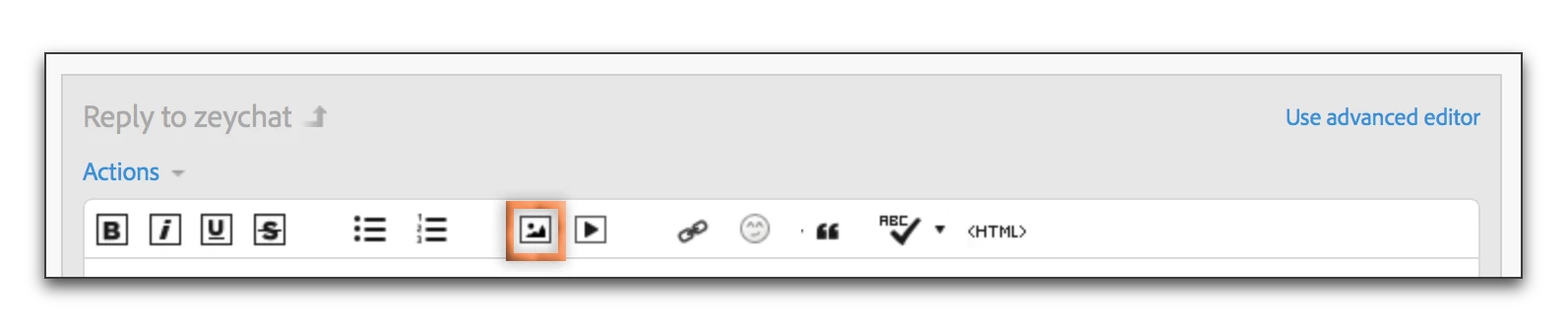
    • If it still isn't working, can you share similar screen shots? I'm on the same software as you, so we should be able to figure this out. Use the outlined button in the chat window.

    10 replies

    Known Participant
    June 1, 2017

    Great method, and works for me. However, the popup icon appears very large in the PDF file (sample provided). I'm using Acrobat Pro DC as the PDF viewer. Is there a way to size the icon down at all? The document font is Arial 9, and the marker is associated with a line that says SSC 2.4.7 (you can see "C 2." in the screen shot).

    Barb Binder
    Community Expert
    Community Expert
    June 1, 2017

    Hi Bruce: Acrobat doesn't have a control to change the size of the note icons, but I notice that mine is looks smaller than yours does on Acrobat DC Pro (Windows). (The text is 9pt Arial.)

    You can change the icon by right-clicking > Properties. The traditional Comment icon is shorter than the Text Note icon.

    That said, I wonder how this relates to your display resolution. My MacBook has a Retina display, with the Windows 10 resolution set to 1920 x 1200, and I have the magnification set to the recommended 100%. In Acrobat, under Edit > Preferences > General, I have Scale for Screen Resolution set to auto-detect. One or more of these settings may be playing a role on your display, and might be worth playing round with.

    ~Barb

    ~Barb at Rocky Mountain Training
    Known Participant
    June 1, 2017

    Great, Barb, I'll give those tips a try.

    Thanks!

    Bruce

    Barb Binder
    Community Expert
    Community Expert
    December 12, 2016

    Here's the sequence:

    In Fm 2015, set up the marker in the Hypertext panel:

    Click New Hypertext marker to add the marker.

    I used File > Save as PDF, and opened in Acrobat DC:

    This sounds similar to what you said you did (but check, of course). You mentioned Distiller. You aren't printing a .ps file and then manually distilling it are, you?

    ~Barb at Rocky Mountain Training
    Bob_Niland
    Community Expert
    Community Expert
    December 12, 2016

    re: You aren't printing a .ps file and then manually distilling it are, you?

    In which case, I'd imagine that:

    ☑ Generate Acrobat Data
    also matters.