Participant
February 22, 2023
Question

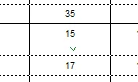
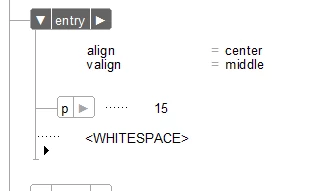
Framemaker 2019 adds randem <whitespace> to table entries. How can I prevent this? XML has no space.
  • February 22, 2023
  • 1 reply
  • 467 views

This topic has been closed for replies.

1 reply

frameexpert
Community Expert
Community Expert
February 22, 2023

Go to your 15 folder and find maker.ini. Edit it and add a [Preferences] section if there isn't one. Add this to the [Preferences] section:

RemoveExtraWhiteSpacesOnXMLImport=On

Quit and restart FrameMaker and try importing again.

Participant
February 22, 2023

Is there a particular order in which to place the new line. There are 60+ lines under Preferences. I just stuck it in the middle of the list, and nothing changed in the publish. Still got the <whitespace>.


frameexpert
Community Expert
Community Expert
February 22, 2023

No, it can go anywhere. How are you getting the XML into FrameMaker?
