


Participant
Sep 27, 2018 10:59 AM UTC
Question

framemaker 2019 freeze

Framemaker 2019 freeze

We have a user, who upgraded to Framemaker 2019 on a new laptop (Lenovo ThinkPad T570, i7, 16GB Ram and Windows 10).

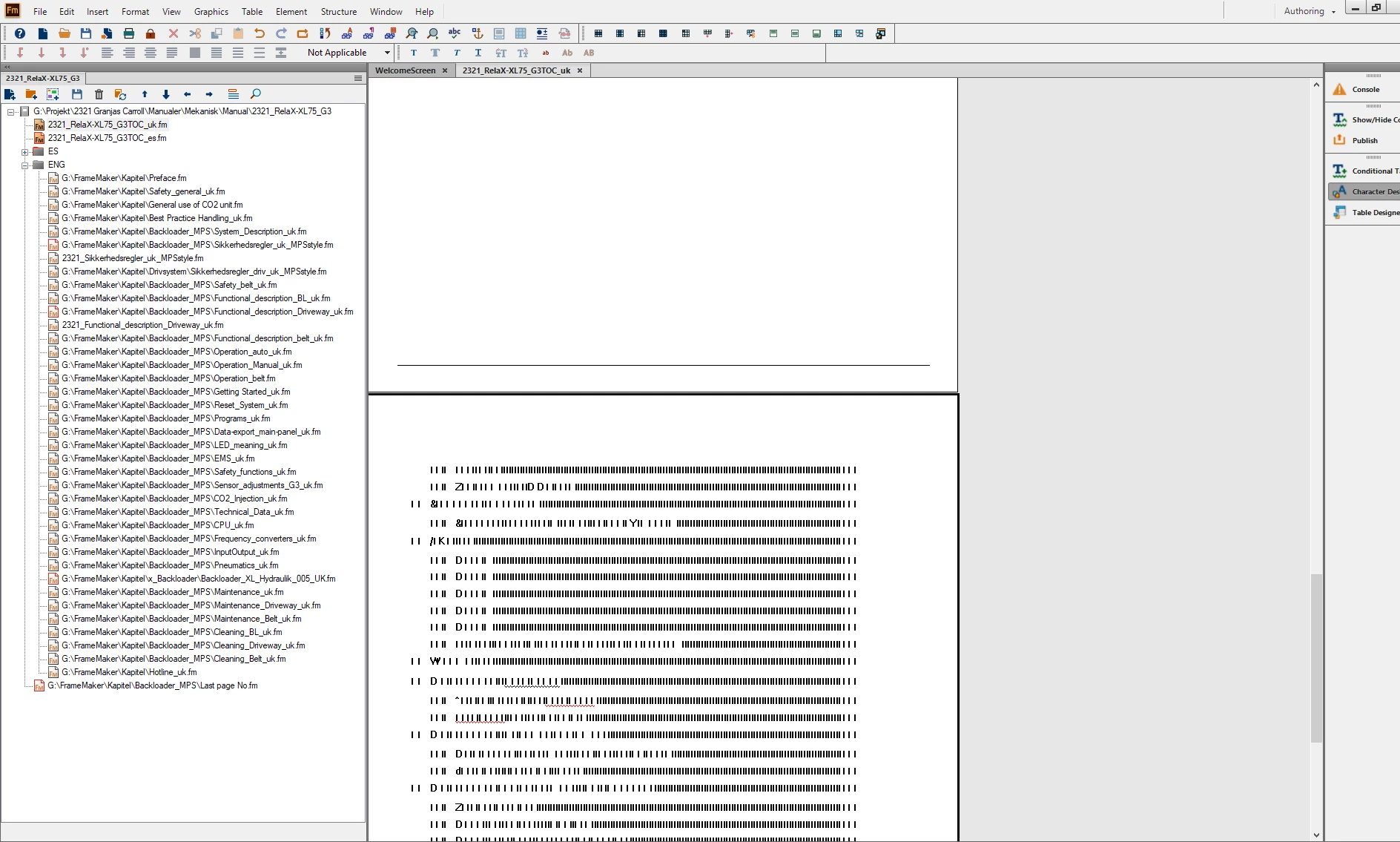
Her problem is that Framemaker keeps freezing. Fx opening a document and when she clicks on the second line (2321_relaX-XL...), Framemaker freezes totally.
No reaction on the screen and in the view, the characters are not complete - blurry.

Only way is to Kill the program.

Happens more times. Checked for updates, on the newest version.
    This topic is closed to new replies. Start a new post to keep the conversation going.

    8 replies

    Participating Frequently
    Sep 27, 2018 11:36 AM UTC

    Hi,

    I have sent you a private message. Please reply to it and we will connect with you to look into the issue.

    Regards,

    Mayank

    Translate
    Participant
    Dec 11, 2018 3:38 PM UTC

    I've been facing the same issue since upgrading to TCS 2019 - see attached screenshot.

    For me, the freeze happens usually when I hit Ctrl+S after I edit the content. After the freeze, I have to close Framemaker in Task manager and when I reopen it, I see that the changes have actually been saved.

    Translate
    Jeff_Coatsworth
    Community Expert
    Community Expert
    Dec 11, 2018 3:44 PM UTC

    All patched up? 32 or 64 bit version of FM2019? Structured or Unstructured FM?

    Translate