
Known Participant
March 21, 2019
Question

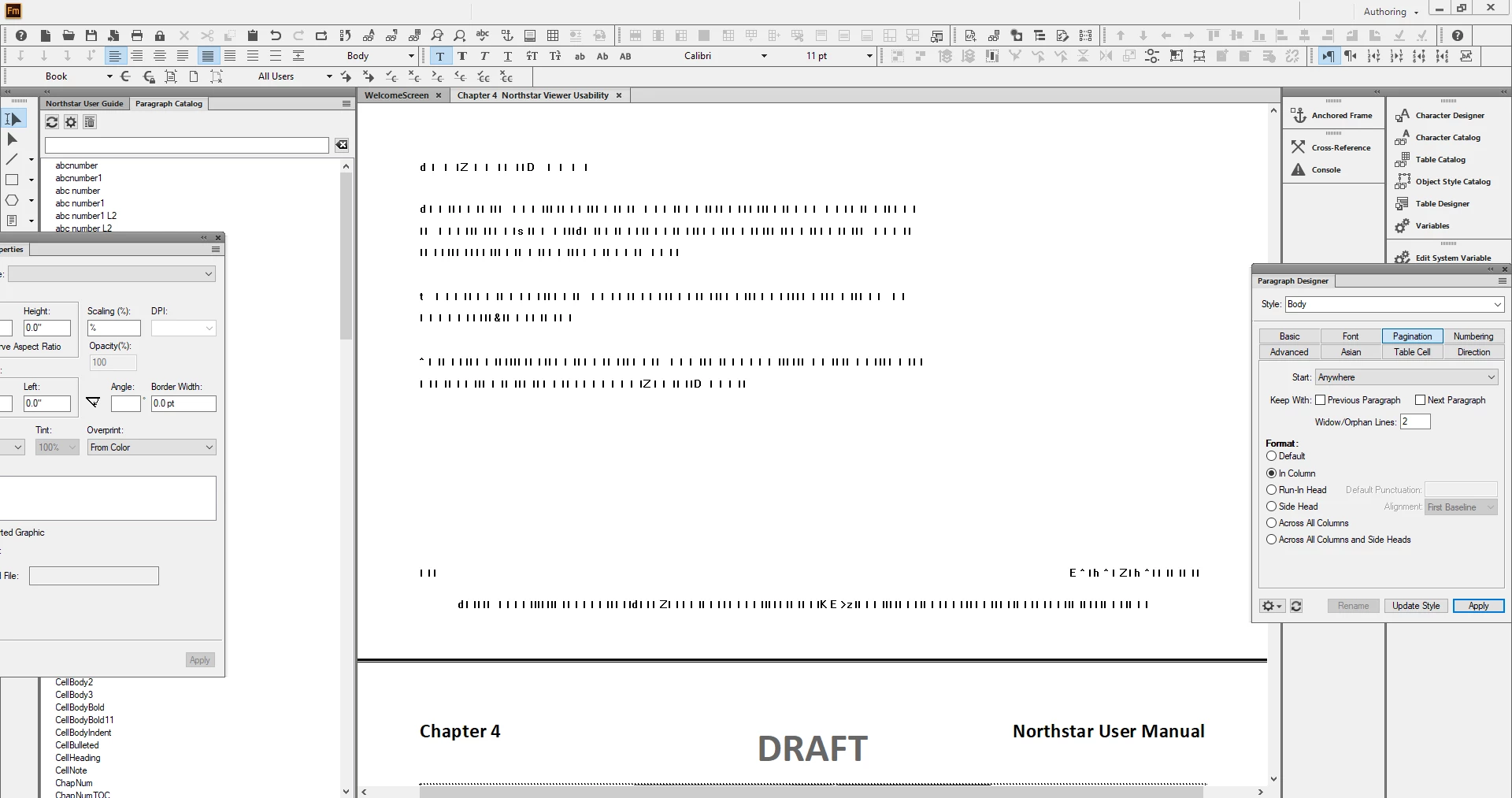
Framemaker 2019 is worse than 2015
  • March 21, 2019
  • 5 replies
  • 1010 views

Does anyone else have problems with FM 2019? I am not using it as a HTML structure tool right now and I can just move my cursor and the whole program freezes. The text turns to bars across the page - I will attach images if I can. I just wonder if this is happening to anyone else and can it be resolved?

This topic has been closed for replies.

5 replies

Matt-Tech Comm Tools
Community Expert
Community Expert
March 29, 2019

I saw the same earlier in the Fm 2019 release.

Along with confirming the latest update (15.0.2.503, but soon to be updated again) you can also rename your preferences folder at C:\Users\<<Your User Name>>\AppData\Roaming\Adobe\FrameMaker.

Renaming 15 to 15-old (or similar) will force Fm to recreate preference files from scratch. This can quickly clear up a number of things, while retaining the previous settings if you need to revert.

FWIW, I've never had to revert to the previous settings folder, but it would contain workspace and other customizations if I wanted to carry them forward.

-Matt

-Matt Sullivan, FrameMaker Course Creator, Author, Trainer, Consultant
Robert_^_W
Inspiring
March 29, 2019

This happens to me too, when I've been moving graphics around, importing etc. The information in the structure list is the same rubbish on the document window. All patches on.

Community Expert
March 29, 2019

Does this happen always, when you import graphics or move graphics around?

I remember that I noticed this once, but after restarting FrameMaker everything worked correctly.

I do not know a solution.

I would contact support:

https://helpx.adobe.com/contact/enterprise-support.other.html#framemaker

Best regards

Winfried

LinSims
Community Expert
Community Expert
March 21, 2019

You might also want to check and make sure that your video drivers are up to date. Sometimes out of date drivers can have odd effects, especially with the newest monitors.

Barb Binder
Community Expert
Community Expert
March 21, 2019

Hi Joyce:

I suspect Jeff's answer is correct (let us know and I can mark it as such).

I saw that screen a few times when 2019 was released, but haven't seen it since installing the patches. The current version is:

Help > About FrameMaker

Help > Updates

What version are you using?

~Barb

~Barb at Rocky Mountain Training
Jeff_Coatsworth
Community Expert
Community Expert
March 21, 2019

Make sure you've applied all the patches that have come out since its release...