Inspiring
February 23, 2022
Answered

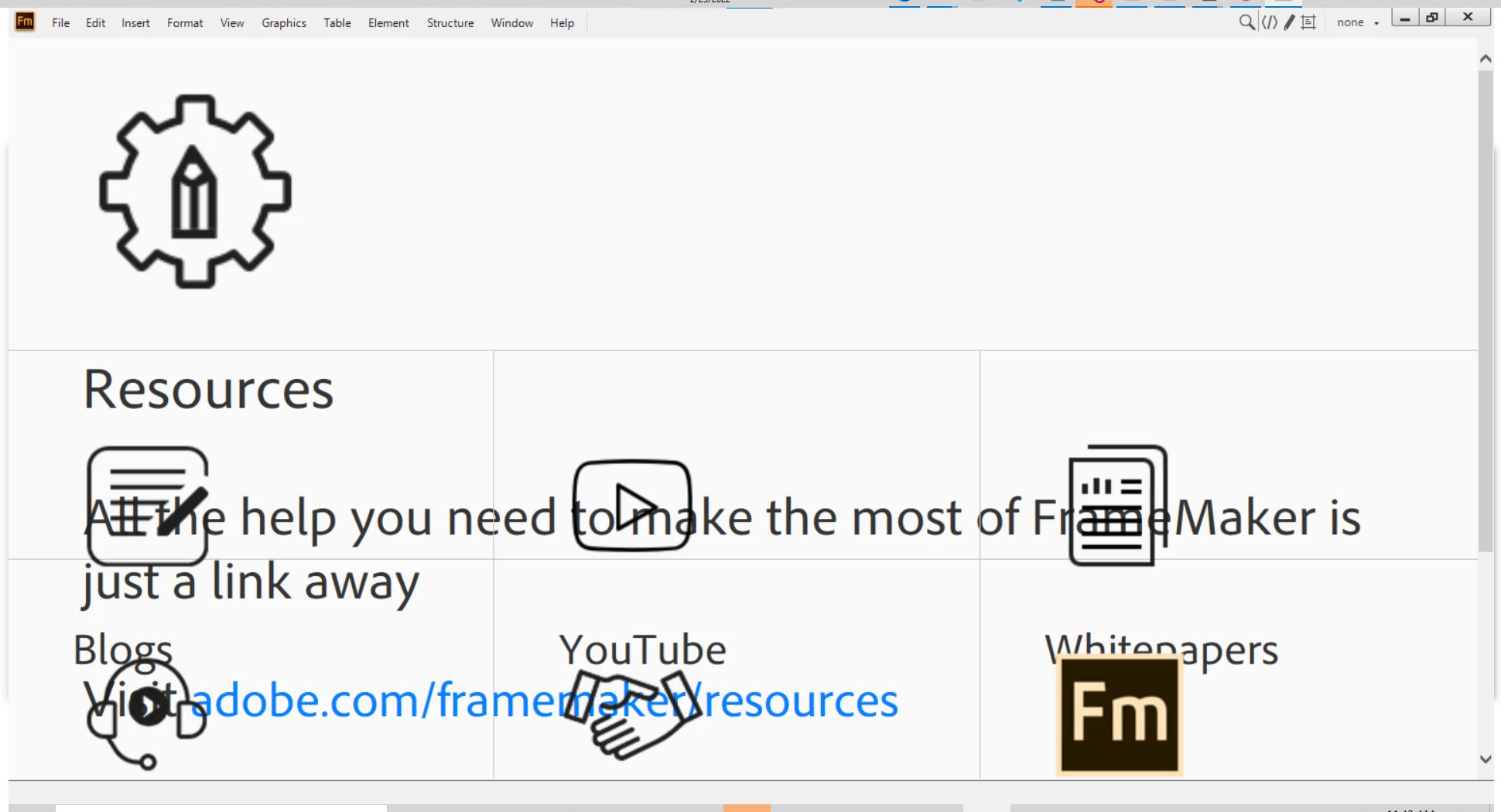
FrameMaker 2019 Resources Splash Page incorrect

  • February 23, 2022
  • 2 replies
  • 724 views

I'm looking to findout what causes this and how can i mitigate such errors. Any Ideas? I'm not the only one with this problem...

    This topic has been closed for replies.
    Correct answer mgt@hexusfed

    For some reason, that didn't seem to work for me... alternatively, when I see this screen, I inadvertently held down the [Shift] key and used the mouse wheel to scroll down one click and the whole page rezoomed to it's original intended state... why? I don't know, but all the functionality returned... weird.

    2 replies

    Jeff_Coatsworth
    Community Expert
    Community Expert
    February 23, 2022

    You can also edit the welcome.htm screen to take out a line -
    Klaus found this:

    "By experiments I found that the culprit must be here:

     <h5><span id="DITA_Standard">(DITA-1.2)</span> <a id="FM_DITA_OPTIONS" href="http://fm-welcomescreen/?cmd=newxml-dita-options" class="">Change DITA Version</a></h5>
    

    Wrapping this as XMl comment lets the Welcome screen work again.

    Just using the context function menu Back does not provide a screen with the favourites/last used files which is cumbersome."

    mgt@hexusfedAuthorCorrect answer
    Inspiring
    February 23, 2022

    For some reason, that didn't seem to work for me... alternatively, when I see this screen, I inadvertently held down the [Shift] key and used the mouse wheel to scroll down one click and the whole page rezoomed to it's original intended state... why? I don't know, but all the functionality returned... weird.

    Inspiring
    February 23, 2022

    Jeff_Coatsworth
    Community Expert
    Community Expert
    February 23, 2022

    There's several threads out there with the issue - the easiest way is to just follow this one & turn it off - https://community.adobe.com/t5/framemaker-discussions/framemaker-2020-can-t-get-rid-of-welcome-screen/m-p/11565221#M68079

    Inspiring
    February 23, 2022

    Thanks for the quick reply, but is there a way to just bring it back to its original, not out-of-scale state? I have users that still want to have certain parts of this splash screen accessible at that level... just curious if simply removing the screen altogether is the only solution.