


Participant
Mar 8, 2021 8:29 PM UTC
Answered

Framemaker 2020: Table of Contents not Outputting Properly to HTML5

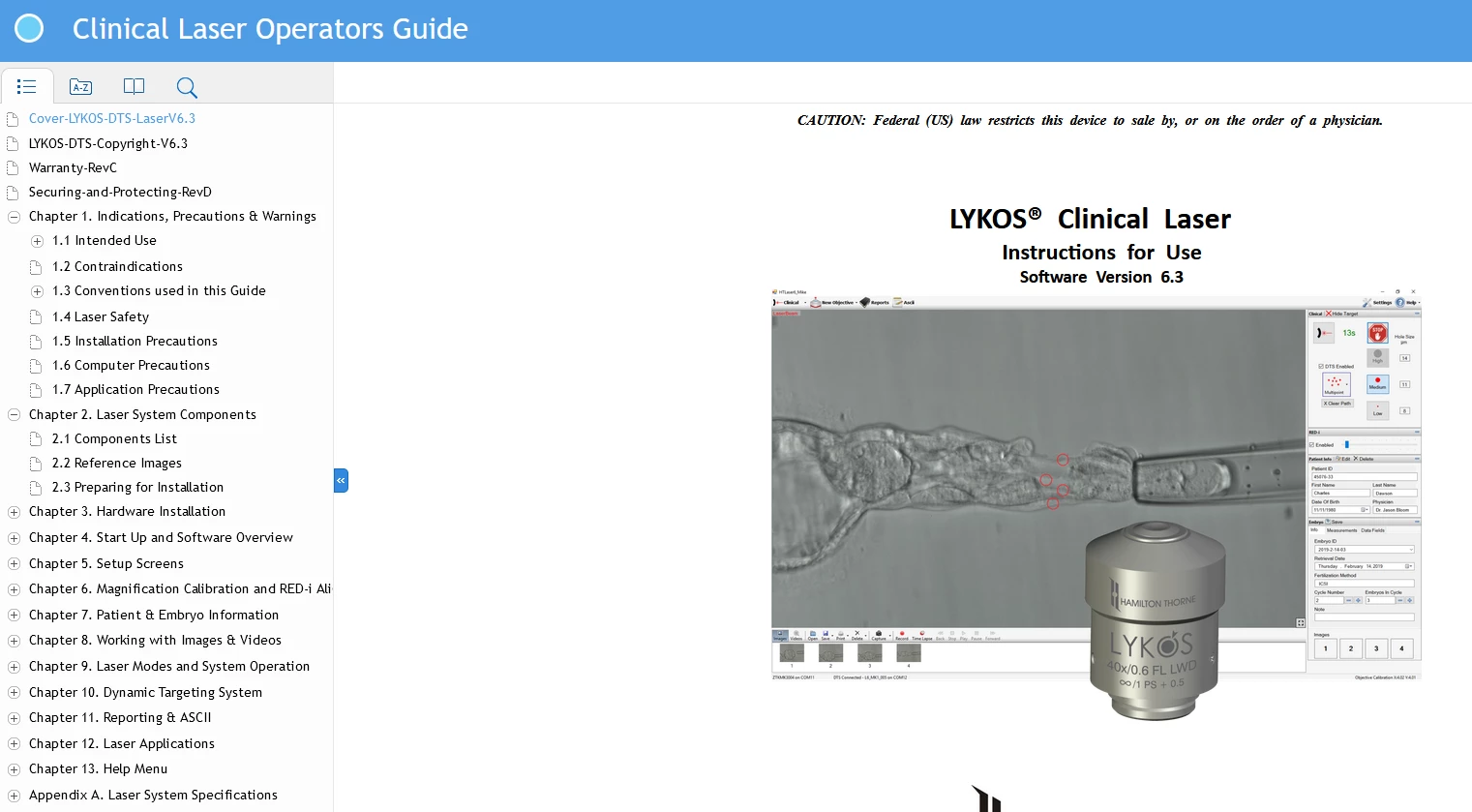
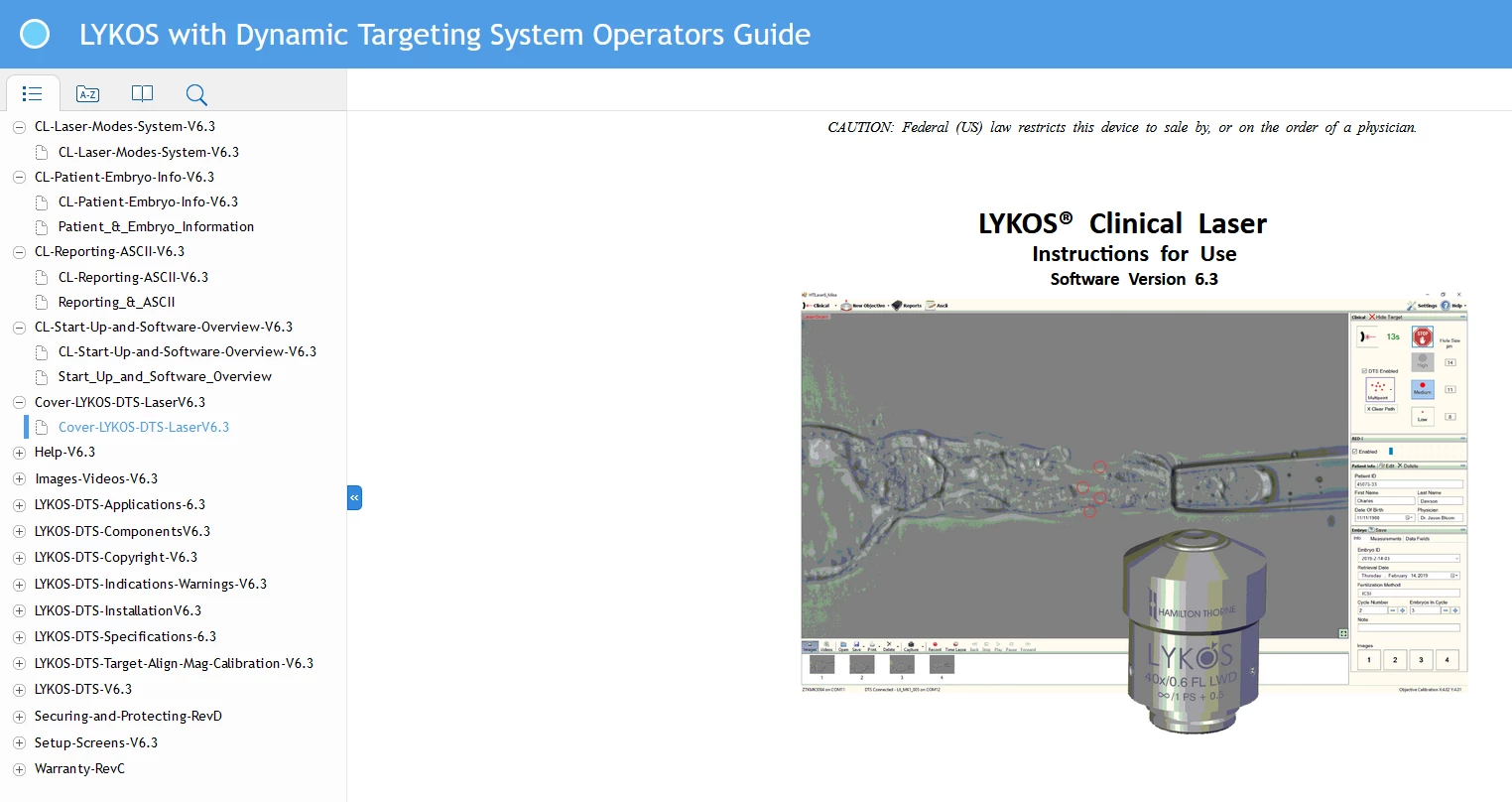
I haven't published to HTML5 i a while but now when I attempt to do so, the following is happenig:


1) It is using the actual file names instead of the heading names

2) It is orderig them alphabetically instead of in the TOC order.

3) There is an extra blank file under most TOC topics.


I am doing nothing differently than I did previous so not sure how to fix this issue. I am attaching images of the previous correct display (top) and the new incorrect display (bottom).


Any help would be appreciated in helping me fix this.


Thanks

Cindy

This topic is closed to new replies. Start a new post to keep the conversation going.
Participant
Mar 8, 2021 9:16 PM UTC

Just downloaded the update and that seems to have fixed the issue.

5 replies

Known Participant
Jun 3, 2021 8:04 PM UTC

Thank you for your response, Jeff. I'm on 16.01. I have to admit: I had forgotten to include the TOC in the book, so that was causing the problem I reported earlier today.


However, an unrelated problem is occurring now. I will open a new topic for it.

Translate
Jeff_Coatsworth
Community Expert
Community Expert
Jun 3, 2021 5:13 PM UTC

Quite possible - what point version are you on now?

Translate
Known Participant
Jun 3, 2021 4:05 PM UTC

The first problem seems to be back. I published one project to Responsive HTML5 in mid-May, and the heading names appeared as expected. Today I'm trying to publish a different project, and the file names appear instead of the heading names.


My file names (1.fm through 11.fm) are already in numerical order, so I don't know whether the OP's second issue is also present. There is no blank file under any TOC topics,as far as I can tell.


Could the latest update (from yesterday, it appears) have reverted the OP's first issue?

Translate
hamiltonthornemarketingAuthorCorrect answer
Participant
Mar 8, 2021 9:16 PM UTC

Just downloaded the update and that seems to have fixed the issue.

Translate
Jeff_Coatsworth
Community Expert
Community Expert
Mar 8, 2021 8:41 PM UTC

What point version of FM are you running? Is it all up to date?

Translate